
Buffering on a TV box doesn’t automatically mean your internet plan is too slow. Sometimes the issue is much closer to home: the connection between your SviCloud TV Box and your router. If your SviCloud works well most of the time but occasionally freezes during live streaming, switching between Wi-Fi and Ethernet can be one of the simplest ways to diagnose the problem.
SviCloud’s own technical guidance notes that while Wi-Fi is convenient, wired LAN generally provides a more stable connection and recommends Ethernet for high-resolution streaming when practical. So, should your SviCloud TV Box use Wi-Fi or Ethernet?
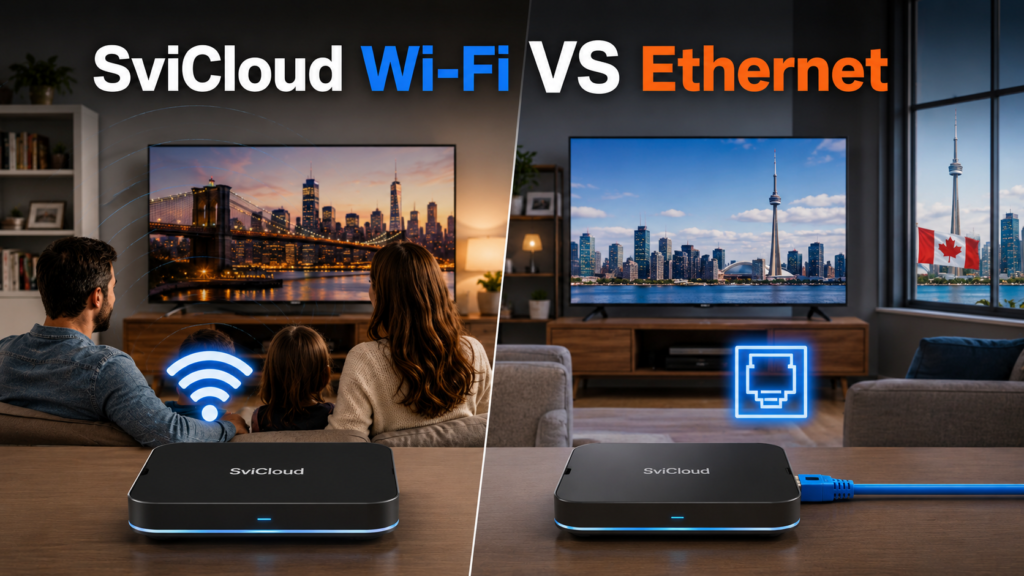
⚖️ SviCloud WiFi VS Ethernet
For most users:
- ✅ Wi-Fi = easier installation
- ✅ Ethernet = better consistency
If your SviCloud TV Box is close to the router and streaming smoothly, stay on Wi-Fi.
If you’re regularly experiencing buffering—particularly during live viewing—test Ethernet before changing your internet plan or buying new networking equipment.
🤔 Why SviCloud Buffering Can Happen on Wi-Fi
Wi-Fi is wireless. That convenience also means your TV box shares radio spectrum with other devices. Your home may have:
- Smartphones
- Tablets
- Laptops
- Smart TVs
- Security cameras
- Game consoles
- Smart speakers
- Other streaming devices
Nearby apartments may also have dozens of Wi-Fi networks operating around you. This doesn’t necessarily make Wi-Fi bad. It simply means wireless performance can fluctuate more than a direct wired connection.
✅ When Wi-Fi Is the Better Choice
Wi-Fi is perfectly reasonable when your home has strong wireless coverage. Consider staying with Wi-Fi when:
Your router is close to the TV. If the SviCloud box and router are in the same room, there may be little practical reason to run an Ethernet cable.
Streaming is already smooth. Don’t fix a problem that doesn’t exist. If live and on-demand content already loads consistently, switching to Ethernet may make little noticeable difference.
Running a cable is impractical. In apartments and rental homes, the router may be on the opposite side of the room. Wi-Fi keeps the installation simple and clean.
🔌 When Ethernet Is Better for SviCloud
Ethernet becomes particularly useful when consistency matters more than convenience. SviCloud’s technical information states that wired Ethernet generally offers a more stable, faster, and interference-free connection, and recommends using a LAN for high-resolution streaming. Consider Ethernet when:
- Live TV buffers repeatedly
- Wi-Fi signal strength is weak
- The router is several rooms away
- Your wireless network is crowded
- Video quality frequently changes
- The SviCloud box permanently stays beside one TV
Because a TV box normally stays in one location, Ethernet is often easier to justify than it would be for a phone or laptop.
📶 SviCloud 10P and Gigabit Ethernet
Your exact networking capabilities depend on your SviCloud model. The SViCloud 10P features a 1000M Gigabit Ethernet port, while some older models such as the 9 Max use a 100M port.
This distinction matters.
If you are troubleshooting a specific model, don’t assume every SviCloud generation has identical Ethernet hardware.
Check the specifications for your exact box.
💡 Does Faster Internet Automatically Stop Buffering?
No. This is one of the most common misunderstandings.
Imagine your connection as a chain: ISP → Modem/Router → Wi-Fi/Ethernet → SviCloud → App → Remote Server
Your internet subscription is only one part of that chain. A fast fiber connection doesn’t eliminate:
- Weak Wi-Fi
- Wireless interference
- Router congestion
- App problems
- Remote service issues
That’s why upgrading from, for example, a fast plan to an even faster plan isn’t automatically the right solution. First, identify where the problem occurs.
🔍 The Best SviCloud Buffering Test
Use Ethernet as a diagnostic tool. You don’t need to rewire your home permanently. Temporarily connect the SviCloud box directly to your router. Then test the same content you were watching on Wi-Fi. If buffering disappears, your Wi-Fi environment is probably contributing to the problem. Investigate:
- Router placement
- Signal strength
- Wi-Fi band
- Wireless congestion
- Distance and obstacles
If buffering continues, the problem may not be your Wi-Fi. Check your internet connection, router, SviCloud system, app, and the particular stream you’re trying to watch.
📝 How to Improve SviCloud Wi-Fi Before Using Ethernet
If running a cable isn’t practical, try optimizing Wi-Fi first.
Move the Router. Avoid hiding the router:
- Inside a cabinet
- Behind the television
- On the floor
- Behind large furniture
A more open and elevated location can improve wireless coverage.
Reduce the Distance
Even moving the router or TV box by a relatively small distance can sometimes improve signal quality.
Test Different Wi-Fi Bands
Depending on your router and SviCloud model, test the available bands rather than assuming one will always perform better.
Higher-frequency bands generally offer strong performance at shorter distances, while 2.4GHz generally provides better range.
Restart Your Router
Consumer routers sometimes benefit from a restart, particularly if they have been operating continuously for a long time.
🛠️ SviCloud Still Buffering on Ethernet?
If you’ve connected Ethernet and the same problem continues, don’t keep changing network cables. Try isolating the issue.
- Test another video or channel
If only one stream has trouble while everything else works, your home network is less likely to be the cause. - Test another app
This helps determine whether the issue is app-specific. - Restart SviCloud
A simple reboot can clear temporary system or networking problems. - Restart the Router
This refreshes your local network connection. - Check Other Devices
If phones and laptops are also struggling, investigate the home internet connection first.
If SviCloud is still buffering or not working properly after trying the steps above, the issue may not be limited to your Wi-Fi or Ethernet connection. App errors, system settings, software issues, or device configuration can also affect performance. For more solutions, see our SviCloud TV Box Not Working? Complete Troubleshooting Guide & Solutions for a complete step-by-step troubleshooting guide.
🏠 Wi-Fi vs Ethernet for Different SviCloud Users
Casual movie and drama viewing: Wi-Fi is usually the most convenient choice.
Frequent live streaming: Ethernet is worth using whenever practical.
Large house: Ethernet is ideal if the router is far from your entertainment area. Otherwise, improving Wi-Fi coverage may be necessary.
Apartment with router beside TV: A good Wi-Fi connection may already be more than sufficient.
❓ SviCloud Wi-Fi vs Ethernet FAQ
Is Ethernet better for SviCloud?
For consistent stationary streaming, wired Ethernet generally has an advantage because it avoids many wireless interference variables. SviCloud’s own technical guidance recommends LAN for high-resolution streaming when practical.
Does SviCloud 10P support Gigabit Ethernet?
Yes. The SviCloud 10P has a 1000M Gigabit Ethernet port.
Why does SviCloud buffer even with fast internet?
Your ISP speed is only one factor. Wi-Fi signal quality, router performance, the application, and remote services can all affect playback.
Should I buy a new router if SviCloud buffers?
Not immediately. First test the box over Ethernet. If the issue disappears, you have useful evidence that your local wireless connection needs attention.
📌 Should SviCloud Use Wi-Fi or Ethernet?
Start with Wi-Fi because it’s convenient. If everything works smoothly, keep using it.
But if you’re experiencing repeated buffering, especially with live content, Ethernet should be one of your first troubleshooting tests.
It can quickly help you separate an SviCloud problem from a Wi-Fi problem—and may save you from unnecessarily replacing your TV box, router, or internet plan.
✨Ready to Upgrade to SviCloud 10P?
If you’re looking for a reliable TV box for everyday home entertainment, SviCloud 10P is a strong option for users in the USA and Canada. With flexible Wi-Fi and Ethernet connectivity, smooth performance, and access to a wide range of entertainment options, it can easily fit into different home network setups.
Whether you’re upgrading an older TV box or setting up a new entertainment system, choosing the right device—and pairing it with a stable internet connection—can make a noticeable difference in your viewing experience.