
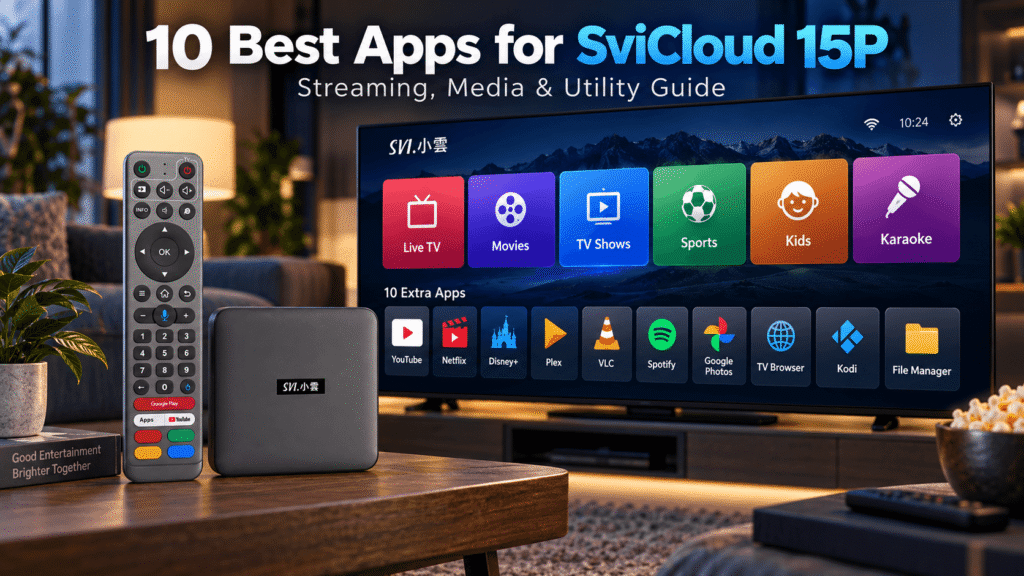
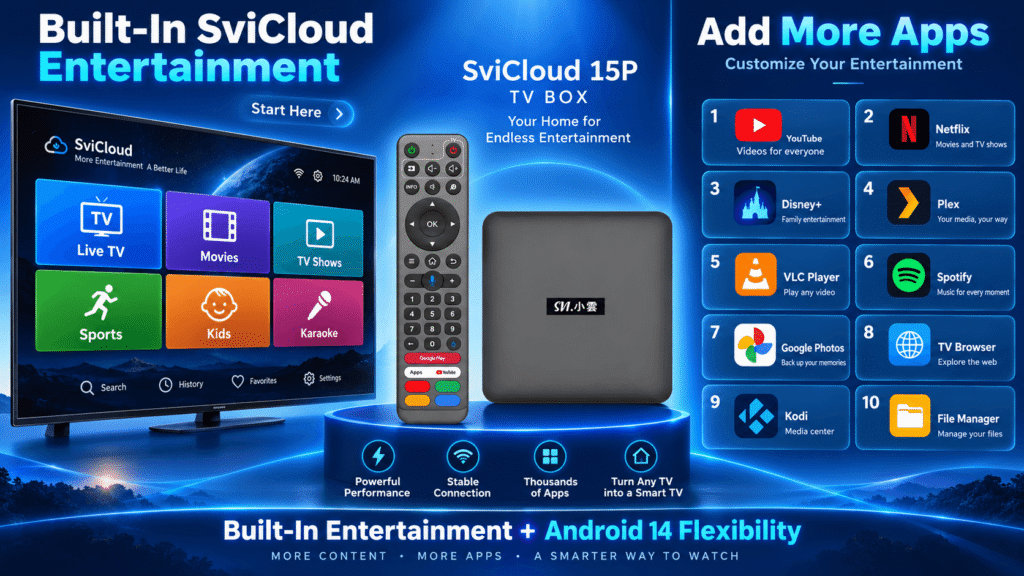
這 小雲盒子 experience does not start with an empty Android box. The SviCloud 15P 電視盒 already has its own entertainment ecosystem, with built-in apps and dedicated entrances for live TV, movies, TV shows, sports, children’s entertainment, karaoke, and other viewing categories.
That built-in experience is one of the biggest advantages of SviCloud 15P. Parents and grandparents can open familiar entertainment sections directly instead of having to search for and install a separate app for every type of content.
At the same time, the SviCloud 15P runs Android 14, giving users the flexibility to add compatible third-party applications when they want even more entertainment, local media, music, photos, or utility functions.
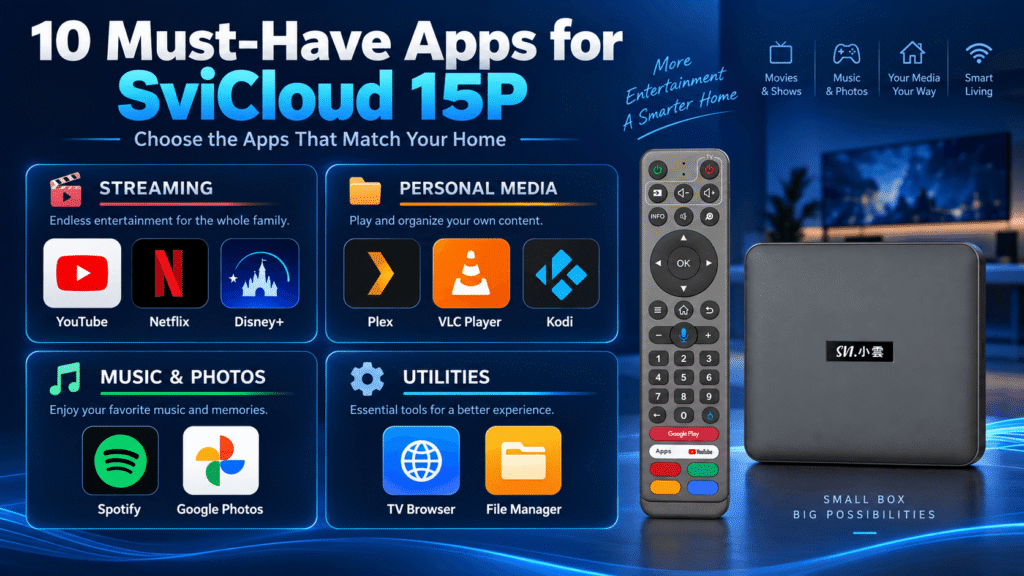
So which extra apps are worth adding? In this guide, we look at 10 useful apps to install alongside the built-in SviCloud ecosystem: YouTube, Netflix, Disney+, Plex, VLC Player, Spotify, Google Photos, Chrome or a TV browser, Kodi, and a File Manager.
Built-In SviCloud Apps Come First
Before installing additional apps, it is important to understand what the SviCloud 15P already offers.
The SviCloud entertainment ecosystem includes its own core applications and content entrances. Users can access different categories such as live television, movies, TV series, news, variety programs, animation, sports, and other entertainment from the box itself.
This means you do not have to turn the SviCloud 15P into a useful TV box by installing ten or twenty applications immediately after setup. Its built-in entertainment environment already covers many of the everyday viewing needs of overseas families. The built-in applications include Yogurt TV, Yogurt Kids, WeFun Karaoke, and Cherry TV.
The 10 apps below should therefore be treated as additional tools that expand the SviCloud experience, not replacements for the box’s built-in apps.
If you want to understand the current installation process first, read our SviCloud 15P 應用指南, which explains the SviCloud app download page and how compatible third-party apps can be added.
Top 10 Must-Have Apps for SviCloud 15P
1. YouTube — Essential for Online Video
YouTube is one of the most useful additions to almost any TV box because it fills a very different role from traditional television.
While SviCloud’s built-in apps provide direct access to live TV, movies, shows, sports, and other entertainment categories, YouTube expands the box into creator videos, tutorials, reviews, music, travel videos, documentaries, educational content, and short-form entertainment.
For families, this combination works particularly well. Parents can continue using the built-in SviCloud TV content while younger users can open YouTube for their preferred online videos.
YouTube availability, account functions, and playback quality can vary according to the current app version, region, and device compatibility.
2. Netflix — An Extra Movie and Series Library
Netflix is useful for households that already maintain a Netflix membership and want another movie and television source alongside the built-in SviCloud entertainment options.
The important distinction is that installing Netflix does not replace SviCloud’s own movie and TV entrances. Instead, it adds another optional library to the same television setup.
Netflix requires its own account and subscription, and supported resolution or other features may depend on the app version, device requirements, and Netflix policies.
If Netflix is one of your main services, install the compatible version available for your device and test playback before relying on it as your primary streaming source.
3. Disney+ — Family Movies and Franchise Entertainment
Disney+ can be another useful addition for households interested in Disney, Pixar, Marvel, Star Wars, National Geographic, and other content available through the service.
It is especially useful in a family living room because it complements the children’s and family entertainment already available through the SviCloud ecosystem.
Disney+ is a separate subscription service. App availability, device support, video resolution, and regional catalogues are controlled by Disney+ and may vary by country and device.
If a compatible version is available for your SviCloud 15P, it can provide another convenient entertainment option without changing the way you use the box’s built-in SviCloud apps.
4. Plex — Organize Your Personal Media Library
Plex is particularly valuable for users who keep their own collection of movies, TV episodes, music, or other media on a computer or home server.
Rather than storing everything directly on the TV box, Plex can organize a personal media library and make it easier to browse compatible content from the television.
Plex maintains dedicated support documentation for its Android TV big-screen app, making it a useful option for Android-based living-room devices. Plex Android TV Support.
For users with large personal movie collections, Plex works particularly well alongside the SviCloud 15P’s own local media capabilities.
5. VLC Player — A Powerful Local Media Player
VLC Player is one of the most useful apps to keep on a TV box if you frequently play your own video or audio files.
The SviCloud 15P already has strong local media features, including support for compatible local video formats and personal media playback. VLC adds another flexible playback option when you encounter different file formats or network media sources.
According to VideoLAN, VLC for Android supports Android TV, local video and audio files, network streams, subtitles, multiple audio tracks, NAS and shared-drive browsing. See VLC for Android.
This makes VLC especially useful for people who connect external storage or access media from another device on their home network.
6. Spotify — Turn Your TV Into a Music Center
SviCloud 15P does not have to be used only for television and movies. Spotify can turn the television and connected speakers or soundbar into part of a home music system.
Users can play playlists, albums, podcasts and other supported Spotify content through the living-room setup.
This is a good complement to the SviCloud entertainment ecosystem because the built-in apps focus heavily on visual entertainment, while Spotify gives households another convenient audio option.
Spotify account requirements, available plans and app features depend on the service and region.
7. Google Photos — Share Family Photos on the Big Screen
One of the easiest ways to make better use of a large television is to display family photos and phone media during gatherings, holidays, or visits from relatives.
Google Photos can be useful for households that already store their photo library in Google’s ecosystem. Depending on current app availability and device support, viewing may work through a compatible app, browser, casting method, or screen mirroring.
The SviCloud 15P itself supports compatible mobile screen mirroring, so users can also display supported photos and videos from their phones on the television without turning the TV box into a permanent photo-storage device.
For detailed instructions, see our SviCloud 15P screen mirroring guide.
8. Chrome or a TV Browser — Useful for Web Access
A browser can be surprisingly useful on a television box.
You may want to open a webpage mentioned in a video, check a sports schedule, read news, access a web-based media page or download information directly from the television.
Chrome may work on compatible Android setups, although its interface is primarily designed for phones and computers rather than television remotes. A TV-optimized browser may therefore provide easier navigation from the sofa.
The SviCloud 15P remote’s air-mouse functionality can also make browser navigation more practical than using directional buttons alone.
9. Kodi — Advanced Media Center for Power Users
Kodi is one of the most capable media-center applications available for Android users who want greater control over personal media libraries.
It can organize compatible local and network media into a television-friendly interface and is particularly useful for users with NAS storage, shared folders, or larger home-media collections.
Kodi’s official documentation explains that its Android version is designed with Android media players and set-top boxes connected to large-screen televisions in mind. Read Kodi’s official Android documentation.
Kodi is more advanced than many everyday streaming apps, so users who simply want to watch SviCloud’s built-in live TV, movies, or shows may not need it. For enthusiasts, however, it can turn the box into a more customizable media center.
10. File Manager — Essential for APKs, USB Drives and Local Files
A good File Manager is not glamorous, but it is one of the most practical utilities to install on an Android TV box.
It helps users browse compatible USB drives, organize downloaded files, locate APK installation packages, and manage local folders more easily.
This becomes particularly useful if you regularly use VLC, Kodi, external storage, or personal media collections.
When choosing a File Manager, look for a simple TV-friendly interface rather than an application designed only for touchscreen phones.
Quick Comparison: Which SviCloud 15P Apps Do You Actually Need?
| App | 最佳適用 | Priority |
|---|---|---|
| YouTube | Online videos, tutorials, music, and creators | 高 |
| Netflix | Subscription movies and series | Optional |
| Disney+ | Family and franchise entertainment | Optional |
| Plex | Personal media server libraries | High for media collectors |
| VLC Player | Local files and network media | 高 |
| Spotify | Music and podcasts | Medium |
| Google Photos | Family photos and phone media | Medium |
| Chrome / TV Browser | Web access | Medium |
| Kodi | Advanced local and network media | High for power users |
| File Manager | USB, downloads and file organization | 高 |
Why SviCloud 15P Works Well With Extra Apps
The SviCloud 15P TV box combines Android 14 with a 64-bit A55 processor, 4GB RAM, and 64GB storage. That gives users room to add useful applications without changing the core SviCloud entertainment experience.
The 64GB internal storage is particularly helpful compared with boxes that provide very limited space for apps and updates.
The SviCloud 15P also works as a SviCloud streaming box, supporting dual-band WiFi 6 with 2T2R. A stable network is useful when households combine built-in SviCloud live entertainment with services such as YouTube, Netflix, Disney+, Plex, or Spotify.
Actual app performance and video quality still depend on the app itself, account status, network quality, region, video source and current compatibility requirements.
If you are installing the box for the first time, complete the hardware and network configuration before adding extra software. Our SviCloud 15P 設定指南 walks through the initial setup process.
Built-In SviCloud Apps vs 10 Third-Party Apps
The most important point in this guide is that users should not confuse third-party applications with the main SviCloud experience.
| 類型 | What It Does |
|---|---|
| SviCloud Built-In Apps | Provide direct entrances for live TV, movies, TV shows, sports, children’s content, karaoke, and other entertainment categories. |
| Streaming Apps | YouTube, Netflix, and Disney+ add additional online video libraries. |
| Personal Media Apps | Plex, VLC, and Kodi expand local and network media playback. |
| Lifestyle Apps | Spotify and Google Photos add music and family-photo experiences. |
| 實用工具應用程式 | TV browsers and File Managers make the Android environment easier to manage. |
For most families, the best setup is therefore not to replace the built-in apps. Start with SviCloud’s own entertainment ecosystem and add only the extra applications that solve a specific need.
Do These Apps Require Subscription Fees?
The SviCloud 15P itself is purchased as hardware and does not require a monthly device subscription from the seller.
However, some optional third-party services have their own business models. Netflix, Disney+, and certain Spotify plans, for example, may require separate paid accounts. YouTube, Plex, VLC, Kodi, browsers, and File Managers may offer free functionality, although individual services can also offer optional paid features.
This is why users researching a SviCloud TV box should separate the built-in SviCloud entertainment ecosystem from optional third-party subscriptions.
How Many Apps Should You Install?
More apps do not necessarily create a better TV experience.
For parents, grandparents, and multi-generation households, too many icons can make navigation more confusing. A better approach is to keep the main SviCloud entertainment apps easy to find and add only a small number of extra apps that the household actually uses.
A simple setup might include:
- SviCloud built-in apps for everyday live TV, movies, shows, and sports
- YouTube for online video
- Netflix or Disney+ if you already subscribe
- VLC or Plex for personal media
- Spotify for music
- A File Manager for occasional maintenance
Power users can then add Kodi, browsers, and other utilities when needed.
哪裡可以買 SviCloud 15P
If you are researching where to buy genuine SviCloud 15P, check the seller’s authorization information, product specifications, warranty, return policy, delivery information, and after-sales support before ordering.
SviCloudTV.com is an authorized SviCloud seller serving customers in the United States and Canada. Current specifications, plug options, and availability are listed on the product page.
If you are ready to buy SviCloud 15P, check the latest product information directly on the SviCloud 15P 產品頁.
Frequently Asked Questions About SviCloud 15P Apps
Does SviCloud 15P already have entertainment apps?
Yes. SviCloud 15P has its own entertainment ecosystem with built-in apps and entrances for live TV, movies, TV shows, sports, children’s entertainment, karaoke, and other content categories. Third-party apps are additional options rather than the only way to use the box.
What are the best extra apps for SviCloud 15P?
Useful additions include YouTube, Netflix, Disney+, Plex, VLC Player, Spotify, Google Photos, a TV browser, Kodi, and a File Manager. Which ones you actually need depends on your household’s viewing and media habits.
Can I install Netflix and Disney+ on SviCloud 15P?
Compatible Android versions may be installed when available through a supported app source. Account requirements, regional availability, playback resolution, and device compatibility are controlled by the individual service provider.
Is VLC or Kodi better for SviCloud 15P?
VLC is generally simpler for quickly opening local or network media files. Kodi provides a more complete media-center environment and is better suited to users who want to organize larger media libraries and network sources.
Do I need Plex if SviCloud 15P already plays local media?
Not necessarily. Plex is most useful if your media collection is stored on a computer or server and you want a library-style interface across multiple devices. For simple USB or local playback, the SviCloud media tools or VLC may be enough.
Final Thoughts: Build Around SviCloud’s Built-In Entertainment First
The best SviCloud 15P setup starts with what the box already provides. Its built-in entertainment ecosystem gives families direct access to live TV, movies, TV shows, sports, children’s content, and other categories without requiring users to build everything from scratch.
The 10 apps in this guide then add another layer of flexibility. YouTube, Netflix and Disney+ expand online entertainment; Plex, VLC and Kodi strengthen personal media playback; Spotify and Google Photos bring music and family memories to the television; while a browser and File Manager make the Android environment more useful.
歡迎訪問 SviCloud 官方網站 for more guides, or view current specifications and ordering information on the SviCloud 15P 產品頁面.
SviCloud 15P is currently on sale. Use coupon code svi8 享受 8% 的折扣.