
Introduction
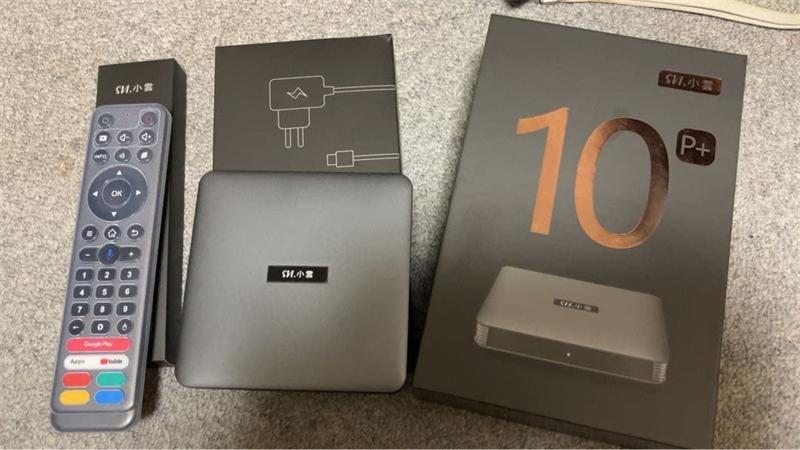
In the rapidly evolving landscape of home entertainment, the SViCloud 10P (Chinese name: 小雲電視盒 10P) has established itself as a premier choice for global viewers. Running on the latest Android 12 platform, this device isn’t just a simple streaming box; it’s a comprehensive multimedia ecosystem. This guide explores the SviCloud 10P apps that make the SViCloud experience unique, from global live TV to home KTV and safe educational content for children.
Table of Contents
- ▸ What is SViCloud 10P?
- ▸ Yogurt TV
- ▸ Yogurt Kids
- ▸ SviCloud Karaoke
- ▸ Cherry TV
- ▸ Google Play & Third-Party Apps
- ▸ APP Management
- ▸ Where to Buy
What Is the SviCloud 10P?
The SViCloud 10P is a high-performance Android TV Box designed to be the ultimate home entertainment device. It represents a complete global entertainment solution, specifically tailored for families, overseas users, and international viewers who demand high-quality content without geographical boundaries.
Hardware System & Highlights
- Android 12: A stable, modern operating system that ensures compatibility with the latest apps and delivers a smooth, responsive user interface.
- Powerful Hardware: Equipped with 4GB RAM, 64GB ROM, Bluetooth, and a voice-enabled remote, it handles 4K and even 8K decoding with ease.
- Connectivity: Features Dual-band WiFi 6 and Bluetooth 5.0 for stable, high-speed streaming.
- Type-C Power: A modern upgrade for better compatibility and power stability.
LIVE TV
Browse international channels through the Yogurt TV interface.
Browse international channels through the Yogurt TV interface.
VOD Experience
Choose movies, dramas, variety shows, anime, and family content on demand.
Choose movies, dramas, variety shows, anime, and family content on demand.
Family Features
Use karaoke and kids-focused apps for shared home entertainment.
Use karaoke and kids-focused apps for shared home entertainment.
For complete specifications, real user reviews, and detailed use cases, check out our full guide: SViCloud 10P Review (2026).
Yogurt TV: SviCloud 10P Main Entertainment App
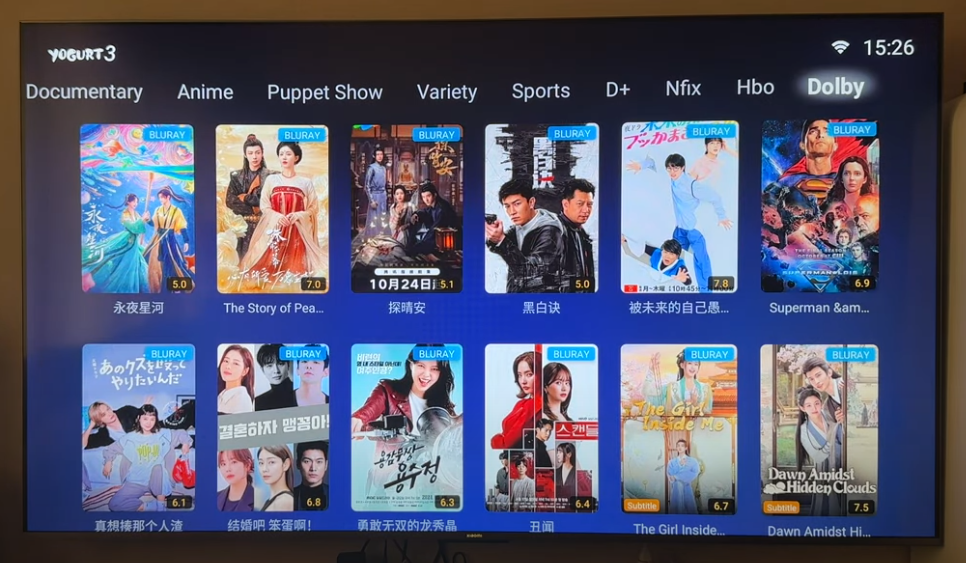
Yogurt TV is the primary core application for the SViCloud TV box. It is a powerful 2-in-1 app that combines global live TV channels with a massive VOD (video on demand) library.
Live Channels
The live TV side provides access to over 2,000 international channels, including news, sports, and entertainment from regions such as the USA, Japan, Europe, and Asia. It is designed for viewers who want to browse channels from different countries and regions. Depending on the current version and your location, the guide may include news, sports, movies, general entertainment, documentaries, family programming, and other categories.
This format can be useful for overseas households that want to stay connected to familiar languages and regional programming. It can also be convenient for families that would rather use one remote and one TV interface instead of switching between several streaming devices.
Need to know all available channels? Check out this guide 👉👉👉 SviCloud TV Box Channel List: What Channels Can You Actually Watch?
VOD Library and Playback Experience
The VOD side of the SviCloud experience is aimed at viewers who prefer choosing a title rather than following a broadcast schedule. The official product pages describe a large catalogue covering movies, TV series, news, documentaries, live sports, kids content, and other entertainment categories. You can explore a collection of 30,000+ movies, TV series, variety shows, and anime, all available for on-demand viewing.
The official product information highlights time-shift functionality and up to seven-day playback for live channels on supported services. These features are useful when you miss a programme because of work, school, or a different time zone. Families may also appreciate being able to pause and continue a film without waiting for a scheduled repeat.
Playback availability is not necessarily identical across every channel, so treat catch-up and time-shift as channel-dependent features.
About “free” viewing
SviCloud markets its core Yogurt TV and VOD services as included with the box and without a recurring monthly fee. That does not automatically mean every piece of content is permanently available in every country. Check the current terms, catalogue, rights, and seller support before purchase.
SviCloud markets its core Yogurt TV and VOD services as included with the box and without a recurring monthly fee. That does not automatically mean every piece of content is permanently available in every country. Check the current terms, catalogue, rights, and seller support before purchase.
Yogurt Kids: Children’s Learning and Safe Entertainment
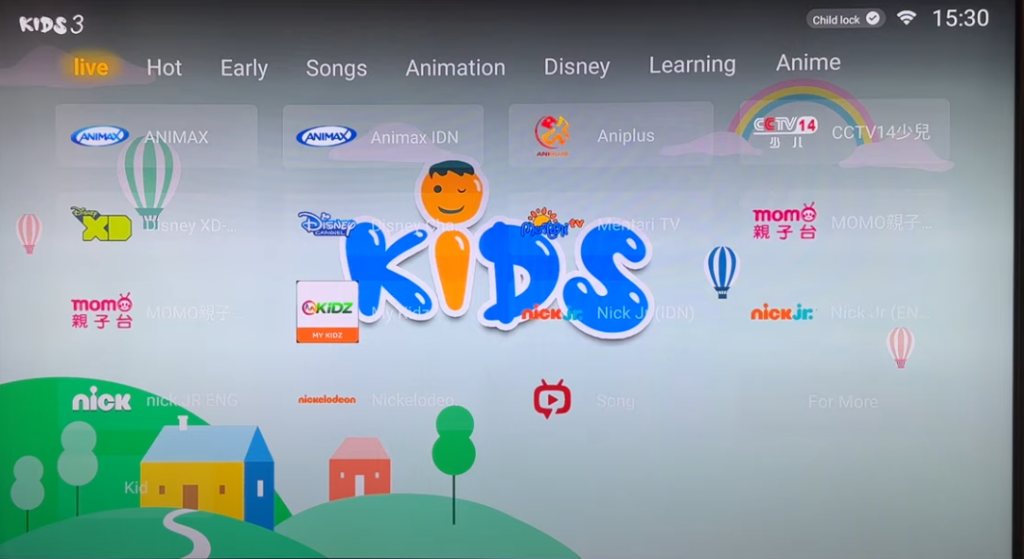
Yogurt Kids is positioned as a dedicated children’s application for learning and family-friendly entertainment. This is useful for parents who want a separate area for children rather than leaving kids to browse the full adult-oriented entertainment interface.
A kids app can make navigation simpler and reduce the chance of children opening unsuitable sections by accident. Even so, parents should still supervise usage, review the available content, and use the television’s own parental controls where appropriate.
SviCloud Karaoke App for Home KTV — Happy Family
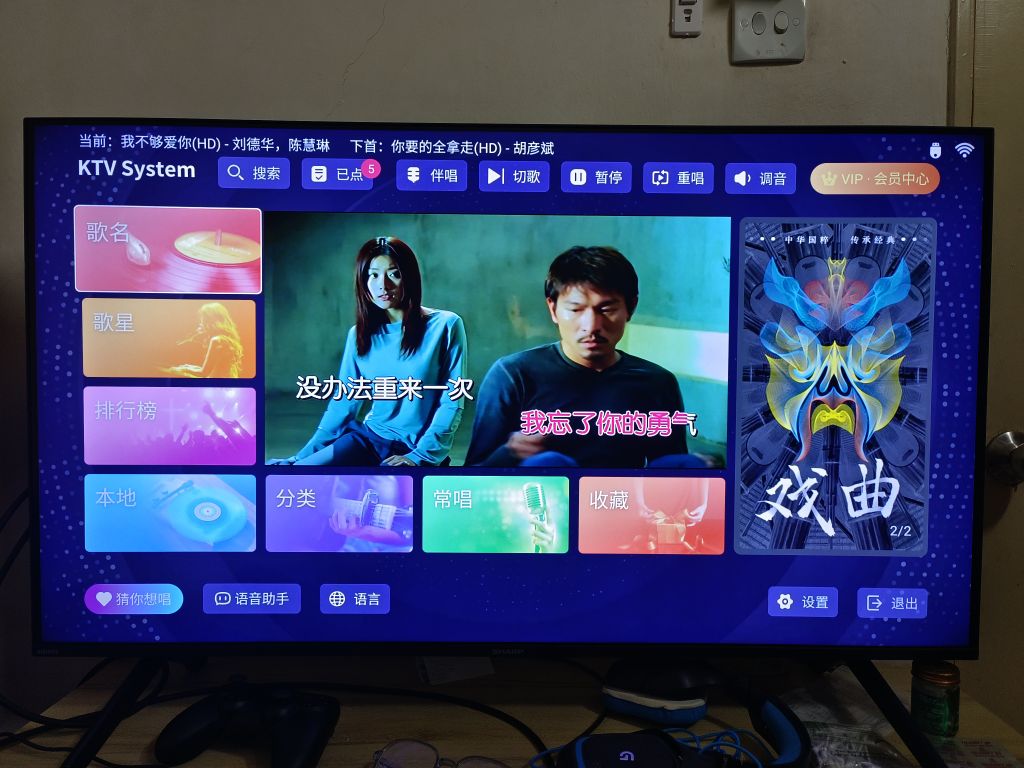
One feature that separates the SviCloud 10P TV box from a basic streaming stick is its focus on karaoke. It highlights a dedicated karaoke app, referred to as “Happy Family” or “閤家歡” depending on the page and language. This makes the box more than a movie device. Families can use it for casual singing at home, gatherings, celebrations and weekend entertainment.
The karaoke experience will depend on the available song catalogue, microphone compatibility, audio output and room setup. For the best result, connect the box to a suitable sound system or television audio setup and check whether Bluetooth or wired accessories are supported by your version.
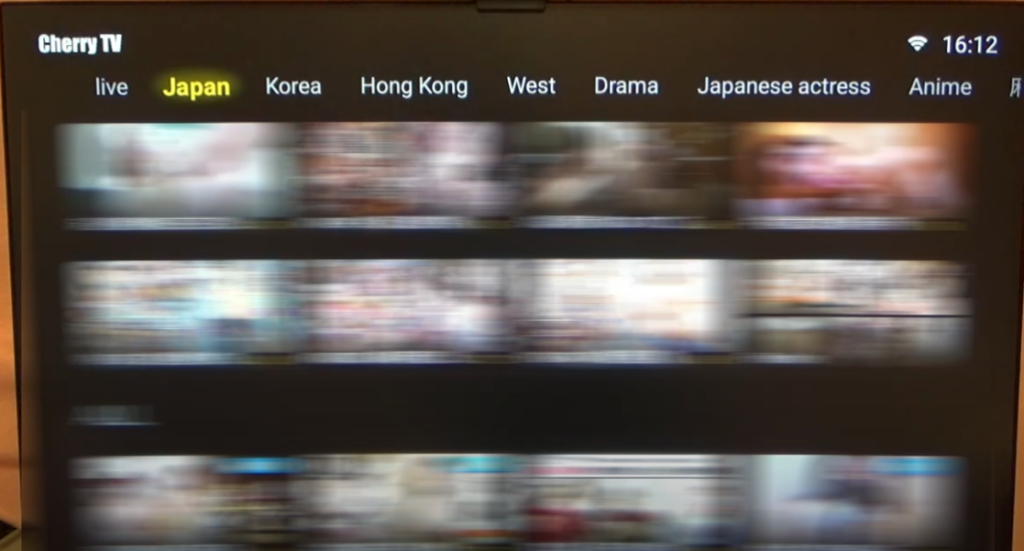
Cherry TV App: Adult Entertainment (Password: 898989)
For adult users looking for expanded content, the SViCloud 10P supports specialized applications like Cherry TV. This app provides access to a wide range of adult-oriented videos and channels, which requires an access password to unlock and view restricted programming (Cherry TV password: 898989). Cherry TV is not suitable for minors. Adults should use appropriate parental controls, keep the remote and account access away from children, and confirm that adult content is legal to access in their jurisdiction.
Google Play Store & Third-Party Apps
The SviCloud 10P family is described as supporting the Google Play Store, allowing users to install standard Android apps such as YouTube, Netflix, web browsers, and other media tools where compatible.
Google Play access is convenient, but Android compatibility does not guarantee that every app will offer the same experience as it does on a certified Google TV or Android TV device. App support can depend on certification, DRM, resolution restrictions, account requirements and the app developer’s policies.
Install an App From the Built-in App Market
- Open the built-in App Market from the main interface.
- Search for the application by name.
- Select the app and choose Install.
- Return to the main interface and open the newly installed app.
Sideload APK Files
Android 12 devices can often install apps from outside the Play Store after the user grants permission for the relevant file manager or browser. Some SviCloud support materials also mention using a USB drive or mobile sharing features to transfer APK files.
Security reminder
Only install APK files from trusted, legitimate sources. Unknown APKs can contain malware, steal account credentials, or create privacy risks. Avoid modified streaming apps, suspicious download pages and files that request unnecessary permissions.
Only install APK files from trusted, legitimate sources. Unknown APKs can contain malware, steal account credentials, or create privacy risks. Avoid modified streaming apps, suspicious download pages and files that request unnecessary permissions.
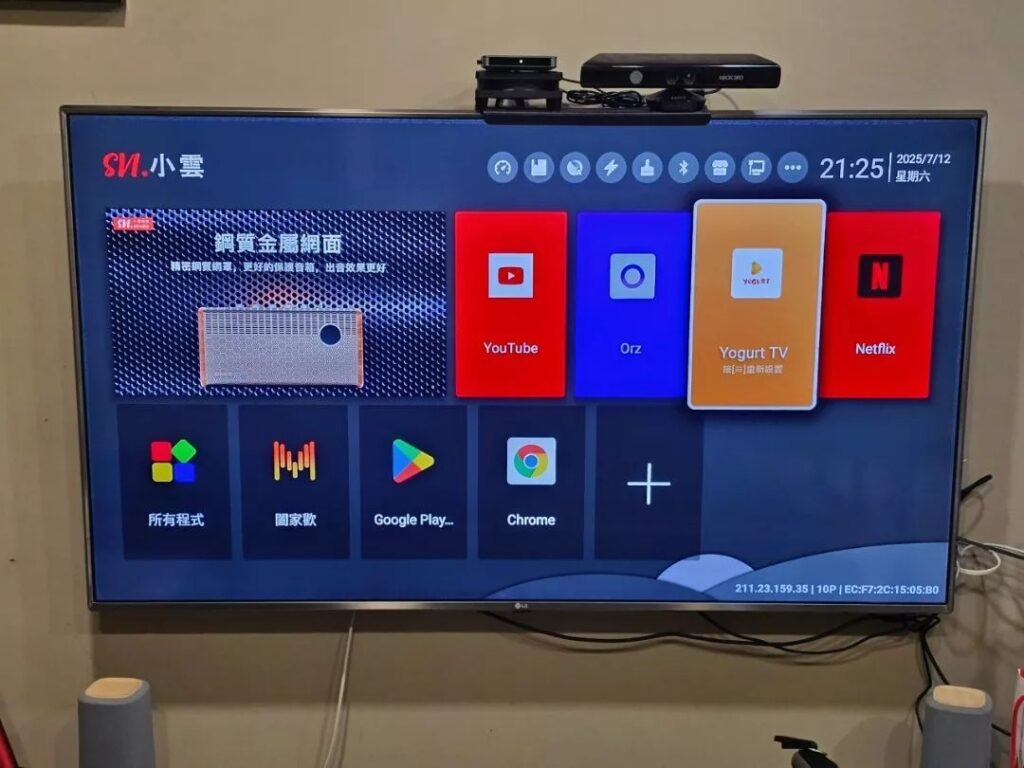
How to Manage SviCloud TV Box Apps
Managing your applications is straightforward thanks to the intuitive interface.
How to Install SviCloud 10P Apps
- Open the built-in “App Market” on the main interface.
- Search for the desired app by name using the search bar.
- Click “Install” to download and install the app.
- Once finished, the app will appear on your main interface for easy access.
How to Update SviCloud 10P Apps
To ensure better performance and access to new functions:
1. Open the App Market.
2. Navigate to the “My Apps” section.
3. Select apps with available updates and click “Update” to upgrade to the latest version.
Note: Core apps like Yogurt TV often update automatically through the system.
How to Uninstall SviCloud 10P Apps
- Go to Settings → Apps.
- Select the specific app you wish to remove.
- Click “Uninstall” and confirm the operation in the pop-up window.
What to do if Yogurt TV crashes
In this case, it is recommended to open Yogurt TV, press the Menu button on the remote, and choose Clear Cache when the app crashes or freezes. Users do not need to uninstall and reinstall Yogurt TV as the first response. If the problem continues, contact the seller or the relevant support channel for your model.
Where to Buy SviCloud 10P: Why Choose SviCloudTV.com?
The SViCloud 10P is more than just a TV box; it’s a gateway to a world of global entertainment. By mastering the core apps like Yogurt TV, SviCloud Karaoke, Yogurt Kids, and CherryTV, and knowing how to manage your app library, you can unlock the full potential of this powerful device. Whether you’re catching up on international news, singing your heart out, or providing a safe space for your kids, the SViCloud 10P delivers a premium, subscription-free experience for the modern home.
When investing in the SViCloud 10P TV box, choosing the right seller is just as important as the device itself. To ensure you receive a genuine product with full technical support, we highly recommend purchasing directly from www.svicloudtv.com.
Why Shop at svicloudtv.com?
-
- Official Authorization & Genuine Guarantee: You are buying from an authorized SViCloud seller (Authorization No.: MY20260520101209), who provides a secure and professional shopping experience specifically tailored for users in the United States, Canada, and beyond. This guarantees that your SViCloud 10P is 100% authentic, running the latest official firmware without the risks associated with counterfeit units.
- Fast & Tracked Delivery: No more long waits for overseas shipping. svicloudtv.com offers rapid delivery times—typically 3–7 business days for the USA and 5–9 business days for Canada. Every order includes full tracking so you can monitor your package every step of the way.
- Professional After-Sales Support: Unlike generic marketplaces, svicloudtv.com offers specialized support. Whether you need help with the initial setup process, model selection, or troubleshooting an app, their team is available via email at sales@svicloudtv.com and WhatsApp (+852 5466 7465) to assist you.
- Worry-Free Warranty & Returns: Your purchase is protected by a 30-day return window and a comprehensive warranty policy. This ensures that your investment is safe and that any hardware issues will be handled professionally by the official service channel.
For the best price and guaranteed peace of mind, visit the official store:
👉 Shop SviCloud 10P at svicloudtv.com