
Contents
Before you order: Match the seller to its documentation, make sure the invoice names the 15P, confirm delivery to your exact address and save the return terms. International shipping availability does not guarantee that every app or service works in every country.
Choose Where to Buy SviCloud 15P Based on Support and Delivery
You can compare a specialist online seller, a local electronics shop, or a marketplace listing. Each route can work, but the seller responsible for your order should be clear.
| Buying option | Potential advantage | Check before paying |
|---|---|---|
| Specialist SviCloud retailer | Model-specific advice and setup guidance | Business identity, authorization details and destination coverage |
| Local electronics shop | An opportunity to inspect the box or arrange collection | Exact model, itemized receipt and written after-sales terms |
| Online marketplace seller | Convenient comparison and platform checkout | Seller identity, model-specific reviews and applicable buyer protection |
If you prefer to buy SviCloud 15P online, look for answers to practical questions before judging the discount. Can the seller confirm the dispatch location? Who handles a faulty remote? Where would a return go?
Ready to compare the actual offer? Check the current price, plug options, and package details before choosing your configuration.
Verify the SviCloud 15P Seller and Exact Model
An “official store” label is a claim to check. Review the business name, website domain, authorization dates, and any stated regional scope together.
The store’s buying and support FAQ identifies svicloudtv.com as an authorized seller serving the United States and Canada and links to its certificate. Order-specific support applies to purchases from this store.
- Match the documentation. The business and domain on the certificate should correspond to the seller taking payment.
- Match the model. The listing, selected variation, and order confirmation should all identify SviCloud 15P.
- Check the specifications. The current listing describes Android 14, an A55-based processor, 4GB RAM, 64GB storage, and Wi-Fi 6.
- Keep a record. Save the offer, payment confirmation and written answers about shipping and warranty.
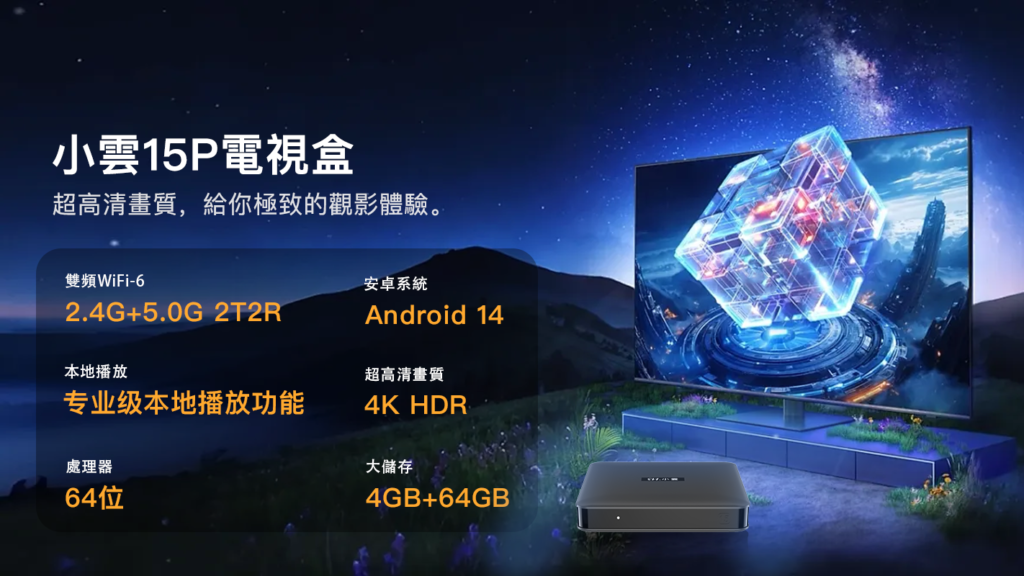
For a SviCloud 15P review or a SviCloud 15P vs 10P comparison, see the separate 15P feature and model comparison. Keep this purchase decision focused on the seller, the order terms and your intended use.
Buy SviCloud 15P in the USA and Canada With Clear Delivery Terms
North American buyers should confirm the address-specific estimate and the dispatch location. The current shipping policy lists typical processing of 24–72 hours, followed by estimated transit of 3–7 business days for the United States or 5–9 for Canada. These are estimates after shipment, not guaranteed order-to-door times.
SviCloud 15P USA: Confirm Your ZIP Code and Plug
For a SviCloud 15P USA order, select the appropriate US plug option and confirm delivery to your ZIP code. If you need the TV box for a particular date, ask whether the complete timeline includes processing.
- Ask separately about Alaska, Hawaii, territories, PO boxes or other nonstandard destinations.
- Check the final currency, shipping charge and any tax shown at checkout.
- Confirm how tracking is sent and which contact handles delivery problems.
SviCloud 15P Canada: Confirm Currency and Return Logistics
For a SviCloud 15P Canada purchase, check whether the displayed amount is USD or CAD. Confirm your postal code, especially for a remote destination, before comparing the offer with a local seller.
- Ask whether the shipment is domestic or cross-border and whether any import-related charges are included.
- Confirm the supplied power adapter suits your local electrical requirements.
Buying for family? Provide the recipient’s address, preferred support language and TV model before ordering. Arrange to help with the first setup while the delivery and return records are easy to find.
Plan Your SviCloud 15P Purchase Outside North America
Buyers across Europe, Asia, Oceania, Latin America, the Middle East and Africa can use the same verification process. Start with your country and postcode; then confirm stock, delivery, power compatibility, and after-sales service.
| Region | What to confirm |
|---|---|
| United Kingdom and Europe | Correct plug, final tax-inclusive cost, and return address. The UK estimate is 3–7 business days after shipment; confirm other countries individually. |
| Australia and New Zealand | Appropriate adapter and postcode coverage. Australia’s listed estimate is 5–9 business days after shipment; request a New Zealand estimate separately. |
| Japan, Hong Kong and Taiwan | Local power requirements, support language, and app compatibility. Japan’s listed estimate is 3–7 business days after shipment. |
| Singapore, Malaysia and Southeast Asia | Country-specific delivery, plug choice and service availability. Check exclusions before checkout. |
| Middle East, Africa and Latin America | Exact destination acceptance, carrier coverage, import-related costs and return arrangements. |
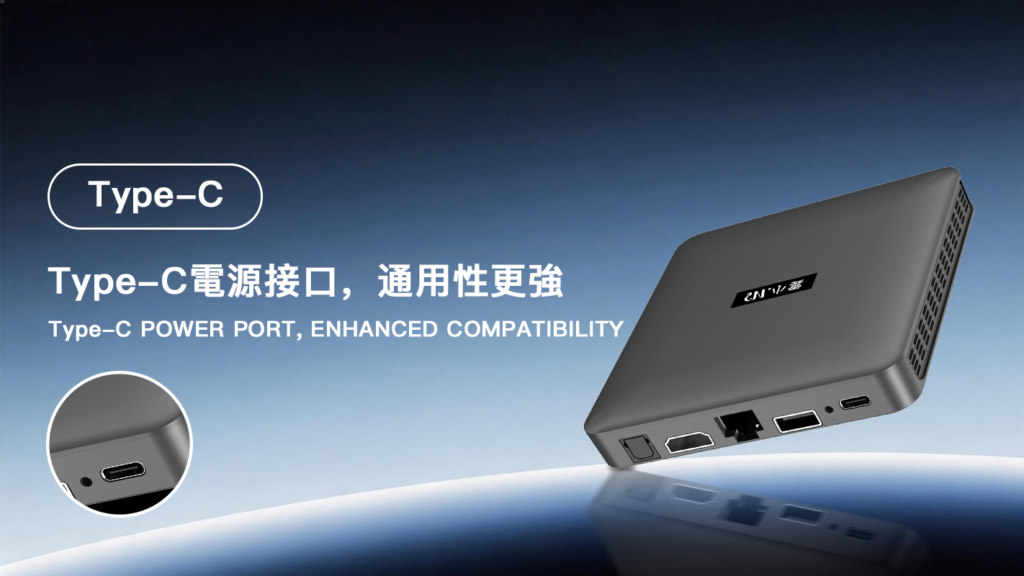
The product listing offers US, UK, EU and AU plug options. Select the option suitable for your destination and use the supplied compatible adapter. Plug shape alone does not confirm voltage compatibility.
Compare the Full SviCloud 15P Price Before Checkout
The best SviCloud 15P price is one that offers clear inclusions and a manageable total cost. Compare the same model, condition, accessories, and service terms across sellers.
- Record the device price and payment currency.
- Add delivery and any applicable charges not included in the quote.
- Check the standard package against any promotional gifts.
- Compare return postage, warranty handling, and setup support.
The store’s refund policy allows return requests within 30 days of receipt, subject to its conditions. Check eligibility, item condition, and return instructions before relying on that window.
Choose an offer with clear support: Especially useful for first-time buyers and people ordering for relatives.
Clarify an incomplete offer: Request written answers if the model, warranty provider, or delivery arrangements are unclear.
Check SviCloud 15P Apps and Home Compatibility Before Buying
Decide what you want to watch or play before choosing a SviCloud TV box. List your essential apps, local media formats, and preferred control language, then ask about those specific needs.
- TV connection: Check the available HDMI input and the display features you intend to use.
- Network: Consider the router location and connection at the TV cabinet.
- Apps: Confirm regional availability, account requirements, and supported playback quality with the service provider.
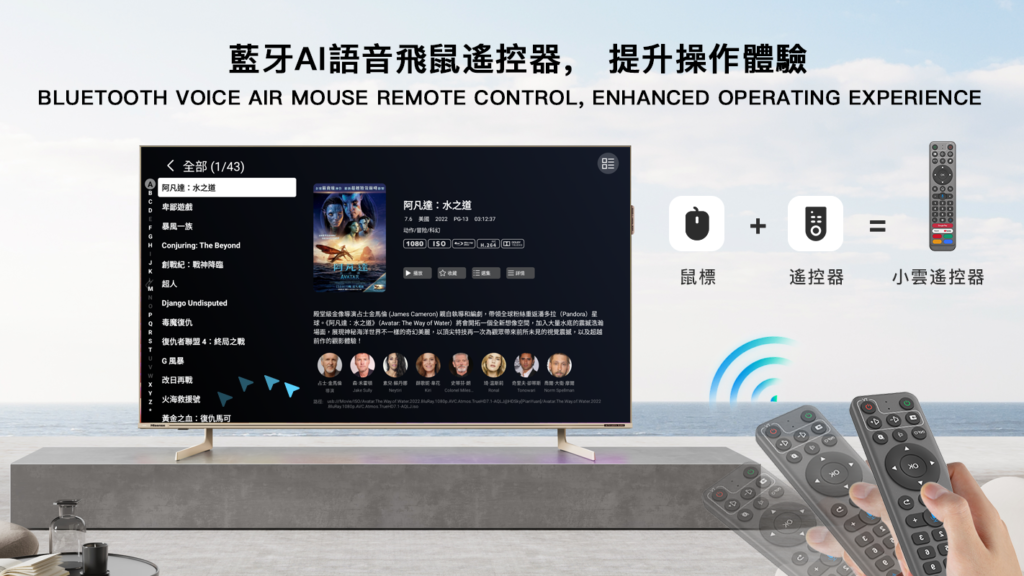
- Remote: Ask about supported voice functions and ordinary button navigation.
Inspect Your SviCloud 15P Order When It Arrives
Inspect the package promptly and keep the receipt and packaging while checking the device. Photograph visible damage before unpacking further.
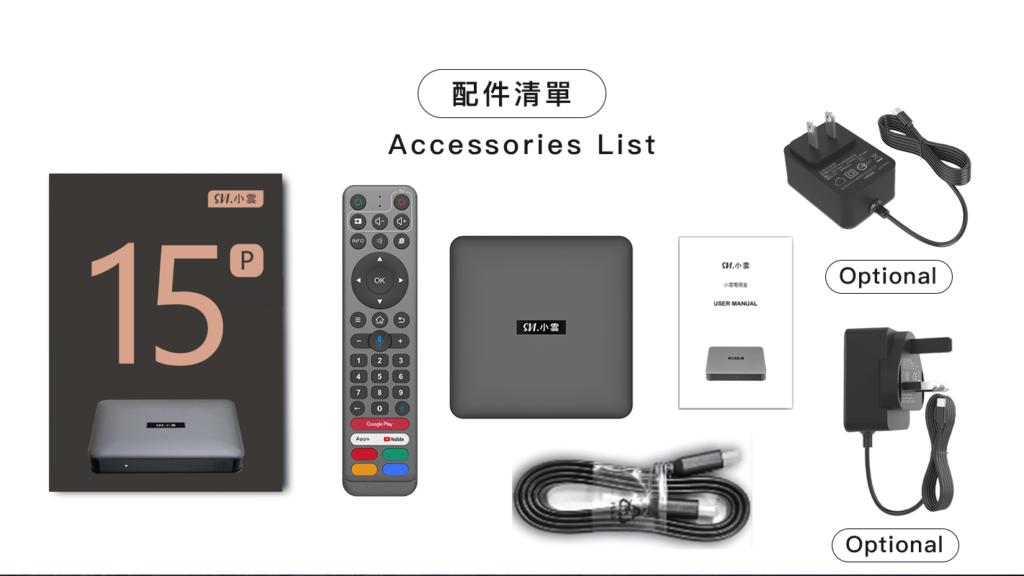
- Match the model label and plug to your order confirmation.
- Count the accessories and separately promised gifts.
- Follow the supplied instructions for HDMI, power and remote setup.
- Test basic navigation, network connection and intended compatible media.
- Report missing items or faults with your order number and clear photos.
Need a destination or compatibility check? Send your country, postcode, TV model, and intended apps before placing the order.
FAQ
Where can I buy SviCloud 15P safely?
Start with a seller that publishes its identity, product details, and order policies. You can check svicloudtv.com’s 15P listing, then confirm destination coverage, plug choice, and after-sales terms before paying.
Can I order SviCloud 15P in the USA or Canada?
The store’s shipping policy includes both countries. Confirm your ZIP or postal code, processing time, and current delivery estimate before ordering.
Is SviCloud 15P available for worldwide shipping?
International delivery depends on the seller and destination. Some countries are excluded by svicloudtv.com’s shipping policy, so confirm your exact address rather than assuming universal coverage.
How much does a SviCloud 15P TV box cost?
Check the live product listing for the current price and currency. Compare the final checkout total, package contents, and return terms, since promotions and destination costs can change.
Does SviCloud 15P require a monthly subscription?
Separate the hardware purchase from the services you use. The SviCloud 15P itself does not require a monthly subscription. Compatible paid apps may require their own subscriptions or accounts.
How do I check whether a SviCloud 15P is genuine?
Compare the seller’s documentation, exact model listing, invoice, and delivered labels. If anything conflicts, ask the seller or the brand’s independently verified contact to clarify before proceeding.