
If you’re an overseas Chinese family shopping for a streaming device, you’ve probably compared these three: a SViCloud TV box, an Amazon Fire TV Stick, and a Google TV device. The prices are wildly different, so the obvious question is which one is best.
That’s the wrong question. These aren’t three versions of the same product. Fire TV Stick and Google TV are streaming-platform gateways. A SViCloud box is a Chinese-language home entertainment hub. The right choice depends less on hardware and more on one thing: who in your household is going to pick up the remote.
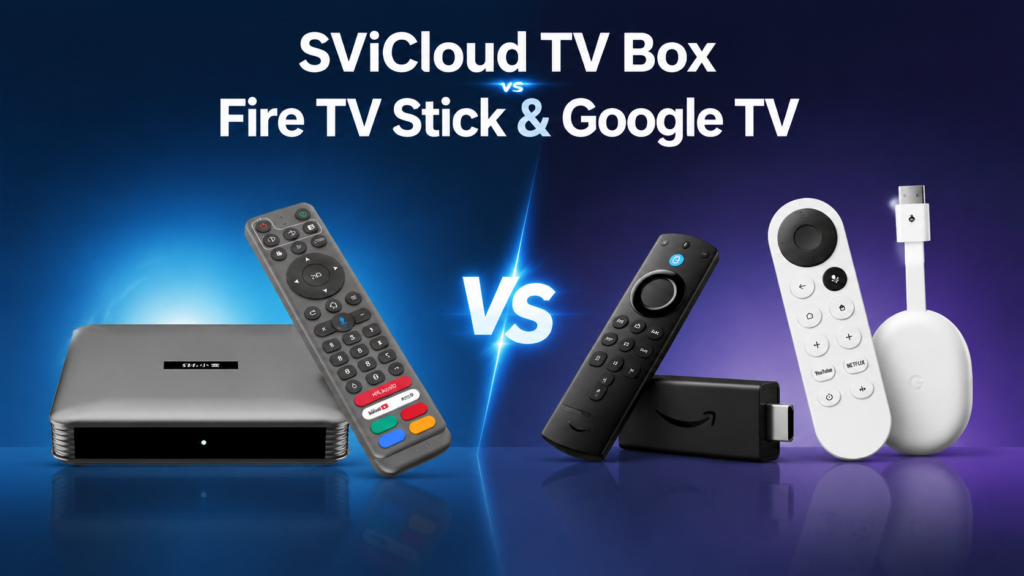
SViCloud VS Fire TV Stick VS Google TV
| SViCloud TV Box | Amazon Fire TV Stick | Google TV | |
|---|---|---|---|
| What it is | Chinese-language entertainment hub | International streaming player | Google-ecosystem streaming platform |
| Built for | Overseas Chinese households | Netflix / Prime Video subscribers | Android and Google users |
| Chinese-language content | ★★★★★ | ★★ | ★★★ |
| English-language content | ★★★ | ★★★★★ | ★★★★★ |
| Ease of use for elders | ★★★★★ | ★★★ | ★★★ |
| System | Purpose-built TV system | Fire OS | Google TV / Android TV |
| App ecosystem | Focused on media use | Amazon Appstore | Google Play Store |
| Voice search | Varies by model | Alexa | Google Assistant |
| Cost structure | One-time purchase, no monthly fee from us | Low upfront, subscriptions ongoing | Mid upfront, subscriptions ongoing |
Read the “built for” row again. That single line explains most of the price gap and most of the disagreement people have about these devices.
1. Advantages & Limits
SViCloud — designed for overseas Chinese families
The SViCloud TV box (sold in some markets as xiaoyun tv box) is built around one assumption: the people using it want Chinese-language content and a Chinese-language interface. That shows up as a friendlier Chinese menu, a remote your parents can operate, and fewer steps between switching the TV on and watching something.
Strengths:
- ✅ Designed specifically for overseas Chinese families
- ✅ Chinese-language menus throughout
- ✅ Chinese voice search on the remote
- ✅ Simple enough for parents and grandparents to use alone
- ✅ One-time purchase — no monthly fee from us
It’s an Android TV box — you install apps and use content you’re entitled to use under the laws of your region, exactly as you would on a phone. What makes it different isn’t a secret content source; it’s that the whole experience is built in the language your household actually speaks.
For families who’ve moved to the US, Canada, Japan or Australia, the real need usually isn’t better hardware. It’s simpler than that:
“I want to come home, turn on the TV, and quickly find something familiar to watch — in my own language.”
That sentence is the entire difference between SViCloud and the other two.
Fire TV Stick — strengths and limits
Strengths:
- ✅ Excellent Netflix support
- ✅ Deep Prime Video integration
- ✅ Strong catalogue of international apps — Disney+, YouTube and more
- ✅ Alexa voice control is convenient
- ✅ Typically the cheapest of the three to buy
Best for: English-speaking households, heavy Netflix viewers, and existing Amazon Prime subscribers.
Limits:
- ❌ Chinese content isn’t what the platform was designed around
- ❌ There’s a learning curve for older family members
- ❌ Searching for Chinese-language programming is a clumsier experience
The complaint we hear most often from overseas Chinese buyers is some version of: “The device is good — finding Chinese programming on it is the hassle.”
Google TV — strengths and limits
Strengths:
- ✅ Full Google Play app ecosystem
- ✅ Best-in-class YouTube experience
- ✅ Chromecast casting from your phone is genuinely convenient
- ✅ Immediately familiar if you use Android
- ✅ Supports a wide range of streaming services
Best for: Android phone users, heavy YouTube viewers, and people who enjoy installing and arranging their own apps.
Limits:
- ❌ You curate your own setup — nothing is organised for you
- ❌ Chinese-language entertainment means finding and installing the right apps yourself
- ❌ More complex than most non-technical elders will manage alone
Google TV rewards people who like tinkering. That’s a feature if you’re the tinkerer, and a problem if the person using it every day isn’t.
2. Three Real Households — What Each Should Buy
Abstract comparisons rarely help. Here are three situations we see constantly.
Scenario 1 — Parents living in the US who want Chinese programming daily
🥇 SviCloud TV box
Why: Chinese-language operation, straightforward to switch on, no configuration to work through. They can use it without calling you.
Scenario 2 — A younger family on Netflix, Disney+ and YouTube
🥇 Fire TV Stick or Google TV
Why: international platform support is more complete, and everyone in the house reads English. Buy the cheap stick — a xiao yun tv box would be money poorly spent here.
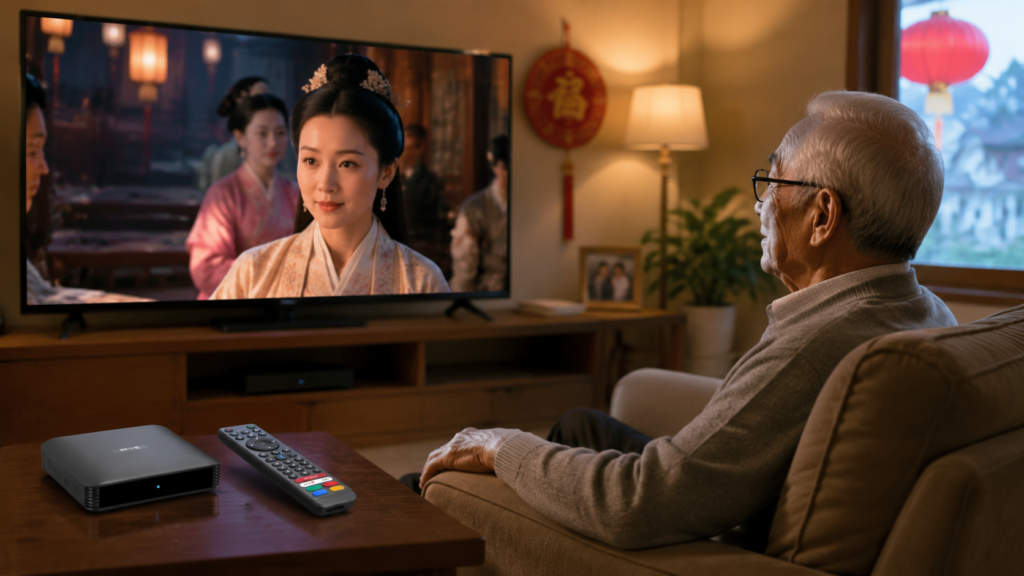
Scenario 3 — Elderly family members using it alone at home
🥇 SViCloud TV box
Why: older users generally need a Chinese interface, larger on-screen text, fewer steps, and a simple remote. That combination is what this category was built to deliver.
3. Day-to-day Hardware Experience
Raw specifications matter less than how the device feels in daily use. Here’s the honest breakdown:
| SViCloud | Fire TV Stick | Google TV | |
|---|---|---|---|
| Boot speed | Fast | Fast | Fast |
| Remote simplicity | ★★★★★ | ★★★★ | ★★★★ |
| Chinese text input | ★★★★★ | ★★★ | ★★★★ |
| System flexibility | ★★★ | ★★★ | ★★★★★ |
| Suitability for elders | ★★★★★ | ★★★ | ★★★ |
Note that Google TV wins on system flexibility — that’s a real advantage if you want to install and arrange things yourself. It’s also precisely why it’s harder for a non-technical parent. Flexibility and simplicity pull in opposite directions, and no device gives you both.
4. What the Money Actually Buys
The sticker price is the least useful number in this comparison, because the three devices don’t share a cost structure.
Fire TV Stick / Google TV
Cheap or mid-priced hardware, then whatever your household pays in subscriptions — every month, for as long as you keep watching. The device is inexpensive because the business model isn’t the device.
SViCloud TV box
One payment for the hardware, and no monthly fee from us. Higher on day one, flat afterwards. Those providers still bill you separately for any streaming services you subscribe to.
Where these lines cross depends entirely on your own subscription habits, so run the numbers against your actual bills rather than anyone’s marketing chart. Current pricing across models is in our SViCloud TV box price guide.
5. You Can Run More Than One
Worth saying plainly, because plenty of households do exactly this: TVs have multiple HDMI inputs.
A common arrangement is SViCloud on HDMI 1 for the Chinese-language side of the household and a Fire Stick or Google TV device on HDMI 2 for the family’s Netflix and Disney+ subscriptions. One button on the TV remote switches between them. This only has to be an either/or decision if your budget makes it one.
6. SViCloud 10P VS 10S
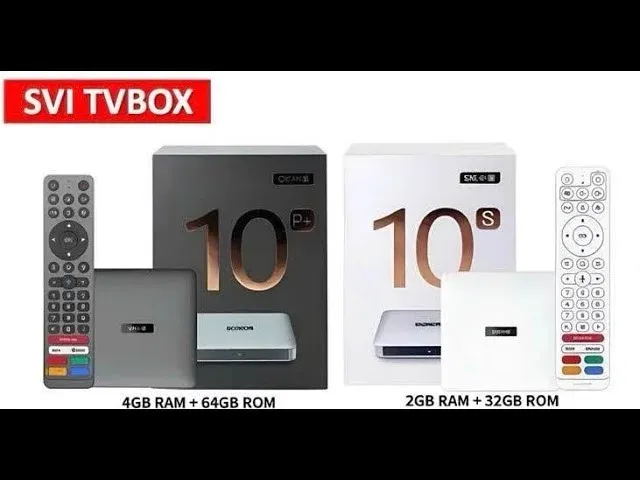
“SViCloud or Fire Stick?” is the question people start with. “SViCloud 10P or 10S?” is the one they end up needing answered — and it’s the comparison our customers ask about most.
The SViCloud 10P and SViCloud 10S differ in hardware specification and price rather than in what they fundamentally do. We’ve compared them directly here: SViCloud 10S vs 10P — which should you buy? For a closer look at the current model, see our SViCloud 10P review, or browse the full lineup on the SViCloud TV box page.
Comparing against other Chinese TV box brands instead? See SViCloud vs EVPAD and SViCloud vs Unblock Tech.
7. What to Check Before You Buy
Fire TV Stick and Google TV are sold through Amazon and Google, so authenticity is rarely a concern. Chinese TV boxes are sold through regional resellers, which makes the seller matter almost as much as the hardware.
- Ask whether the seller is authorized and can show a certificate. There’s no consumer-facing anti-counterfeit label on the hardware, so the seller’s authorization is what genuineness rests on.
- Confirm the exact model — “SViCloud 10P”, not “latest model”.
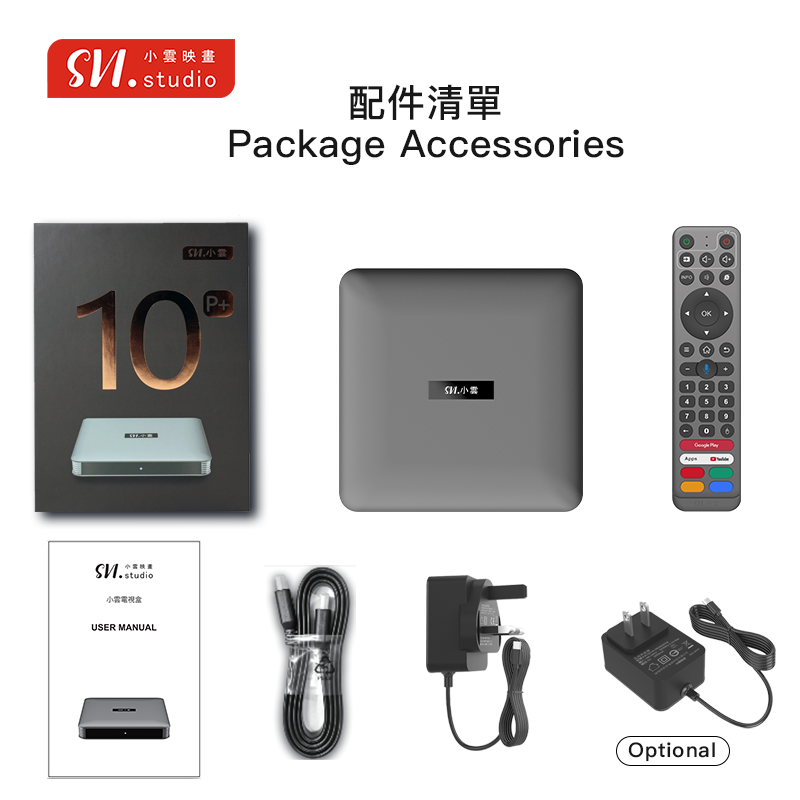
- Check the plug type matches your country. A unit shipped with the wrong plug wasn’t intended for your market.
- Get the warranty length in writing and confirm who processes a claim.
- Check there’s a real support contact before you need one.
- Treat an unusually low price as a warning, not a bargain.
- Avoid any listing promising unlimited paid content forever. No seller can deliver that, and the claim tells you what kind of operation you’re dealing with.
Full detail here: how to buy a genuine SViCloud TV box in the US & Canada.
Setting Expectations on Content
All three devices run apps. What you can actually watch depends on the apps you install, the subscriptions you hold, and the licensing that applies where you live — not on the box itself. Official services such as YouTube, Netflix, Disney+, Prime Video and regional broadcaster apps remain the most stable and clearly licensed way to watch, and they run on all three platforms.
Wrap Up
Match your priority to the device:
- “I want easy access to Chinese-language content overseas.” → SViCloud
- “I mainly watch Netflix and Prime Video.” → Fire TV Stick
- “I like Android and want to install my own apps.” → Google TV
Or in one line: Fire TV Stick and Google TV are streaming players. SViCloud is a Chinese-language family entertainment hub built for households living overseas.
For overseas Chinese families in North America, the deciding factor usually isn’t a hardware spec sheet. It’s whether the people in your home can switch on the TV and quickly find something familiar to watch.
Ready to compare models? See the SViCloud TV box range, or read our best TV box for Chinese, HK & Taiwanese channels guide if you’re still narrowing it down.
Quick Answers
Is SViCloud better than a Fire TV Stick?
Neither is better in the abstract — they serve different households. Fire TV Stick is better for English-speaking Netflix and Prime Video subscribers. SViCloud is better for Chinese-speaking families who want a one-time purchase and an interface elders can operate alone.
Why does SViCloud cost more than a Fire TV Stick?
Different business models. Amazon sells hardware cheaply and earns from subscriptions; SViCloud is priced as a one-time purchase with no monthly fee from us. Compare total spend over a few years rather than sticker prices.
Which is easiest for elderly parents?
SViCloud, in most cases — Chinese interface, simple remote, fewer steps from power-on to watching. The practical test is whether they can operate it without calling you for help.
Can I install Netflix and YouTube on a SViCloud box?
YouTube generally works on Android TV boxes. Netflix and other premium apps depend on app compatibility, certification and playback restrictions, so check before buying if official streaming apps are essential to you.
Do I need both a SViCloud box and a Fire Stick?
Not necessarily, but running both on separate HDMI inputs is a common and sensible setup for mixed-language households.
SViCloud 10P or 10S — which should I buy?
They differ in specification and price rather than core function. We’ve broken it down in full here: SViCloud 10S vs 10P.
Is it difficult to set up?
Connect HDMI, connect power, select the correct input, join Wi-Fi. Step by step: SViCloud TV box installation guide and how to set up SViCloud 10P.