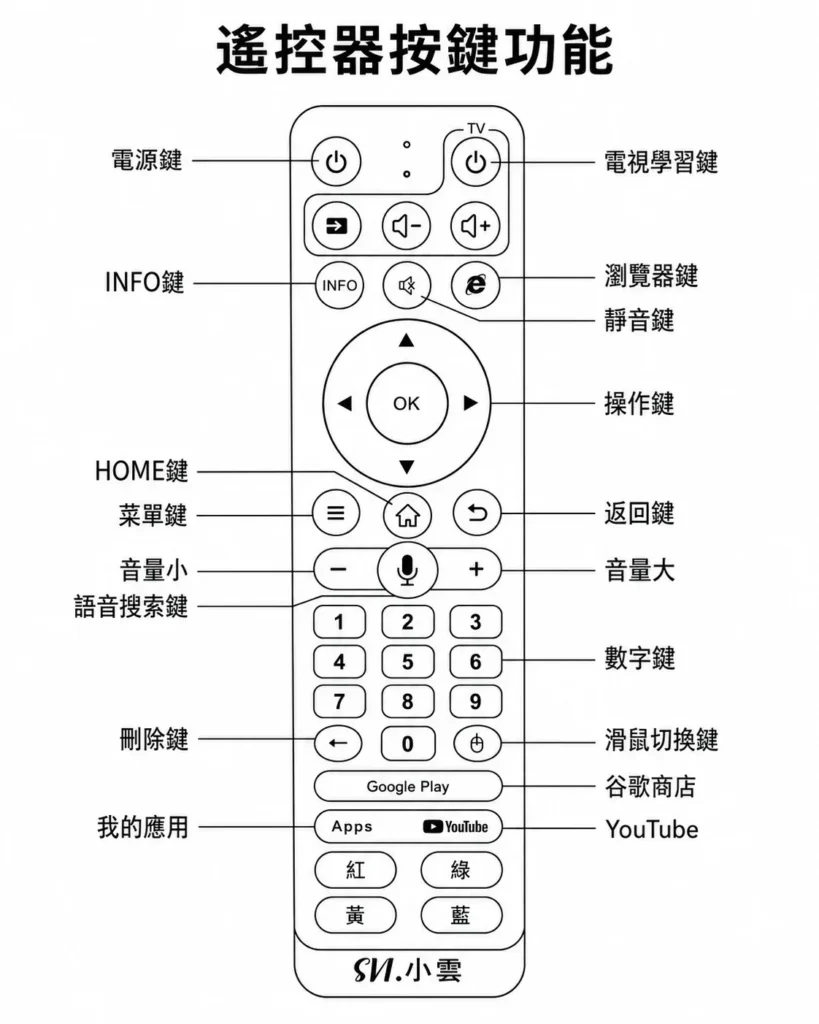
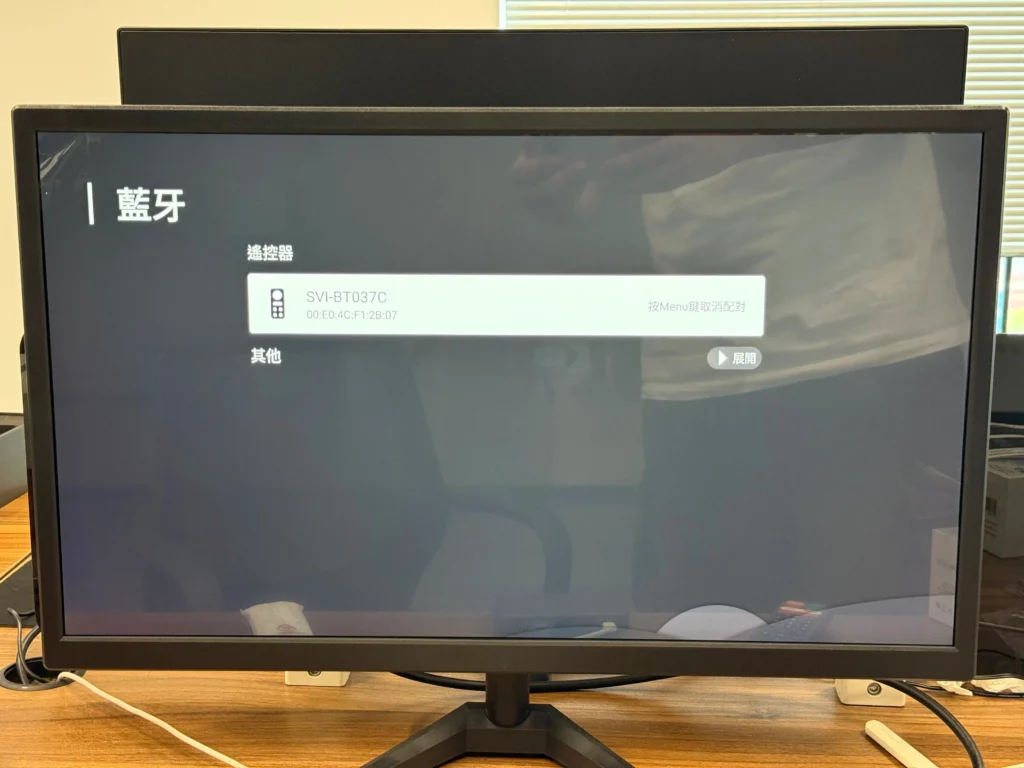
Open the Bluetooth settings interface, long press the volume + and – buttons.
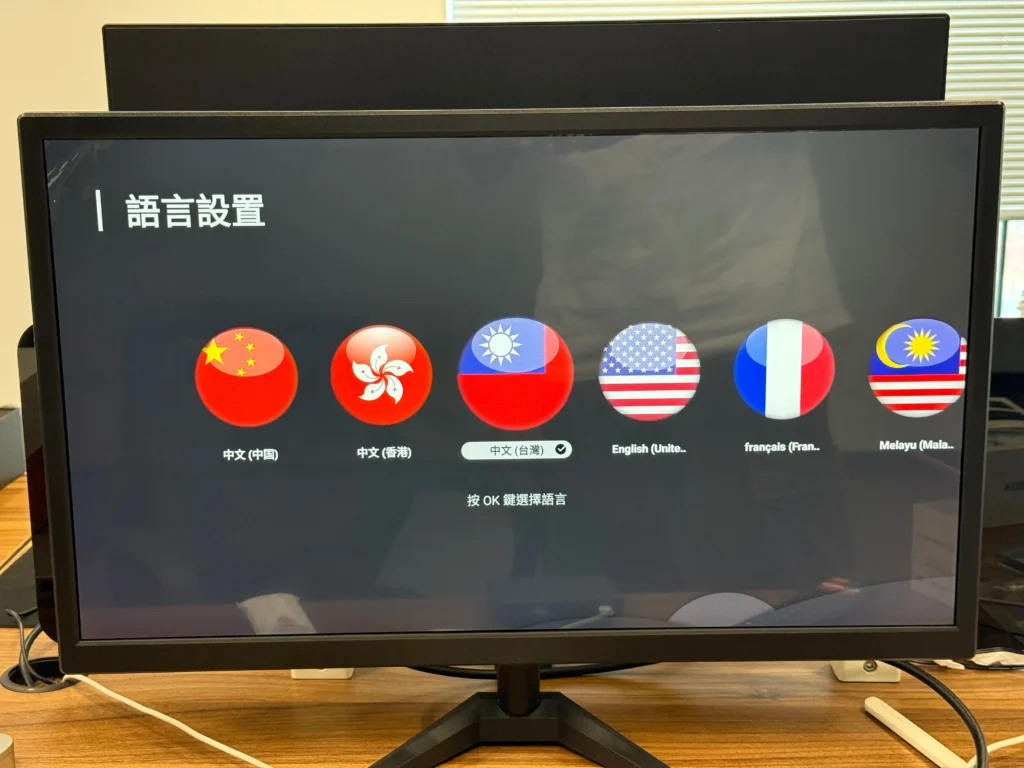
Language settings
Select your desired language, click the OK button, and then click Next.
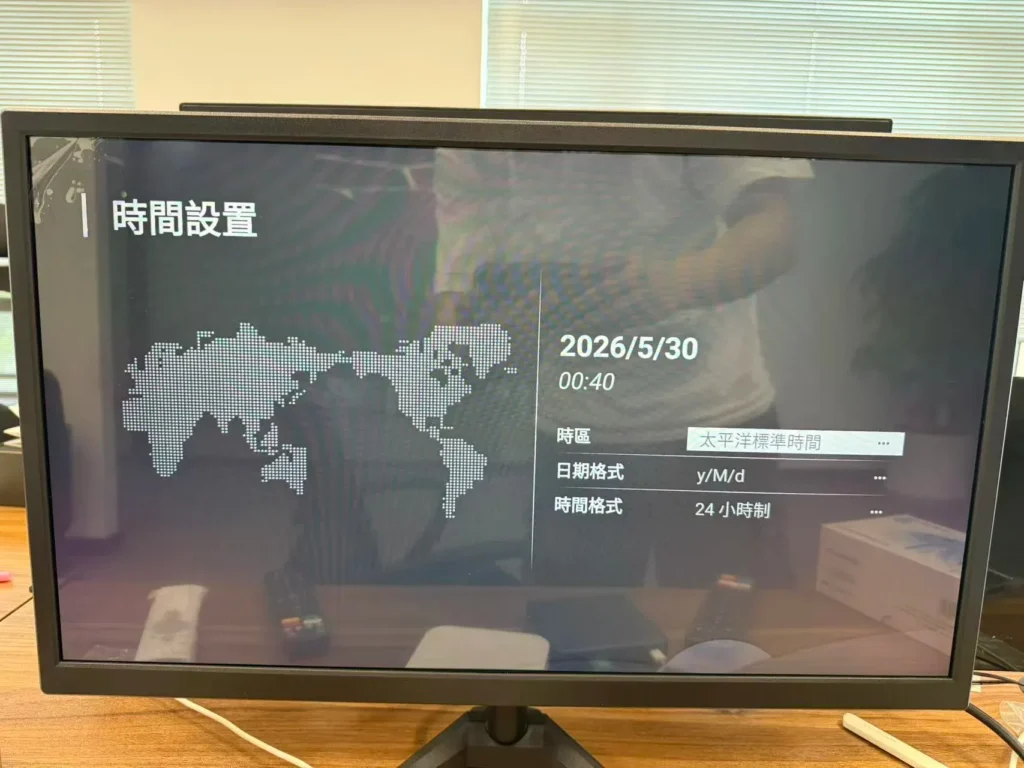
Time settings
Select your time zone, date format, and time format, then click Next.
Network settings
Wired Network Connection
First, ensure the network cable connecting the set-top box is connected to the modem, and verify that both the modem and the network cable are functioning correctly.
You can connect the network cable to your computer and open YouTube. If playback is successful, the wired network connection is working correctly.
Network Settings: Insert the network cable into the set-top box; the screen will display “Connected.”
Wireless Network/WiFi Connection: Select “Set up Wi-Fi,” locate the name of your desired wireless modem,
click to enter, input the password, and click “OK.” The screen will display a WiFi icon indicating a connected network.
Click “Next.”
Remote control learning
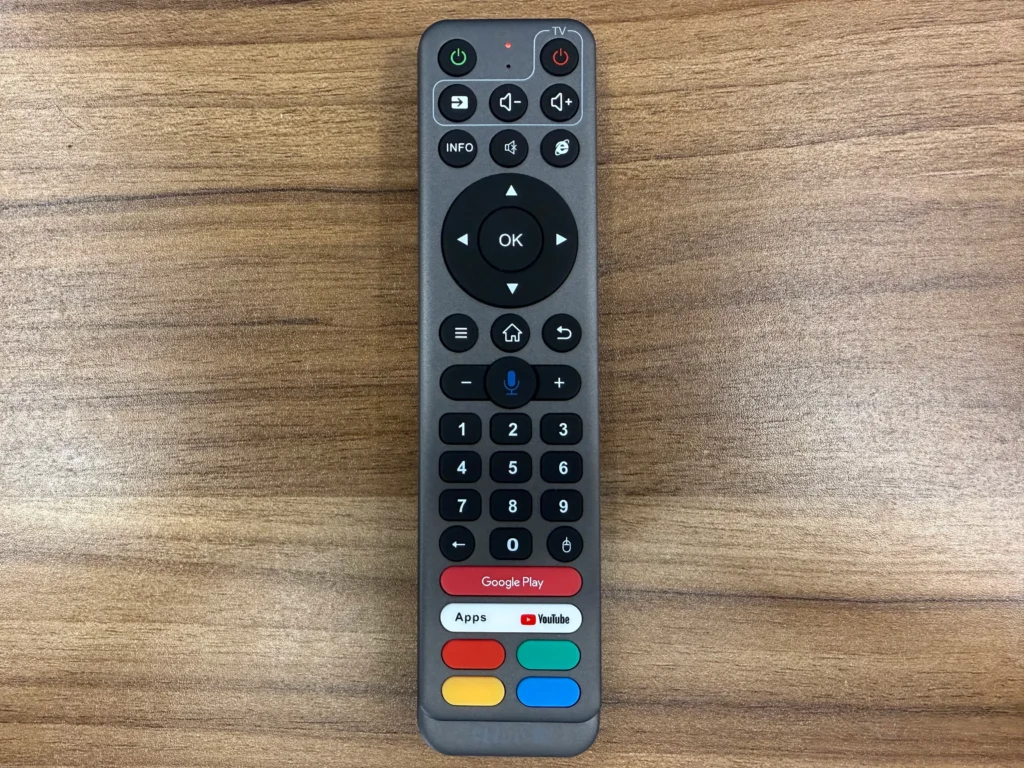
(1) Press and hold the power button (top right corner) on the set-top box remote for about 5 seconds, then release. Wait for the indicator light (LED) to illuminate steadily.
(2) When the LED is constantly lit, press the TV button again.
Then press the power button on the TV remote. This indicates that the set-top box remote has entered learning mode.
(3) Point the transmitters of both remotes together (within 3 cm) and press and hold the power button on the TV remote for 3 seconds.
If the indicator light on the set-top box remote does not flash 3 times rapidly, the learning has failed. Repeat the above steps. (4) After successful learning, press the button outside the learning area to save and exit (automatic exit after 20 seconds of inactivity). Remote (left side – indicator light, right side – learning button)