
The SviCloud 15P Android 14 model is aimed at viewers who want a newer software base, more storage, faster navigation, and a longer useful life than an older SviCloud box can comfortably provide. This guide explains what changes in everyday viewing, which upgrades are documented, and when the current SviCloud latest model makes sense for your home.
Key takeaways
- Android 14 gives the SviCloud 15P a newer platform baseline for compatible apps and settings.
- The listed hardware includes a 64-bit A55 processor, 4GB RAM, 64GB storage, dual-band Wi-Fi 6, Bluetooth 5.4, 4K HDR10, and AV1 decoding.
- Owners of an older box will notice the biggest difference when storage is tight, menus feel slow, or newer apps need a more current Android environment.
- App availability, DRM support, and streaming rights still depend on each app, provider, and region.
Contents: What Android 14 changes · 15P vs older SviCloud boxes · Viewing and connectivity benefits · Who should upgrade · Before you order · FAQ
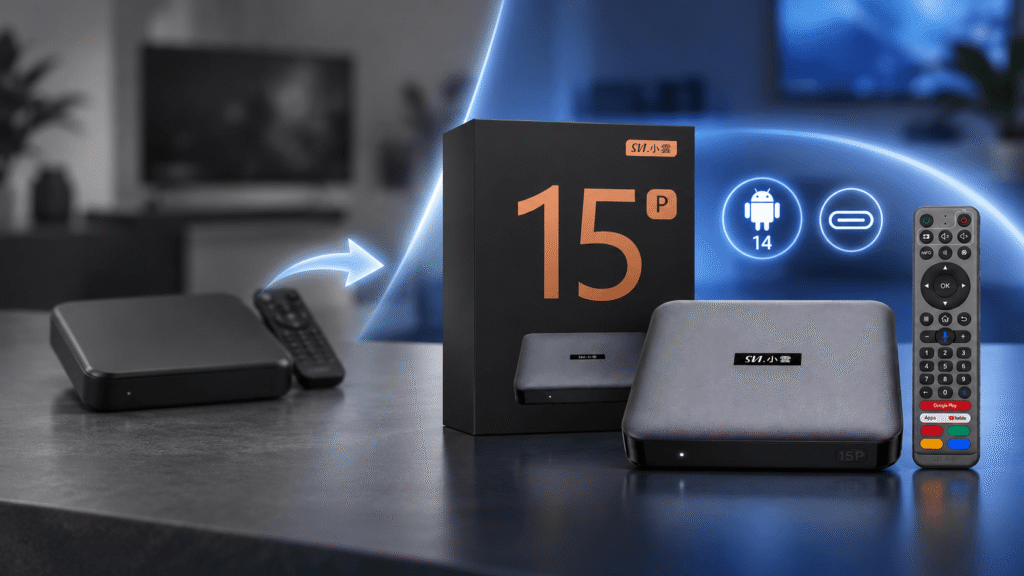
What SviCloud 15P Android 14 changes in everyday use
Android version numbers matter because they define the software foundation on which the launcher, settings, permissions, and compatible apps run. Google’s Android 14 overview explains the platform-level changes, while the Android TV Help Center is useful for general TV setup and account questions. The real benefit on a TV box is simpler: a newer starting point for daily navigation and app maintenance.
On the SviCloud TV box lineup, the 15P is listed with Android 14 and a 64-bit A55 processor. That does not guarantee every app will work in every country, yet it reduces the chance that an older operating-system baseline becomes the first limitation when you add a new streaming, media, or utility app.
Android 14 also gives the 15P a more current settings structure for permissions, connected devices, and app management. If an older SviCloud box still plays your existing content well, you may not see a dramatic picture-quality change. The upgrade is more noticeable in the software experience: installing newer apps, switching between services, and keeping a larger library without constantly clearing space.
SviCloud 15P Android 14 vs older SviCloud boxes
Older SviCloud models vary, so the table below compares the documented 15P specification with the upgrade considerations that usually matter when moving from an earlier generation. Check the listing for your exact older model before assuming that every row applies to it.
| Area | SviCloud 15P | Older SviCloud box | Why it matters |
|---|---|---|---|
| Operating system | Android 14 | Varies by model and firmware | A newer base can make app installation and settings easier to maintain. |
| Memory and storage | 4GB RAM + 64GB storage | Often less, depending on generation | More room for apps, cached artwork, local media, and updates. |
| Wireless | Wi-Fi 6 dual-band 2.4GHz/5GHz, 2T2R; Bluetooth 5.4 | Varies; some units use older wireless standards | Better network flexibility and a current connection for the remote and accessories. |
| Video formats | 4K HDR10 and AV1 decoding listed | Varies by model and app | Useful for compatible 4K files and newer encoded content. |
| Control | AI voice air-mouse remote | Remote features vary | Voice search and pointer-style navigation can reduce menu friction. |
| Local media | BDMV/ISO and local playback support listed | Confirm the exact model | Important for households with a personal movie library. |
This is why the 15P is best understood as a complete platform upgrade rather than a promise that every older box is unusable. If your current SviCloud still meets your needs, keep it. If storage, app compatibility, or wireless performance is the daily pain point, the newer specification is easier to justify.
How the 15P hardware affects real viewing
For live TV, movies, sports, and family apps, 4GB of RAM gives the interface more breathing room than entry-level memory configurations. It does not turn every service into a faster stream—your internet plan and the provider’s servers still matter—but it can make home-screen movement and app switching feel less constrained.
The 64GB storage figure is equally practical. A family can keep more apps, thumbnails, downloads, and local files without treating storage management as a weekly task. The 15P also lists AV1 decoding and 4K HDR10 support for compatible content. Your television, HDMI chain, app, and video source must all support the relevant format before you will see its full benefit.
Wi-Fi 6 gives the 15P both 2.4GHz and 5GHz options. Use 5GHz when the box is near the router and you want lower congestion; use 2.4GHz when distance and wall penetration matter more. Our guide to SviCloud 15P Wi-Fi 6 and Ethernet choices explains how to pick the connection for your room. Ethernet remains the best fallback when the router is close, and you want a consistent wired path.
Who should upgrade to the SviCloud 15P?
Upgrade now if
- Your older box frequently runs out of storage.
- Menus lag when several apps are installed.
- You want a current Android baseline for new app versions.
- You use a 4K HDR television and compatible local media.
- You want Wi-Fi 6 and a voice air-mouse in one package.
Keep your older box if
- It already handles your apps and resolution without trouble.
- You do not need extra storage or newer wireless hardware.
- Your main issue is a weak router or internet plan that a new box cannot fix.
- You rely on a provider that has not confirmed compatibility with the 15P.
The most balanced buying decision is to match the upgrade to a real limitation. Android 14 is useful, but it is not a reason by itself to replace a perfectly adequate device. The combination of Android 14, 4GB/64GB, Wi-Fi 6, 4K HDR10, and the current remote is what makes the SviCloud 15P Android TV box a stronger all-round choice for a new purchase or a meaningful step up from an aging unit.
What to check before ordering
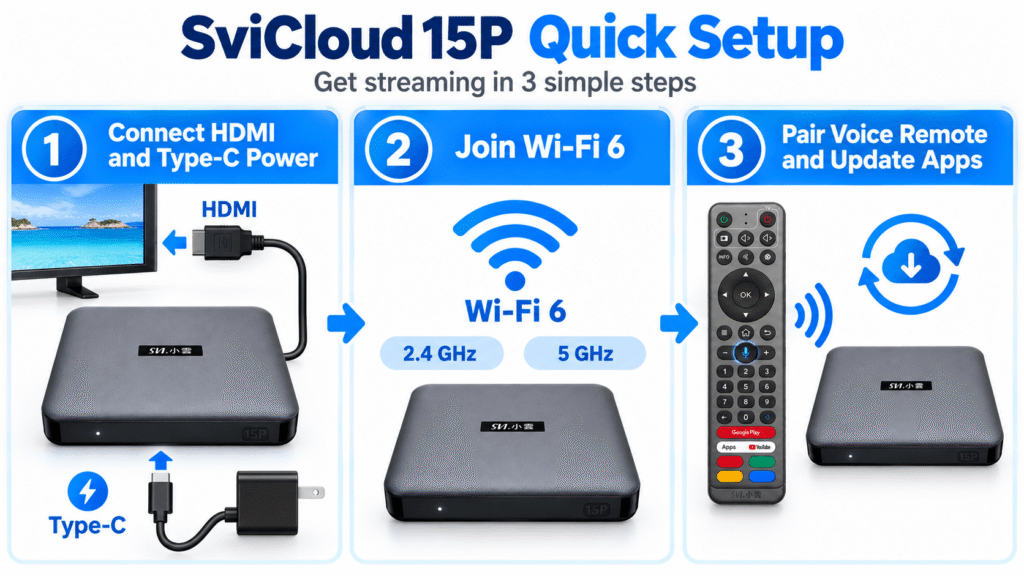
- TV connection: Confirm that your television has a free HDMI input and supports the resolution you plan to use.
- Power and placement: Leave room for airflow, use the supplied Type-C power setup, and avoid hiding the remote receiver behind the TV.
- Network: Check whether 5GHz reaches the TV stand reliably. If not, try 2.4GHz or wired Ethernet.
- Apps and region: Verify that the services you use support your country and the device environment. Android 14 cannot override regional rights or an app provider’s device policy.
- Remote: Keep the batteries fresh and pair the AI voice remote before testing voice search.
For the first boot, follow the step-by-step SviCloud setup guide. If you are unsure about an app, monthly service, or regional compatibility, check the SviCloud FAQ before placing the order.
SviCloud 15P Android 14 FAQ
Is Android 14 better than the Android version on an older SviCloud box?
It provides a newer software foundation and can be easier to maintain with current app versions. The practical improvement depends on the age of your existing box and the apps you use.
Is the SviCloud 15P the latest SviCloud model?
It is the current 15P model highlighted on the store with Android 14, 4GB RAM, 64GB storage, Wi-Fi 6, and Bluetooth 5.4. Model availability can change, so check the live listing before ordering.
Does the SviCloud 15P support both 2.4GHz and 5GHz Wi-Fi?
Yes. The listed dual-band Wi-Fi 6 hardware supports both bands. Choose the band that gives your TV the best balance of signal strength and congestion.
Is 4GB RAM and 64GB storage enough for a family?
For a typical mix of live TV, movies, sports, utility, and local-media apps, it provides a comfortable starting point. Storage needs still depend on how many apps and files you keep.
Should an older SviCloud owner upgrade?
Upgrade when storage, app compatibility, navigation speed, Wi-Fi, or 4K support is limiting your viewing. If your current box is stable and meets your needs, there is no need to replace it solely for the Android version number.
Final verdict
The strongest case for the SviCloud 15P is the way its features work together. Android 14 supplies a current base, 4GB/64GB keeps the system comfortable, Wi-Fi 6 and Bluetooth 5.4 modernize connections, and 4K HDR10, AV1, local playback, and the voice air-mouse cover everyday viewing needs. If you want to compare the latest SviCloud models before deciding, start with the device that matches your TV, apps, network, and region.
If the promotion is active when you order, use the SviCloud 15P coupon code svi8 at checkout to request 8% off. Confirm the code and current availability on the product listing before payment.