
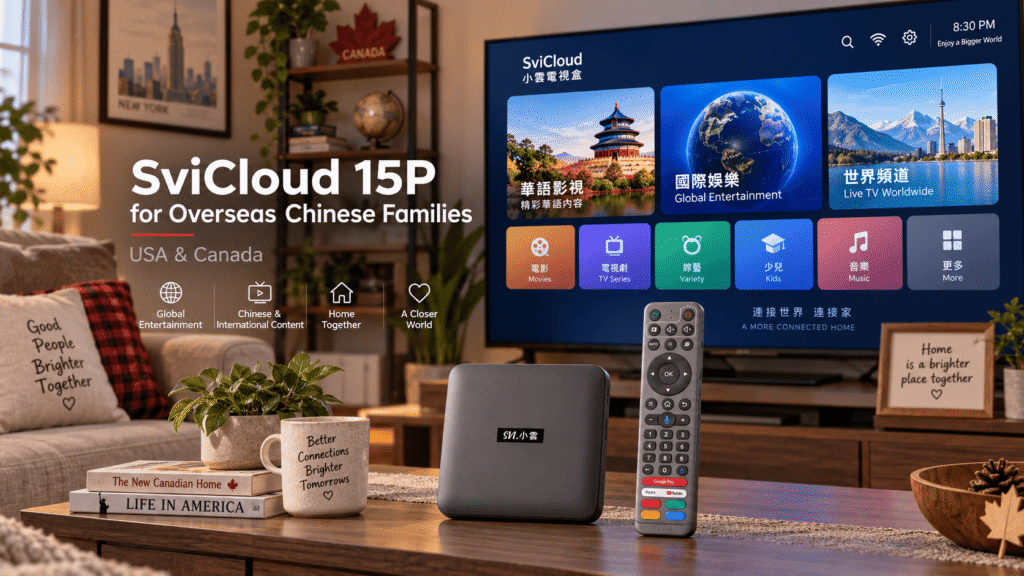
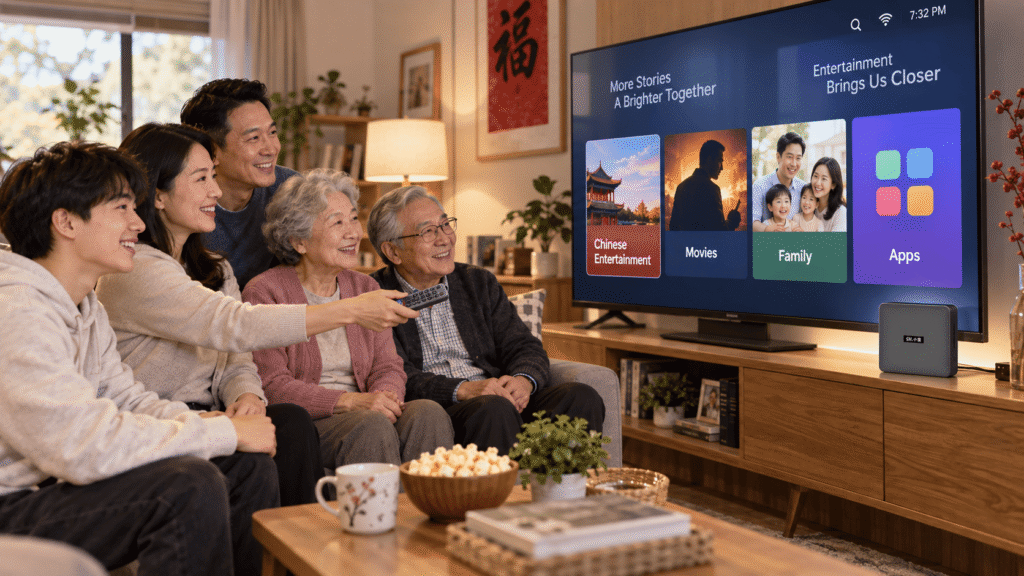
For overseas Chinese families living in the United States and Canada, home entertainment often needs to serve more than one generation. Parents may prefer Chinese-language programs, younger family members may use international streaming apps, and grandparents usually want something simple enough to operate without learning a complicated smart TV system.
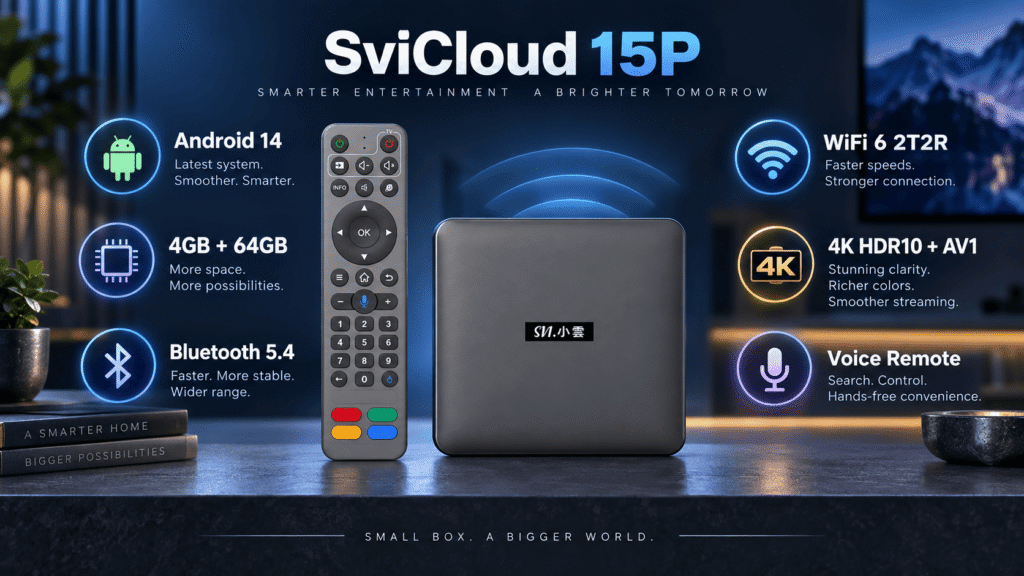
This is where the SviCloud TV Box can become a practical part of the living room. The latest SviCloud 15P combines Android 14, a 64-bit A55 processor, 4GB RAM, 64GB storage, dual-band WiFi 6, Bluetooth 5.4, 4K HDR10, and AV1 decoding in one compact TV box.
Rather than focusing only on specifications, this guide looks at how the SviCloud 15P TV Box fits the real needs of overseas Chinese households in the USA and Canada: multilingual entertainment, simple controls, stable home networking, flexible apps, local media playback, and reliable buying support.
Why Overseas Chinese Families Need More Than a Basic Streaming Device
A typical North American household may already have a smart TV, streaming stick, or built-in TV applications. But overseas Chinese families often have more complicated viewing habits.
One person may want Mandarin or Cantonese entertainment, another may watch YouTube or other international services, while older family members may simply want to turn on the television and navigate with a traditional remote.
This makes flexibility especially important. A good TV box for a multilingual family should provide enough processing power for everyday apps, sufficient storage, reliable wireless connectivity, and an interface that does not feel unnecessarily complicated.
The SviCloud 15P is designed around this type of mixed home-entertainment environment. Instead of forcing every member of the household into the same viewing routine, it provides an Android-based platform that can support different compatible applications and personal media sources.
Why the SviCloud 15P Works Well for Multi-Generation Homes
This latest SviCloud 15P Android 14 TV box represents the newest generation in the current SviCloud lineup.
| Operating System | Android 14 |
| Processor | 64-bit A55 |
| Memory | 4GB RAM |
| Storage | 64GB |
| Wireless | Dual-band WiFi 6, 2T2R |
| Bluetooth | Bluetooth 5.4 |
| Video | 4K HDR10 and AV1 decoding |
| Control | AI voice and air-mouse remote |
Android 14 Gives the 15P a More Current Platform
One of the biggest changes compared with many older TV boxes is Android 14. A newer Android platform does not automatically guarantee that every Android application will work perfectly, because individual app developers and streaming providers still control compatibility. However, it gives the SviCloud 15P a more current software foundation for modern applications and device functions.
Google’s official Android 14 documentation details platform improvements involving user experience, media, privacy, security, and application behavior.
For a household planning to keep a TV box for several years, starting with a newer Android generation can be more attractive than purchasing hardware that already uses a significantly older platform.
4GB RAM and 64GB Storage Are Practical for Family Use
Specifications matter most when they improve everyday use. With 4GB RAM and 64GB of internal storage, the SviCloud 15P has room for compatible apps, updates, and normal home-entertainment use without requiring the family to constantly manage storage.
The 64-bit A55 processor works together with the memory to keep menu navigation and app switching responsive under normal conditions. For parents or grandparents, this matters more than benchmark numbers: fewer delays and simpler navigation usually create a much better living-room experience.
WiFi 6 Is Useful in Busy US and Canadian Homes
Modern households rarely have only one connected device. Phones, tablets, laptops, game consoles, security cameras, and smart-home products may all share the same network.
The SviCloud 15P supports dual-band WiFi 6 with 2T2R technology on compatible 2.4GHz and 5GHz networks. When the router is reasonably close to the television, 5GHz can be a good option for higher-bandwidth home entertainment, while 2.4GHz may provide better reach in some environments.
WiFi performance still depends on the router, internet plan, distance, walls, and local interference. A WiFi 6 label cannot compensate for a weak internet connection or a poorly positioned router.
It is also worth securing your home network properly. The U.S. Cybersecurity and Infrastructure Security Agency guides protecting connected devices and home WiFi networks, including changing default router credentials and keeping connected devices updated.
4K HDR10 and AV1 for Modern Home Entertainment
The SviCloud 15P supports 4K HDR10 output and AV1 decoding for compatible sources and televisions. This can provide clearer detail, richer contrast and efficient video playback when the source content, television, HDMI connection and settings all support the required formats.
The 15P also goes beyond ordinary online streaming. Compatible local media can be organized and played through its media functions, including support for formats such as BDMV and ISO. This can be useful for families that maintain their own personal movie or video collection instead of relying entirely on online services.
A visual poster-wall interface can also make a large local media library easier to browse from across the living room.
A Remote That Is Easier for Parents and Grandparents
For multi-generation households, the remote control can be just as important.
The SviCloud 15P includes an AI voice air-mouse remote. Traditional directional controls are available for normal navigation, while the air-mouse function can make certain Android interfaces easier to operate. Supported voice input can also reduce the amount of typing required when searching.
This combination is useful when different family members have different levels of technical experience. Younger users may prefer voice or air-mouse functions, while parents and grandparents can continue using familiar physical buttons.
Apps and Entertainment for Different Family Members
An overseas Chinese household rarely watches only one type of content. The television may be used for Chinese-language entertainment in the morning, children’s programs in the afternoon, YouTube in the evening, and local movies or family videos at night.
Because the SviCloud 15P uses an Android-based environment, users can install compatible applications according to their own needs. App availability and functionality can vary according to region, provider, account, application version and service requirements.
If you are setting up a new box, our SviCloud 15P Apps Guide explains the current app installation process and gives new users a clearer starting point.
It is important to distinguish the TV box itself from third-party services. Purchasing the SviCloud 15P does not create a monthly hardware subscription fee from our store. However, individual streaming applications or content providers may require their own accounts, memberships, or subscriptions. Always review the terms of the service you choose to use.
Setting Up SviCloud 15P in the USA or Canada
First-time installation is relatively straightforward. Connect the SviCloud 15P to a compatible television through HDMI, connect the power adapter, select the correct HDMI input, and then complete your network and remote setup.
For most households, a simple setup process looks like this:
- Connect the SviCloud 15P to your television using HDMI.
- Connect the supplied power adapter and turn on the box.
- Select the corresponding HDMI input on your television.
- Connect to your home WiFi network.
- Pair and test the remote control.
- Adjust display and language settings if necessary.
- Install the compatible apps your household actually uses.
If this is your first SviCloud device, follow our complete SviCloud 15P setup guide for more detailed instructions.
One practical recommendation is to avoid installing dozens of apps immediately. Start with the applications your family uses most frequently, test playback and navigation, and add more only when needed. Keeping a clean interface can make the box much easier for older family members to use.
WiFi or Wired Network: Which Should Your Family Use?
WiFi 6 is convenient and should work well for many homes, particularly when the television is located close to a modern router. However, network conditions vary significantly between houses and apartments.
If the Android box is located several rooms away from the router, or your household experiences wireless interference during peak viewing hours, a wired network connection may provide a more consistent local connection when available in your setup.
Remember that changing from WiFi to a wired connection cannot make your internet service faster than the speed provided by your ISP. It mainly helps reduce problems caused by the wireless portion of your home network.
Where to Buy a Genuine SviCloud 15P TV Box
Where to buy a genuine SviCloud 15P TV box? The seller is nearly as important as the hardware itself.
Different SviCloud listings can appear across marketplaces and independent websites. Before buying, confirm the exact model, product condition, plug type, warranty terms, return policy, and who will provide support after the sale.
The Federal Trade Commission’s online shopping guidance recommends checking sellers and products carefully, reviewing shipping and refund policies, and keeping records of online purchases.
For SviCloud specifically, you can also read our guide on how to buy a genuine SviCloud TV Box, which explains what buyers should verify before ordering.
For customers looking to buy SviCloud 15P in the USA and Canada, svicloudtv.com publishes its current seller authorization information and provides tracked delivery, product support, and policy information for customers in both countries.
Before placing an order, always check the latest product page for current availability, plug options, shipping conditions, and any active promotions.
Is the SviCloud 15P Right for Your Family?
The SviCloud 15P makes the most sense for households that want one flexible living-room device rather than a simple single-purpose streaming stick.
It is particularly suitable for families that value multilingual entertainment, want Android app flexibility, have parents or grandparents who prefer a physical remote, use both online and personal local media, or want newer networking and Android hardware for a longer-term setup.
Frequently Asked Questions About SviCloud 15P
Does SviCloud 15P use Android 14?
Yes. The current SviCloud 15P specification lists Android 14 together with a 64-bit A55 processor, 4GB RAM, and 64GB storage.
Does the SviCloud 15P support WiFi 6?
Yes. It supports dual-band WiFi 6 with 2T2R technology. Actual network performance depends on your router, internet connection, distance, and home environment.
Can parents or grandparents use the SviCloud 15P?
The physical remote, directional controls, voice functions, and relatively straightforward TV-box interface can make the device easier to learn than navigating complicated menus with a phone or touchscreen. Individual comfort levels will still vary.
Does SviCloud 15P require a monthly subscription?
Our store does not charge a monthly hardware subscription just to own the SviCloud 15P. However, third-party apps and streaming services may have their own subscriptions, memberships, or account requirements.
Can I use the SviCloud 15P in both the USA and Canada?
Yes. The SviCloud 15P is available to customers in both the United States and Canada. Check the current product page and shipping policy before ordering for the latest delivery and availability information.
Final Thoughts: A Practical TV Box for Overseas Chinese Homes
For overseas Chinese families, a useful TV box should make the living room easier to share. Children, parents, and grandparents may all have different viewing habits, languages, and levels of technical experience.
The SviCloud 15P addresses that challenge with Android 14, 4GB RAM, 64GB storage, WiFi 6, Bluetooth 5.4, 4K HDR10, AV1 decoding, local media features and a voice-enabled remote. More importantly, those features are packaged into a device designed for everyday television use rather than technical experimentation.
You can explore the latest SviCloud models and support information on the SviCloud official website, or check current specifications, availability, and ordering information directly on the SviCloud 15P TV Box product page.
Current offer: Enter coupon code svi8 at checkout to enjoy 8% OFF your SviCloud 15P order.