
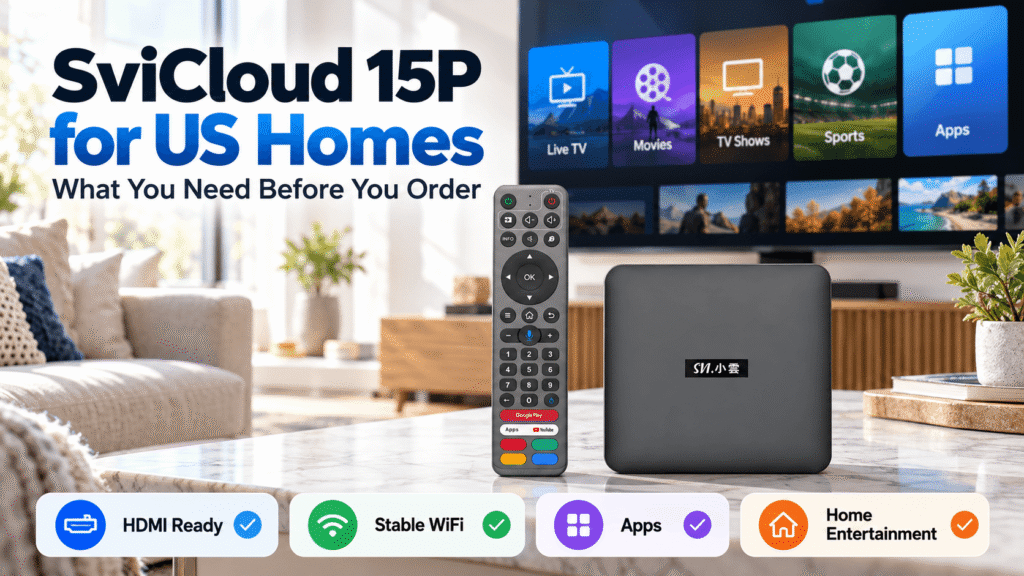
If you are considering a new TV box for your home in the United States, it is worth checking a few practical details before placing an order. A TV box may look simple, but your television, internet connection, viewing habits, app preferences, and seller choice can all affect the experience after the package arrives.
The SviCloud ecosystem is designed for home entertainment, while the SviCloud 15P TV Box combines built-in SviCloud entertainment access with Android 14 flexibility.
For US households, the goal is not simply to buy another streaming device. It is to choose a box that fits your television, your family’s content preferences, and the way your home network is set up.
This guide covers the most important things to check before ordering SviCloud 15P in the USA.
1. Check Your TV Before Ordering SviCloud 15P
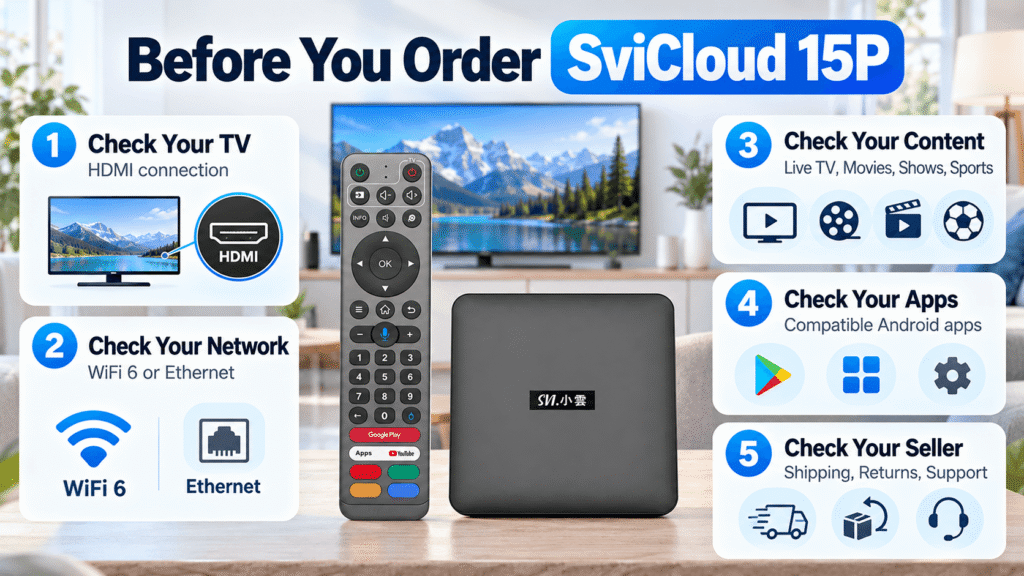
The first thing to check is your television.
SviCloud 15P connects to a television through HDMI, so your TV or monitor should have an available HDMI input. This is true whether you own a newer smart TV or an older television that still has an HDMI port.
Before ordering, take a quick look behind your television and confirm that at least one HDMI port is available.
You should also check where the box will sit. Ideally, place the device somewhere with reasonable airflow and easy access to power, HDMI, and your home network.
2. Make Sure Your Home Internet Is Ready
A modern TV box relies heavily on the quality of your home connection.
SviCloud 15P supports dual-band WiFi 6 with 2T2R connectivity. For many US homes, WiFi will be the easiest option because no network cable needs to run across the room.
However, your actual viewing experience still depends on factors such as:
- Your internet service plan
- Distance between the router and TV
- Walls and wireless interference
- The number of devices using the network
- The quality of the streaming source
If your router is far from the living room or the WiFi signal is inconsistent, an Ethernet connection may provide a more predictable connection.
You do not necessarily need the fastest internet plan available. What matters more is whether the connection near your television is stable enough for the content you normally watch.
3. Understand What SviCloud 15P Is Designed to Do
One common mistake is to think of every Android TV box as the same type of device.
A basic Android TV box may simply give users an Android interface and require them to build the entertainment experience themselves.
SviCloud 15P is different because the SviCloud experience begins with its own entertainment ecosystem and organized content entrances.
Users can explore entertainment categories such as:
- Live TV
- Movies
- TV shows and dramas
- Sports
- News
- Children’s entertainment
- Anime
- Asian and international programming
This can be especially useful in US households where different generations have different viewing habits.
For example, parents may prefer Chinese-language television and dramas, while younger family members may spend more time using international streaming apps.
If content availability is one of your biggest questions before ordering, see our SviCloud 15P channel and content guide for a more detailed overview.
4. Know the Main SviCloud 15P Hardware Before You Buy
You do not need to memorize every specification, but a few hardware details are worth understanding before purchasing.
| Feature | SviCloud 15P | Why It Matters at Home |
|---|---|---|
| Operating System | Android 14 | Provides a current Android platform for the device experience. |
| Memory | 4GB RAM | Supports everyday navigation and compatible applications. |
| Storage | 64GB | Provides space for supported apps and local media use. |
| Wireless | WiFi 6 2T2R | Useful for modern home wireless networks. |
| Bluetooth | Bluetooth 5.4 | Supports compatible Bluetooth accessories. |
| Video | 4K HDR10 | Supports compatible high-resolution televisions and content. |
| Video Decoding | AV1 | Supports a modern video compression format. |
These specifications make SviCloud 15P more than a simple entry-level streaming box, but they should still be considered together with your actual home setup and viewing habits.
5. You Can Add Compatible Android Apps
The built-in SviCloud entertainment environment is the starting point, but it is not the only way to use the device.
Because SviCloud 15P runs Android, users can also install compatible applications according to their preferences.
This gives US households more flexibility. One family may mainly use SviCloud’s built-in entertainment categories, while another may also install video, music, media-player, or utility apps.
Not every Android app is guaranteed to work on every TV device, so if there is one specific app that is essential to you, check compatibility before buying.
6. Think About Who Will Use the Box
The best TV box for a single user may not be the best device for a family.
SviCloud 15P is not only the best choice for single users, but also particularly useful in homes where parents, grandparents, and younger family members share the same television.
Older family members may prefer a physical remote and clearly organized entertainment categories. Younger users may care more about Android apps, online video, and additional media tools.
For overseas Chinese households in North America, we have also prepared a dedicated SviCloud 15P guide for Chinese families in the USA and Canada.
7. Understand the Setup Before the Package Arrives
Normal SviCloud 15P setup does not require complicated installation.
The basic process is:
- Connect SviCloud 15P to your TV using HDMI.
- Connect the power supply.
- Select the correct HDMI input on your TV.
- Connect the box to WiFi or Ethernet.
- Complete the on-screen settings.
- Open the SviCloud entertainment environment and configure any additional apps you want to use.
If you prefer to review the instructions before ordering, our SviCloud 15P setup guide explains the process in more detail.
Knowing the setup steps before the device arrives can also make installation easier for parents or family members who are less comfortable with technology.
8. Check the Price, Promotion & Total Order Value
When comparing TV boxes, do not look only at the product price.
A better comparison includes:
- The current device price
- Available discount codes
- Included accessories or promotional gifts
- Shipping and tracking
- Warranty and return policies
- After-sales support
Check the current SviCloud 15P price guide before placing your order to know more about the exclusive promotions and gifts.
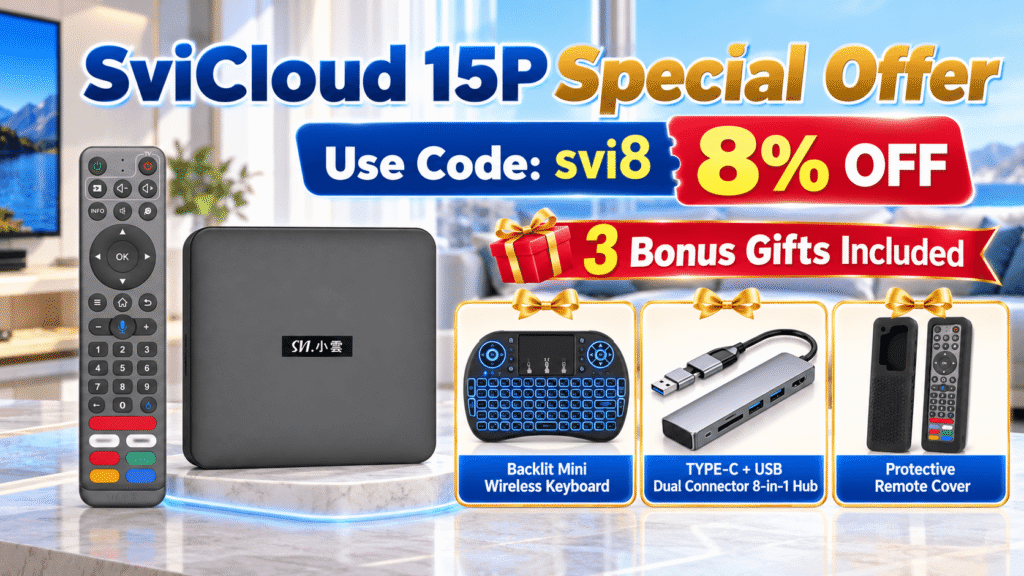
Customers currently looking for a SviCloud 15P discount can use coupon code svi8 at checkout to receive 8% OFF.
9. Current SviCloud 15P Gifts for Buyers
The current SviCloud 15P promotion also includes three useful accessories that can make the device easier to use from the first day.
- Backlit Mini Wireless Keyboard — helpful for typing searches, passwords, and longer text from the sofa.
- TYPE-C + USB Dual Connector 8-in-1 Hub — provides additional connection options for compatible storage devices and accessories.
- Protective Remote Cover — helps protect the remote from everyday wear, scratches, and accidental drops.
These are practical additions rather than purely decorative gifts, especially for households that plan to connect additional accessories or regularly enter text on the television.
10. Check the Seller Before You Buy
If you are searching for where to buy genuine SviCloud 15P, do not rely only on a product image or a low price.
Look for:
- Clear seller identity
- Detailed product information
- Return and warranty policies
- Order tracking information
- Customer support
- Seller authorization information where available
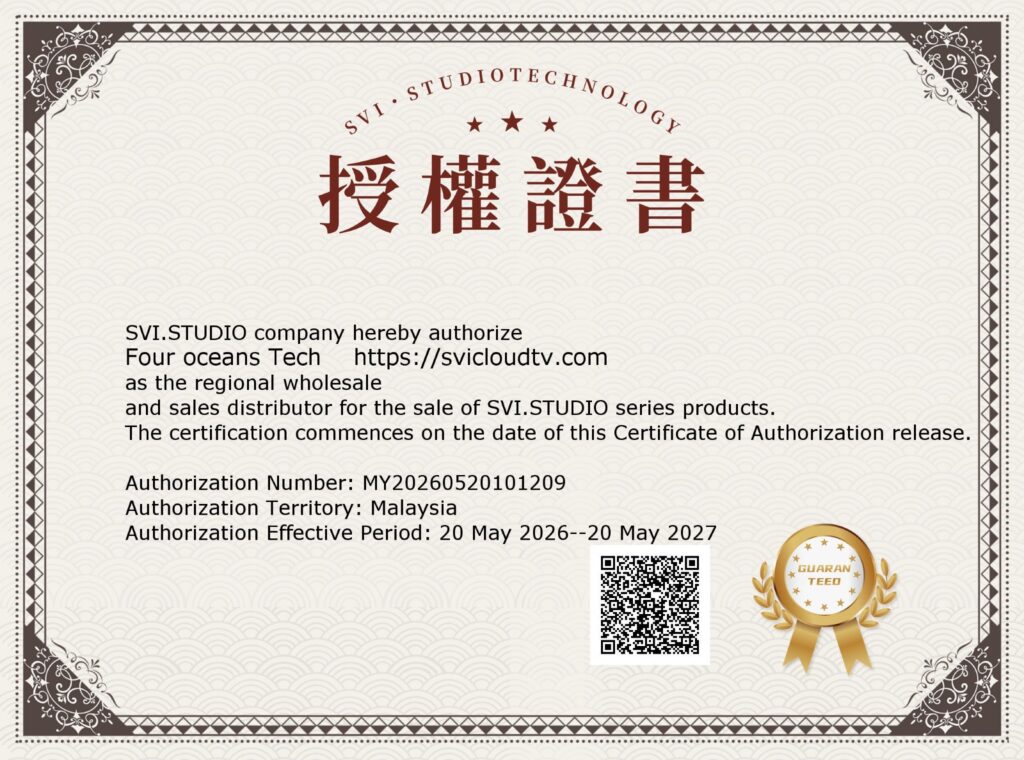
svicloudtv.com is an SviCloud official authorized retailer serving customers in the United States, Canada, and other countries and regions worldwide. The authorization certificate is shown below.
If you are still deciding whether this type of device is right for you, our SviCloud 15P buyer’s guide covers the broader considerations for first-time Android TV box users.
11. Does SviCloud 15P Require a Monthly Fee?
The SviCloud 15P device itself is purchased as hardware requiring no monthly fee. However, optional third-party applications are separate.
If you choose to install a service that requires its own paid membership, account, or subscription, those charges are controlled by that third-party provider.
For US buyers, the important distinction is: The SviCloud hardware purchase and optional third-party subscription services are separate costs.
12. Who Is SviCloud 15P Best Suited For in the USA?
SviCloud 15P can make sense for several types of US households.
It may be especially suitable for overseas Chinese families who want Chinese and Asian entertainment alongside international content, families that prefer built-in entertainment access instead of starting with an empty Android box, and users who also want the flexibility to install compatible Android applications.
It can also be useful for households with older televisions that still have HDMI but need a newer entertainment system.
Before You Order: Final US Home Checklist
Before placing your order, take two minutes to confirm the following:
- Your TV has a free HDMI input
- Your WiFi signal is reliable near the TV
- You know whether WiFi or Ethernet is better for your room
- The content categories fit your household
- Any essential third-party apps are compatible
- You have reviewed the current price and promotion
- You have checked shipping, warranty, and return information
- You are purchasing from a seller you can verify
Completing these checks before you buy can save time after delivery and make the first setup much easier.
Frequently Asked Questions
Can I use SviCloud 15P with an older TV in the USA?
In many cases, yes. The main requirement is a compatible HDMI connection. You do not necessarily need the newest smart television to use an external TV box.
Can I buy SviCloud 15P in the USA?
Yes. US customers can review current product availability, ordering information, and shipping details through the SviCloud official website.
Does SviCloud 15P support third-party apps?
Yes. In addition to the built-in SviCloud entertainment environment, users can install compatible Android applications according to their needs.
Is SviCloud 15P only for Chinese content?
No. Chinese and Asian entertainment is an important part of the experience for many overseas users, but the device can also be used with international entertainment categories and compatible Android apps.
Is there currently a SviCloud 15P coupon code?
Yes. The current promotional coupon code is svi8, which provides 8% OFF at checkout.
Final Thoughts: Prepare Your Home Before You Order
The best time to check TV compatibility, WiFi strength, app needs, and seller information is before the package arrives.
For US homes, SviCloud 15P combines built-in entertainment access, Android 14 flexibility, WiFi 6 connectivity, 4GB + 64GB hardware, and support for compatible additional apps in one home entertainment device.
Visit the SviCloud official website for more product and setup guides, or view the SviCloud 15P TV Box for current ordering information.
Order SviCloud 15P TV Box
Your current order comes with three useful extras for the home:
a Backlit Mini Wireless Keyboard,
a TYPE-C + USB Dual Connector 8-in-1 Hub,
and a Protective Remote Cover.
Enter svi8 at checkout to receive 8% OFF your SviCloud 15P order.