Buying your first Android TV box can feel more complicated than it should. Product pages often mention Android versions, RAM, storage, WiFi standards, video formats, apps, and remote controls all at once, while first-time buyers usually want answers to much simpler questions:
- Will it work with my TV?
- Is it difficult to set up?
- What can I watch?
- Do I need to install everything myself?
- Will my parents be able to use it?
- Are there monthly fees?
The SviCloud ecosystem is designed to make home entertainment more convenient, and the SviCloud 15P TV Box combines its own entertainment environment with the flexibility of Android 14.
This buyer’s guide is written specifically for people purchasing an Android TV box for the first time. Instead of simply listing technical specifications, we will explain what matters before you buy, what the SviCloud 15P experience is like, how setup works and what you should check before placing an order.
What Is an Android TV Box?
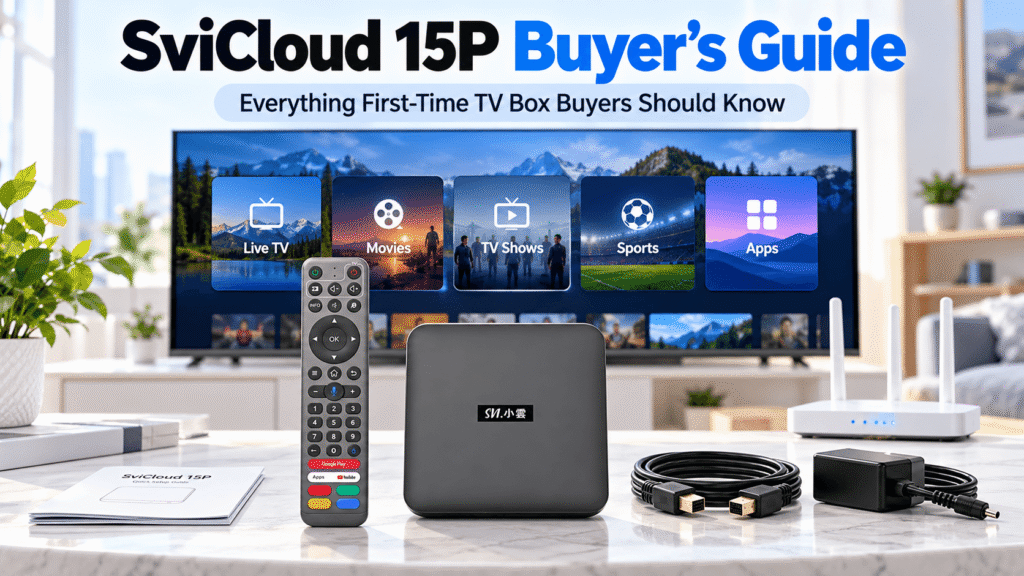
An Android TV box is a compact device that connects to a television, normally through HDMI, and adds smart entertainment functions to the big screen.
Depending on the device, users may be able to watch online video, install compatible applications, play personal media files, mirror content from a phone and access different entertainment services.
For a first-time buyer, the easiest way to think about it is this: the TV remains your screen, while the TV box becomes the entertainment system connected to it.
Google’s official Android TV setup documentation explains the basic concept in a similar way: an external Android TV device connects to a compatible television through HDMI and then connects to the internet for apps and entertainment services.
Read Google’s Android TV setup guide.
Why SviCloud 15P Is Different From a Basic Android Box
One of the most important things first-time buyers should understand is that not every Android TV box provides the same experience.
Some generic Android TV boxes mainly provide hardware and an Android interface. Users then need to find applications, install them, and build their own entertainment setup from scratch.
SviCloud 15P takes a different approach. It combines Android flexibility with the SviCloud entertainment ecosystem and its own core entertainment apps and entry points.
SviCloud’s current app environment includes core applications such as Yogurt TV, Yogurt Kids, Cherry TV and WeFun. These provide dedicated entrances for television entertainment, children’s content, family entertainment and other viewing categories.
Yogurt TV, for example, includes entertainment categories such as television programming, movies, news, sports, documentaries and general entertainment. This is especially useful for overseas households that want Asian and international viewing choices organized in one place.
If Chinese, Hong Kong and Taiwanese entertainment is one of your main buying priorities, our guide to TV boxes for Chinese, Hong Kong and Taiwanese channels explains what to look for before choosing a device.
Will SviCloud 15P Work With My TV?
For most first-time buyers, television compatibility is simpler than expected.
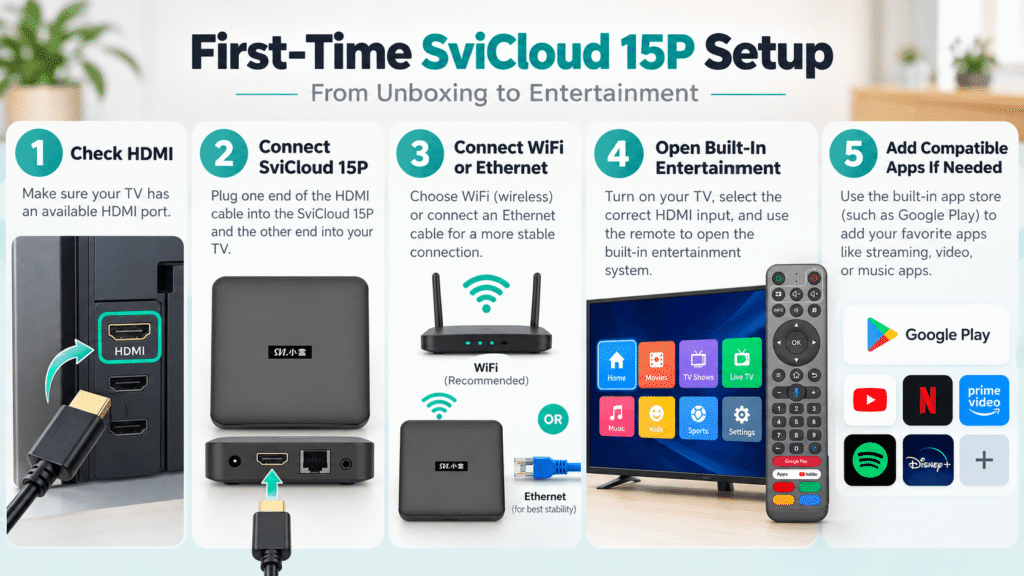
The main requirement is a television or monitor with a compatible HDMI input. You connect the SviCloud 15P to the television, connect the power, and select the correct HDMI input from your TV remote.
You do not necessarily need to own the newest smart TV. In fact, one reason people purchase an external TV box is to add a newer entertainment system to an older television that still has a good display.
Before ordering, check:
- Your television has an available HDMI port
- Your WiFi signal reaches the television area
- You have access to a power outlet near the TV
- You choose the correct plug type for your location
Is SviCloud 15P Difficult to Set Up?
No advanced technical knowledge is required for normal installation.
A typical SviCloud 15P setup involves connecting HDMI and power, choosing the correct input on the television, connecting the box to WiFi or Ethernet, and completing the on-screen settings.
If you have never installed a TV box before, our SviCloud 15P setup guide walks through the process step by step.
Google also recommends the same basic preparation for Android-based TV devices: a compatible HDMI display, internet connection, and remote control are the core requirements for first-time setup.
What Can You Watch on SviCloud 15P?
This is one of the most important questions for first-time buyers.
SviCloud 15P should not be viewed simply as a box where the only option is installing third-party apps. The SviCloud ecosystem has its own core entertainment apps and organized content entrances that make it easier to browse different types of entertainment.
Depending on the current app environment and available content, users can explore categories such as:
- Live television
- Movies
- TV programs and dramas
- News
- Sports
- Documentaries
- Children’s entertainment
- Family and karaoke entertainment
For overseas Chinese families, the availability of Asian and international categories can be particularly useful because parents, children, and younger family members often have very different viewing habits.
Read our SviCloud 15P Channel List to see what you can watch on this device.
Can You Install Additional Apps?
Yes. The built-in SviCloud entertainment experience is only one part of the device.
Because SviCloud 15P runs Android 14, users can also add compatible applications based on their needs.
Google explains that Android TV users can install and manage compatible apps through supported Android app environments. App availability always depends on device compatibility, region, and the individual service. See Google’s Android TV app guide.
This gives first-time buyers a useful combination:
- SviCloud entertainment ecosystem: convenient everyday entertainment access
- Android flexibility: add compatible apps when you want more options
If you want to understand the installation process and current SviCloud app environment in more detail, see our SviCloud 15P apps guide.
Which SviCloud 15P Specifications Actually Matter to a Beginner?
First-time shoppers often see a long specification list but are not sure which numbers make a real difference.
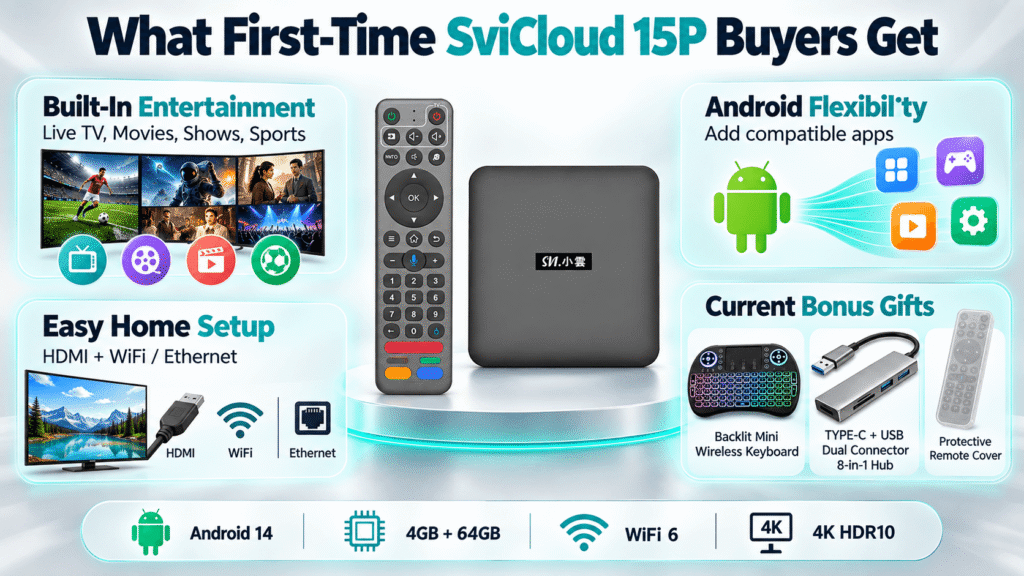
| Specification | Why It Matters |
|---|---|
| Android 14 | A newer Android platform for the current generation of the SviCloud experience. |
| 4GB RAM | Helps support responsive everyday navigation and compatible applications. |
| 64GB Storage | Provides room for supported apps, updates and local media use. |
| WiFi 6 2T2R | Provides modern dual-band wireless connectivity under suitable network conditions. |
| 4K HDR10 | Supports compatible higher-resolution video and HDR content on suitable televisions. |
| Bluetooth 5.4 | Useful for compatible headphones and other Bluetooth accessories. |
| AI Voice Air Mouse Remote | Provides buttons, air-mouse navigation and compatible voice input in one remote. |
For a first-time buyer, you do not need to obsess over every specification. A more useful question is whether the hardware is current enough for the entertainment experience you expect to use over the next several years.
WiFi or Ethernet: Which Should a Beginner Use?
If your router is close to the television, WiFi is normally the easiest option.
The SviCloud 15P supports dual-band WiFi 6 with 2T2R. WiFi 6 is designed to improve efficiency and connectivity in modern homes where multiple devices may share the same network.
If your TV room has weak wireless coverage or you want the most predictable fixed connection possible, Ethernet may be worth considering.
Whichever connection you choose, your actual streaming experience still depends on your internet plan, router, distance, interference, and the service you are using.
Read our SviCloud 15P WiFi 6: 2.4GHz vs 5GHz vs Ethernet for more information.
Is the Remote Easy for Parents and Seniors?
This matters more than many first-time buyers realize. A TV box can have excellent hardware but still be frustrating if family members cannot navigate it comfortably.
The SviCloud 15P includes an AI voice air-mouse remote with traditional directional controls, number buttons, and supported voice input. This gives households more than one way to navigate.
For parents and grandparents, familiar physical buttons can be easier than relying only on a smartphone or touchscreen-style interface.
Does SviCloud 15P Require a Monthly Subscription?
The SviCloud 15P hardware itself is purchased as a device rather than through a required monthly hardware subscription. Hence, it requires no monthly subscription fee.
However, users should separate the SviCloud device and its entertainment ecosystem from optional third-party services.
If you install an independent service such as a paid streaming platform, that company may require its own account or subscription. Those fees are determined by the third-party provider rather than by the SviCloud hardware purchase.
For first-time buyers, the easiest rule is: SviCloud device cost and third-party app subscriptions are separate.
How Much Does SviCloud 15P Cost?
Prices and promotions can change, so buyers should always check the current product page rather than relying on an old screenshot or third-party listing.
Our dedicated SviCloud 15P price guide explains current pricing considerations and what buyers should compare before ordering.
Do not judge a TV box only by the lowest listed price. First-time buyers should also consider:
- Whether the product is genuine
- Warranty and return conditions
- Setup support
- Shipping information
- What accessories are included
What Comes With the Current SviCloud 15P Offer?
The current SviCloud 15P package includes the TV box, remote control, and standard accessories needed for everyday use. In addition, the current promotion includes three practical bonus gifts designed to make setup and daily use more convenient.
- Backlit Mini Wireless Keyboard — makes typing, searching, and entering passwords easier from the sofa.
- TYPE-C + USB Dual Connector 8-in-1 Hub — adds extra connectivity options for compatible accessories, storage devices, and other peripherals.
- Protective Remote Cover — helps protect the remote from everyday scratches, drops, and wear.
For first-time TV box users, these accessories can be especially useful because they expand the SviCloud 15P setup without requiring you to purchase every accessory separately.
The Backlit Mini Wireless Keyboard is helpful for text entry, the 8-in-1 hub gives users more flexibility when connecting compatible devices, and the Protective Remote Cover adds an extra layer of protection for everyday family use.
Where Should a First-Time Buyer Purchase SviCloud 15P?
Buying from an unknown marketplace listing can make warranty, authenticity, and support more difficult to verify.
Customers researching where to buy genuine SviCloud 15P should check whether the seller provides clear product details, store policies, support contact information, and current shipping information.
You can read our SviCloud 15P buying guide for more information about choosing a reliable source.
You can also visit the SviCloud official store or go directly to the SviCloud 15P product page to review current specifications, package details, and ordering information.
First-Time Buyer Checklist Before You Order
Before purchasing your first Android TV box, use this simple checklist:
- Confirm your television has HDMI.
- Check that your internet connection is stable near the TV.
- Decide whether you prefer WiFi or Ethernet.
- Review the SviCloud entertainment categories you want to use.
- Check whether any optional third-party apps you need are compatible.
- Choose the correct plug type for your region.
- Review warranty, return, and shipping policies.
- Check the latest price and promotion before ordering.
Frequently Asked Questions for First-Time SviCloud Buyers
Do I need a smart TV to use SviCloud 15P?
Not necessarily. A compatible television with an HDMI input can normally be used with an external TV box. The SviCloud 15P provides the smart entertainment functions through the connected device.
Is SviCloud 15P suitable for people who are not good with technology?
Yes. The basic installation process is straightforward, while organized entertainment menus and a physical remote make everyday use more approachable for first-time users.
Can I add my own apps later?
Yes. Besides the core SviCloud entertainment ecosystem, users can install compatible Android applications according to their needs.
Does SviCloud 15P work outside the USA?
The SviCloud 15P offers multiple plug options and is used by overseas households in different regions. App, service, and content availability may vary by location, so buyers should confirm any region-specific service they consider essential.
Should I buy SviCloud 15P if this is my first Android TV box?
For first-time buyers who want a combination of organized SviCloud entertainment access and Android flexibility, the SviCloud 15P provides a relatively straightforward way to enter the TV box ecosystem without starting with an empty generic Android device.
Final Thoughts: Keep Your First TV Box Simple
Your first Android TV box should make television easier, not more complicated.
The SviCloud 15P combines its own entertainment ecosystem with Android 14 flexibility, current connectivity, a family-friendly remote, and support for additional compatible applications.
For beginners, the biggest advantage is not a single specification. It is the ability to start with organized SviCloud entertainment options and then expand the device gradually as you become more familiar with Android TV boxes.
Visit the SviCloud official website for more beginner guides, or check the SviCloud 15P TV Box product page for current product information.
Order SviCloud 15P with Exclusive Discount & Gifts
Get SviCloud 15P with three practical gifts: a Backlit Mini Wireless Keyboard,
TYPE-C + USB Dual Connector 8-in-1 Hub and Protective Remote Cover.
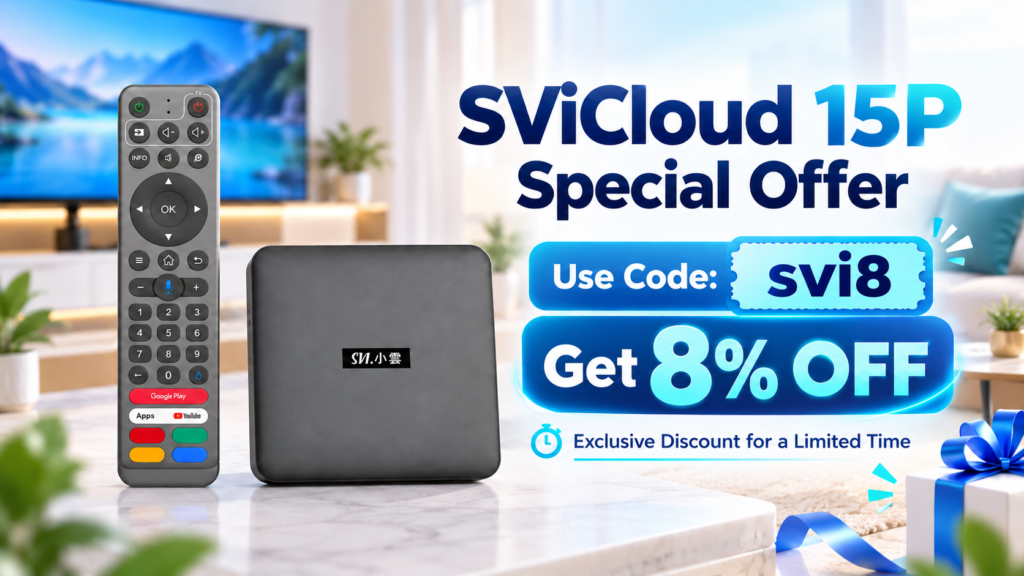
Use coupon code svi8 at checkout to enjoy 8% OFF.