
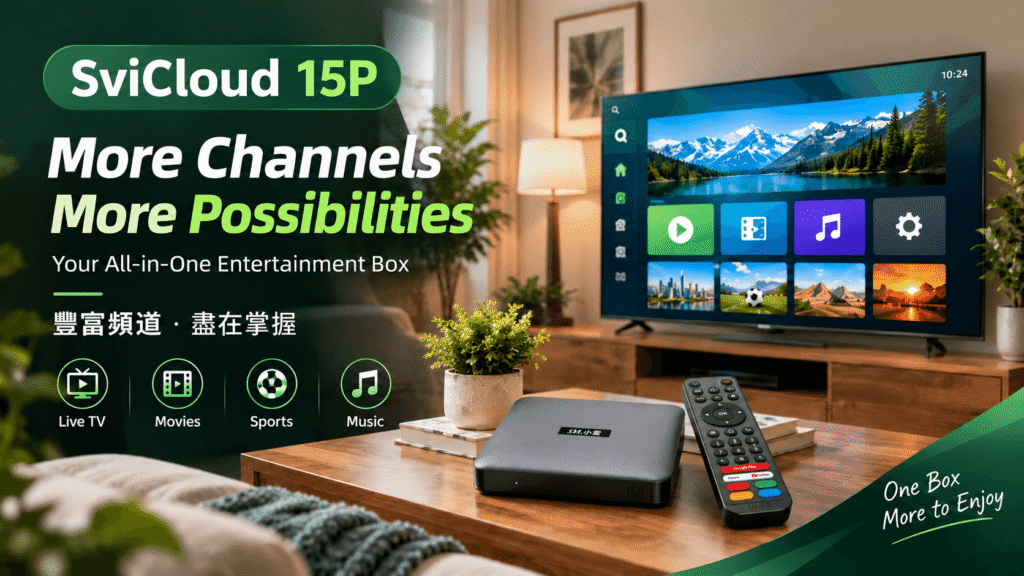
The SviCloud 15P is built for viewers who want one simple Android TV box for live channels, on-demand apps, movies, sports, and personal media. This SviCloud 15P channel list guide explains how channels are organized, what affects availability, and how to choose the right setup without relying on inflated “every channel” promises.
Contents
Quick answer: what can you watch?
A SviCloud 15P TV box can bring together compatible live-TV services, movie and series apps, sports streams, news, children’s programming, music, and locally stored media. The exact SviCloud 15P channels you see depend on your country, internet connection, app subscriptions, software version, and the current service bundle.
Think of SviCloud as the hardware and viewing hub. Individual apps and broadcasters control their own channel lineups and rights. That approach gives you more flexibility than a fixed list, but it also means you should confirm the services you personally need.
For an expanded reference, use the SviCloud TV box channel list on the official site and compare it with your household’s preferred languages, sports, news, and entertainment.
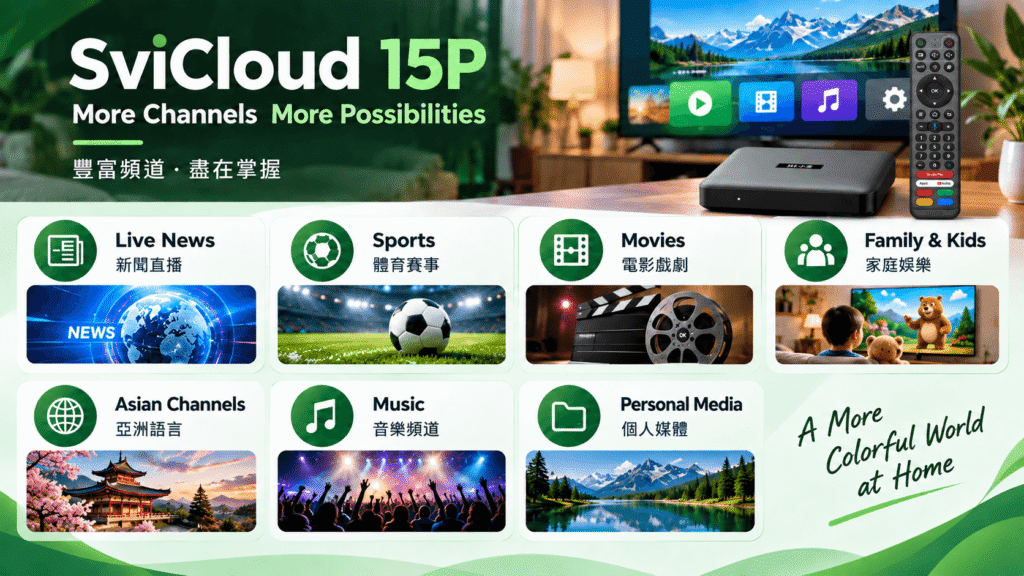
SviCloud 15P channels by viewing category
Instead of promising a static list that may become outdated, the following groups show how most buyers use a SviCloud TV box. Search within compatible apps and check the broadcaster’s current rights for your location.
Live TV and news
Follow local, international, financial, and community news through legitimate live-TV apps. Regional feeds may differ even when a network has the same name.
Sports and events
Use official sports platforms for live games, replays, and highlights. Blackouts, league rights, and subscription rules apply, so check your country before game day.
Movies and series
Install compatible on-demand apps for films, dramas, documentaries, and box sets. Your subscription determines the catalog more than the SviCloud hardware.
Family and children
Parents can create a safer home screen with age-appropriate services, profiles, and playback controls supplied by each app.
Asian and Chinese-language content
Viewers searching for Chinese, Cantonese, Mandarin, or Asian programming can use compatible regional services and verify language support before installing.
Music and personal media
Use music apps, network storage, USB media, or casting features when supported by the app and file format.
Why does the SviCloud 15P channel list change?
Channel availability is not a permanent hardware feature. It can change when an app updates its catalog, a broadcaster changes licensing, a service leaves a market, or a user travels to another country. Wi-Fi quality also affects whether a channel loads smoothly, especially during popular live events.
| Factor | What it affects | What to check |
|---|---|---|
| Country and region | Live feeds, language, sports rights | Use the provider’s regional availability page. |
| App subscription | Premium channels and on-demand catalog | Confirm plan, trial, and renewal terms. |
| Internet connection | Loading, buffering, picture quality | Test Wi-Fi near the TV or use Ethernet. |
| Software version | App compatibility and security | Install system and app updates from trusted sources. |
| Content rights | Temporary blackouts and removals | Check the broadcaster before a major event. |
Avoid sellers that guarantee every premium channel forever. A trustworthy SviCloud 15P purchase explains software, apps, support, and lawful viewing rather than making an unlimited channel claim.
SviCloud 15P, Xiaoyun 15P, and naming questions
Some shoppers search for “xiaoyun 15p” or “xiaoyun TV box” when they mean the SviCloud 15P family, a reseller listing, or a translated product name. Names can be inconsistent across marketplaces. Before checkout, match the model number, official product photos, included accessories, warranty contact, and software information.
If a listing uses both SviCloud and Xiaoyun wording, ask the seller to confirm whether it is an official SviCloud 15P TV box. This small check helps you receive the correct remote, power adapter, firmware, and support route.
How to find channels on SviCloud 15P
After delivery, use this simple workflow to build a useful SviCloud 15P channels dashboard:
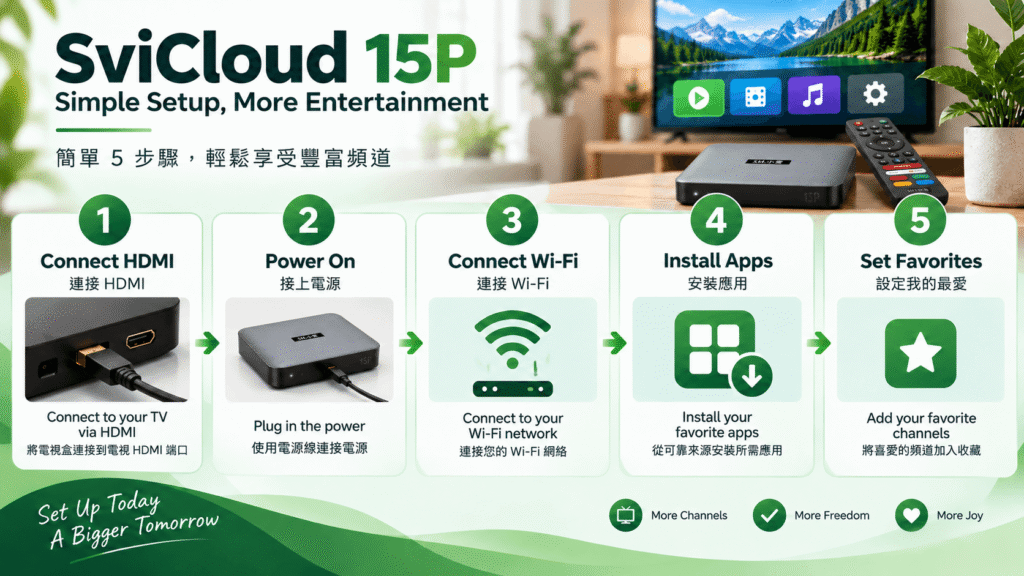
- Connect the SviCloud 15P to HDMI and a stable power source, then select the correct TV input.
- Join Wi-Fi or Ethernet and install available system updates.
- Install compatible, legitimate apps from trusted sources.
- Sign in to your own subscriptions and test live playback at peak time.
- Pin favorite channels or apps to the home screen and remove services you do not use.
For detailed setup help, follow the SviCloud TV box installation guide. The SviCloud 15P apps and download guide can help when an app needs a specific installation step.
Choose the right SviCloud 15P package
When comparing “SviCloud 15P channel list” search results, focus on the complete ownership package. Confirm the seller, shipping destination, power plug, return window, warranty, and customer-service response time. A clear product page is more valuable than a dramatic channel count.
Good reasons to choose SviCloud 15P
- One Android TV box for multiple legitimate viewing apps
- Flexible support for live, on-demand, family, and personal media
- Useful guides and an official support path
- A modern upgrade for an older streaming box
Check before ordering
- Regional app and channel availability
- Network speed and TV compatibility
- Current bundle, remote, adapter, and warranty
FAQ
What channels are included with SviCloud 15P?
The box supports compatible live-TV and streaming apps, but the exact lineup depends on the app, region, subscription, and current rights. Check the official channel reference before buying.
Does SviCloud 15P include Chinese channels?
It can support compatible Chinese-language services. Verify the specific Mandarin or Cantonese apps and their regional availability for your country.
Is the SviCloud 15P channel list permanent?
No. App catalogs, licenses, blackouts, and regional feeds can change. Treat a channel list as a current reference, not a lifetime guarantee.
What is the difference between Xiaoyun 15P and SviCloud 15P?
Marketplace naming may vary. Confirm the model number, official seller, firmware, accessories, and warranty before assuming two listings are the same product.
Where can I get help with SviCloud 15P channels?
Start with the SviCloud TV Box FAQ. For order or technical questions that need personal assistance, use official SviCloud support.