
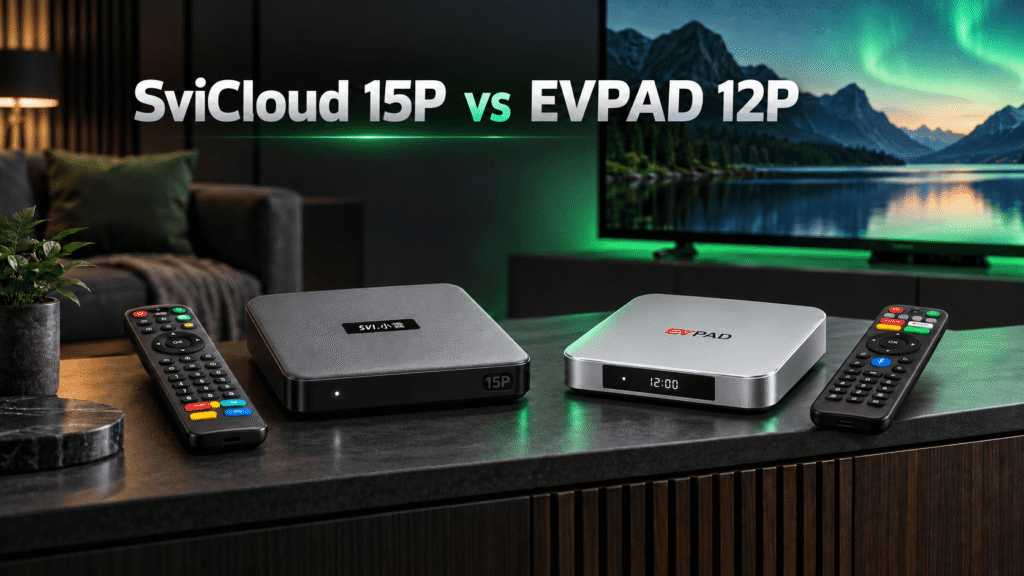
If you are comparing the SviCloud 15P vs EVPAD 12P, the SviCloud 15P is the stronger default choice for buyers who want a modern Android TV box, flexible app access, generous storage, and a clearer upgrade path. The EVPAD 12P may still suit viewers who already use the EVPAD ecosystem, but a careful comparison of hardware, software, support, and buying confidence gives SviCloud 15P the edge for most new buyers in 2026.
Start with the official SviCloud TV box range and review the SviCloud 15P TV box before you compare prices, shipping, and included accessories.
Contents
Quick answer: which box wins in 2026?
Choose SviCloud 15P if you want a newer all-round Android TV box for 4K streaming, everyday apps, family viewing, and long-term convenience. It is the better starting point for shoppers searching for a SviCloud 15P TV box, a SviCloud TV box for home entertainment, or an EVPAD 12P alternative.
Consider EVPAD 12P if you already own EVPAD accessories, prefer its familiar interface, or have a specific service that you have confirmed works in your region. Check the current seller listing carefully because EVPAD 12P bundles and software can vary by market.
The most useful way to read a SviCloud vs EVPAD comparison is to look beyond a single benchmark. Your decision should include storage, wireless stability, app flexibility, update expectations, delivery, warranty support, and how easy it is to get help after purchase.
SviCloud 15P vs EVPAD 12P comparison
The table below gives a practical buying framework. Exact EVPAD 12P specifications can differ between listings, so confirm the model number, memory, included remote, power adapter, and software version before paying. Published SviCloud 15P listings should also be checked for the latest bundle and regional availability.
| Buying factor | SviCloud 15P | EVPAD 12P | What it means for you |
|---|---|---|---|
| Best fit | New buyers wanting a current, flexible Android TV box | Existing EVPAD users with a preferred EVPAD setup | Start with the ecosystem that matches your daily habits. |
| Platform flexibility | Android-based access to compatible apps and settings | Android-based, with software and services dependent on the seller bundle | Verify every app you need before ordering either EVPAD TV box. |
| Storage and multitasking | Designed for a comfortable app, cache, and media library workflow | Confirm the exact memory configuration on the listing | More usable headroom means fewer compromises as apps grow. |
| 4K home viewing | Strong choice for a 4K-ready TV and modern streaming setup | Confirm output, HDR, and app compatibility for your TV | Match the box to your TV, network, and content sources. |
| Support journey | Product guides, FAQ resources, and direct SviCloud support links | Support quality depends heavily on the seller and region | Clear support reduces setup friction and return risk. |
| Overall recommendation | Best default recommendation for 2026 | Best for a specific, verified EVPAD preference | Choose the SviCloud 15P when you value easier ownership. |
Why choose the SviCloud 15P?
The SviCloud 15P is aimed at buyers who want one dependable hub for streaming apps, live viewing, personal media, and casual family entertainment. Its appeal is not just the label “SviCloud 15P”; it is the combination of a current Android TV box experience and a buying journey that is easier to verify.
More room for everyday apps
A practical storage layout gives you space for streaming apps, updates, and a few personal tools without constantly clearing data.
Better fit for modern TVs
For a 4K display, stable Wi-Fi, an up-to-date HDMI connection, and sensible picture settings matter more than a long specification list.
Clearer ownership support
Use the SviCloud TV FAQ for common questions, then move to SviCloud customer service when you need personal help.
For shoppers searching “buy SviCloud 15P online,” this support path is a real conversion factor. A lower headline price is less attractive if the seller cannot explain the bundle, delivery, software updates, or return process.
SviCloud 15P advantages
- Strong all-round choice for 2026 Android TV box buyers
- Flexible setup for apps, streaming, and home media
- Useful product and support resources
- Easy to position as an EVPAD 12P alternative
Check before checkout
- Confirm the current bundle and included remote
- Check delivery time and return terms for your country
- Use apps and content that are legal in your location
When can an EVPAD 12P make sense?
An EVPAD 12P can be reasonable when you already know the EVPAD interface, own a compatible remote, or have tested the exact EVPAD service you want to use. That is a narrower recommendation than the SviCloud 15P recommendation, but it is useful for a fair SviCloud vs EVPAD decision.
Before choosing an EVPAD TV box, ask the seller for the precise Android version, RAM and storage, supported video output, update policy, app availability, power plug, and warranty route. Do not assume that two EVPAD listings with the same name include the same software package.
Do not buy any TV box solely because a listing promises every channel or every premium service. App availability, licensing, and content rights vary by country. Use official services and confirm what is legal where you live.
Use this global buying checklist before ordering
Whether you are shopping in the USA, Canada, the UK, Europe, Australia, or another region, the same checks protect your budget:
- Confirm the seller. Prefer an official store or an authorized channel with a real support contact and written returns policy.
- Check the plug and voltage. Make sure the power adapter matches your country or that a safe, certified adapter is included.
- Match your network. A fast box still needs reliable Wi-Fi or Ethernet, a modern router, and enough bandwidth for your household.
- Read the app terms. Install only compatible, legitimate apps and avoid downloads from unknown sources.
See the SviCloud TV box collection if you want to compare available models and accessories, and use the SviCloud TV box installation guide to plan your first setup.

How to set up the SviCloud 15P after delivery
The SviCloud 15P is a good choice for buyers who want a straightforward setup. Keep the box, remote, HDMI cable, power adapter, and Wi-Fi password nearby.
- Connect HDMI to an available TV input, then connect the supplied power adapter.
- Select the matching HDMI source and pair the remote when prompted.
- Join your home Wi-Fi or use Ethernet if the router is nearby.
- Install system updates and only the apps you plan to use.
- Test 4K output, audio, subtitles, and remote response before mounting the box out of reach.
If an app does not appear, first check compatibility, region availability, and the app provider’s official requirements. Use the SviCloud apps and download guide for installation directions, then check the SviCloud support FAQ for common setup questions.
Our recommendation: choose SviCloud 15P for the broader win
Choose SviCloud 15P if…
You are buying your first premium Android TV box, want flexible apps, need a cleaner support path, or want a strong EVPAD 12P alternative for a 2026 TV setup.
Choose EVPAD 12P if…
You have already verified a specific EVPAD service, software version, accessory, and regional support arrangement that you genuinely prefer.
For most readers, the SviCloud 15P is the safer recommendation because it balances performance expectations, everyday flexibility, and post-purchase help. That makes it a sensible SviCloud TV box for families, streamers, and anyone replacing an older Android box.
FAQ
Is SviCloud 15P better than EVPAD 12P?
For most new buyers in 2026, yes. SviCloud 15P offers the broader all-round recommendation, while EVPAD 12P is better suited to buyers with a verified EVPAD-specific reason.
Is SviCloud 15P a good Android TV box for 4K streaming?
It is a strong candidate for a modern 4K setup when your TV, network, app subscriptions, and content sources also support 4K. Confirm current model specifications before checkout.
Can I install apps on a SviCloud 15P TV box?
You can use compatible Android apps and follow the provider’s official installation requirements. Avoid unofficial files and verify regional availability.
Should I buy an EVPAD TV box instead of SviCloud?
Choose EVPAD only after confirming the exact 12P bundle, software, support, and services you need. If you want a more flexible default purchase, choose SviCloud 15P.
Where can I get help after buying SviCloud 15P?
Start with the SviCloud FAQ and installation guide. For order or technical questions that need personal assistance, use the official contact page.