
You’ve bought a 4K television. The picture looks sharp when you watch a high-quality demo, but regular TV programs don’t always look as impressive. Some channels appear soft, movies occasionally buffer, and switching between streaming apps can feel like more trouble than it should.
That’s often when you start looking for an external TV box.
The SviCloud entertainment system offers another way to use your television. Its SviCloud 15P TV Box supports 4K HDR10, AV1 video decoding, WiFi 6, and an Android-based platform, alongside SviCloud’s own entertainment apps.
But owning a 4K TV doesn’t automatically mean every connected device will deliver the same picture quality. Before spending money on a new streaming box, it’s worth checking what your television supports, how your internet performs, and which content you actually want to watch.
Here are the details that matter before bringing SviCloud 15P into your home.
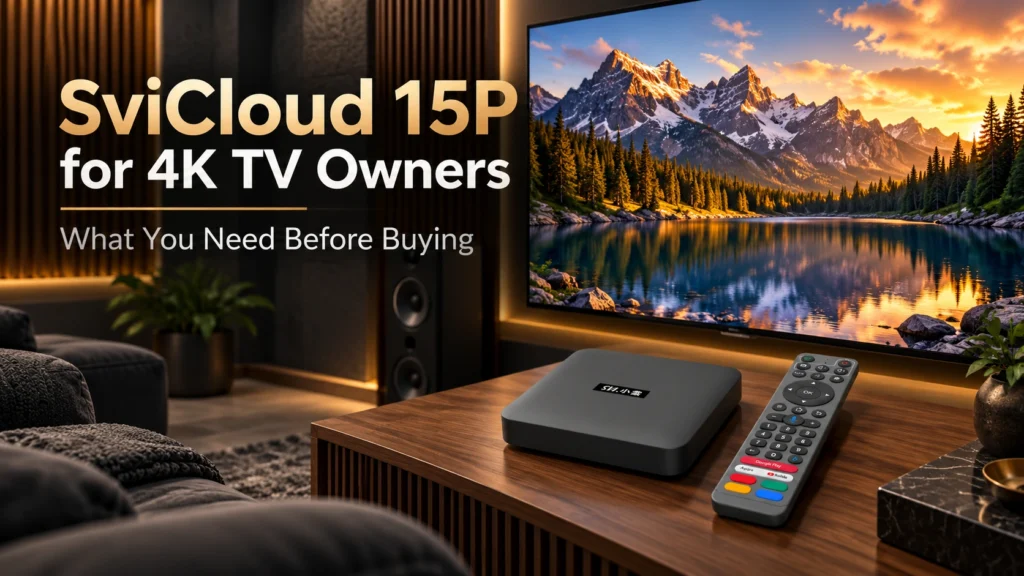
Does SviCloud 15P Work With a 4K TV?
Yes. SviCloud 15P supports 4K video output and HDR10, making it suitable for use with compatible 4K televisions.
The connection itself is straightforward. The Chinese TV box connects to your television through HDMI, while its entertainment system runs on the external device rather than relying on the TV’s original software.
This matters if your television’s built-in apps have become slow, certain apps are no longer updated, or you’d prefer a different way to access entertainment.
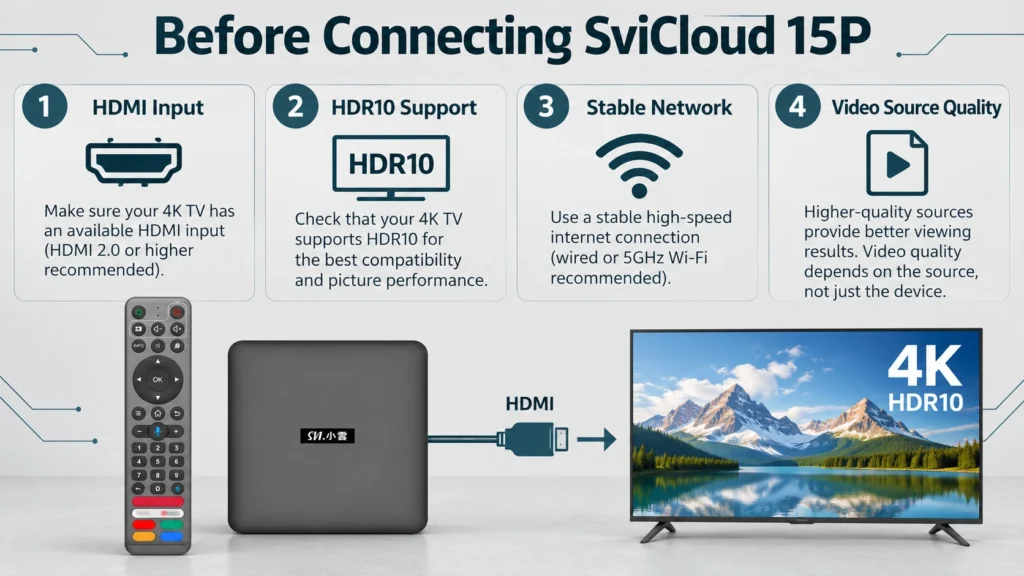
Before ordering, check three things:
- Your 4K television has an available HDMI input.
- The HDMI input supports the video settings you intend to use.
- Your television supports HDR10 if you want to watch compatible HDR content.
Not all HDMI ports on a television necessarily support the same features. Some older 4K models restrict certain high-resolution or HDR functions to specific inputs. Check your TV manual or the labels beside its HDMI ports. That small detail can save time when setting up the SviCloud TV box later.
4K Resolution and HDR10 Are Two Different Things
You’ll see both terms mentioned in the SviCloud 15P specifications, but they describe different aspects of video quality.
What 4K Resolution Means
A typical consumer 4K television has a resolution of 3840 × 2160 pixels. That’s four times the pixel count of a Full HD display. The extra resolution can make fine details more visible, particularly on larger screens. Landscapes, architectural details, and well-produced nature documentaries are good examples. Screen size and viewing distance still matter, though. The difference between Full HD and 4K may be less noticeable on a smaller television viewed from across a large room.
What HDR10 Adds to the Picture
HDR10 deals with brightness, contrast, and color information rather than simply increasing the number of pixels. Imagine a nighttime city scene with bright streetlights against dark buildings. On suitable equipment, HDR can help preserve more visible detail in bright and dark areas.
The SviCloud 15P supports HDR10, but the television and video source must also support the format. An ordinary SDR video does not become genuine HDR just because the box is connected to an HDR television.
If you’re comparing the hardware with earlier generations, our SviCloud 15P review covers the device’s specifications and media capabilities in more detail.
Check Your HDMI Port and Cable Before Buying
HDMI problems are easy to overlook because the connection often appears to be working normally. You might have a picture on screen but still be using a display mode that doesn’t take full advantage of your television.
For higher-bandwidth 4K formats, using a properly rated cable is important. HDMI Licensing Administrator explains that certified Premium High Speed HDMI cables are tested for 18Gbps bandwidth and are intended for demanding 4K setups, including supported 4K/60Hz and HDR configurations.
The SviCloud 15P package includes an HDMI cable for connecting the box to a compatible television.
Start with the supplied cable. If you encounter signal problems, check the TV input settings and cable connection before purchasing anything extra.
Some televisions also have settings called HDMI Enhanced Format, HDMI Deep Color, or similar names. Depending on the manufacturer, these settings may need to be enabled for certain HDR signals. Consult your television’s instructions rather than changing settings at random.
Why Doesn’t Everything Look Like 4K on a 4K TV?
This catches many new TV owners off guard. A 4K television can display lower-resolution video, but it cannot recover image detail that wasn’t present in the original recording. For example, an older television drama may have been produced or distributed in standard definition. Your 4K TV will upscale that image to fit the screen, yet it won’t suddenly look like a modern native-4K film. The same applies to live television. Different channels, programs, and streaming sources may use different resolutions and bitrates.
Picture quality depends on several parts of the viewing chain:
- The resolution and quality of the original video
- The compression used by the content provider
- The playback app and its available quality settings
- Your internet connection, when streaming online
- The video output settings of the TV box
- Your television’s picture settings
What Can You Watch Through SviCloud 15P?
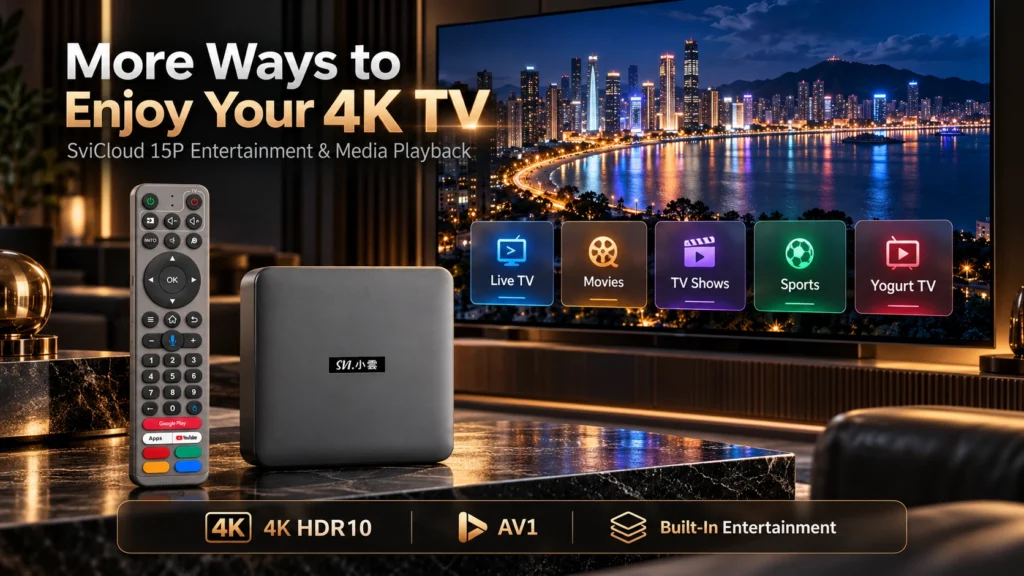
The SviCloud 15P experience is not limited to downloading individual streaming apps and searching for entertainment one service at a time. SviCloud TV box has its own entertainment ecosystem, including dedicated applications and content entrances for everyday viewing.
Its core entertainment apps include Yogurt TV, Yogurt Kids, WeFun, and other SviCloud services. Yogurt TV is especially relevant for viewers interested in television programming, Asian entertainment, movies, dramas, news, and sports. Available categories include:
- Live TV and news
- Chinese-language programs
- Hong Kong (like TVB) and Taiwanese entertainment
- Movies and television dramas
- Sports programming
- Children’s content
- Variety shows and family entertainment
For overseas Chinese households, this organized entertainment environment can be a major reason to choose a Xiaoyun TV Box rather than relying entirely on a television’s original app selection.
It also helps when several family members share the same screen. Parents may prefer Chinese dramas, while children use age-appropriate content and other adults watch international programming.
Availability, video resolution and individual programs can change by region, app version, and content source. Not every title or channel should be assumed to stream in native 4K.
If this is your main viewing interest, our guide to SviCloud 15P for overseas Chinese families looks more closely at the entertainment needs of Chinese-speaking households in North America.
Can SviCloud 15P Play 4K Content From Other Apps?
SviCloud 15P runs Android 14 and supports additional compatible Android applications. That allows owners to expand beyond the SviCloud entertainment ecosystem with video services, media players and other software.
There is an important distinction here: supporting 4K output does not guarantee that every third-party streaming service will provide 4K playback on the device. Commercial streaming services can have their own requirements for certified devices, accounts, subscriptions, digital rights management, and video output protection. For instance, Netflix explains that its highest available video quality depends on the streaming device, plan, HDMI connection, and other requirements.
Before buying a box specifically for one paid streaming platform, confirm that the service supports your exact device and the picture quality you expect.
You can explore other software options through our SviCloud 15P app recommendations, which cover entertainment and media applications that may be useful alongside the built-in ecosystem.
Why Does My TV Keep Buffering Even With a Fast Internet Plan?
A fast home internet plan is helpful, but it doesn’t guarantee stable streaming in every room. People often search for “why does my TV keep buffering” when their internet provider advertises high speeds but the television still pauses during playback.
The problem may be inside the home. A router positioned behind thick walls, heavy wireless interference, or multiple devices competing for bandwidth can affect the connection reaching your TV box.
SviCloud 15P supports dual-band WiFi 6 with 2T2R technology. It can connect to compatible 2.4GHz or 5GHz wireless networks, giving owners flexibility when choosing a connection.
As a general rule, 5GHz can offer strong performance at suitable distances, while 2.4GHz may provide better coverage through obstacles. Actual results depend on your router and home layout.
YouTube recommends approximately 20Mbps of sustained connection speed for 4K UHD video. Remember that these are service guidelines, not a guarantee that every stream will run smoothly at a particular speed.
How to Fix Buffering Before Blaming the TV Box
If you’re trying to work out how to fix buffering, start with the network rather than replacing hardware immediately.
- Test the internet speed near your television, not just beside the router.
- Try the 5GHz WiFi network if coverage is strong enough.
- Move the router away from enclosed cabinets and sources of interference.
- Restart the router and TV box if performance has suddenly changed.
- Try a wired Ethernet connection where practical.
- Check whether buffering occurs in every app or only one service.
If one application buffers while others play normally, the issue may involve that service, its servers, or the particular video source. Replacing a streaming box cannot fix every network or content-provider problem.
What About Watching Your Own 4K Movie Files?
Not everyone uses a 4K television mainly for online streaming. Some people keep personal movie collections on external storage devices and prefer playing those files directly through a TV box.
SviCloud 15P TV box supports compatible local media formats, including BDMV, ISO, MKV, and MP4. Its media-player features also include a visual poster-wall system for browsing supported movie libraries. That can be useful if you own high-quality personal video files and want a more convenient way to select them from the sofa.
Local playback is different from internet streaming. It may reduce dependence on external streaming servers, although the storage device, file encoding, video bitrate and playback compatibility still affect results. Check the format of your existing movie collection before assuming every file will play exactly as expected.
How to Set Up SviCloud 15P With a 4K Television
You don’t need a complicated installation to get started.
After unpacking the box, the basic process is:
- Connect the SviCloud 15P to an available HDMI input on your 4K television.
- Connect the supplied power equipment.
- Turn on the television and select the corresponding HDMI input.
- Connect the box to your WiFi network or a suitable wired connection.
- Complete the initial settings and open the SviCloud entertainment environment.
- Check the display output settings available on your device and television.
Start with ordinary video playback, then test suitable 4K and HDR content if you have it available. If the screen remains black or the image flickers, check the HDMI cable, input selection and output compatibility first.
For more detailed instructions on how to set up SviCloud 15P, follow our SviCloud 15P installation and setup guide.
Owners who want to explore the dedicated SviCloud applications can also use our guide to SviCloud entertainment apps.
Should Existing SviCloud Owners Upgrade to 15P?
That depends on what you’re currently using. If your older SviCloud TV box still meets your everyday needs, upgrading simply because you bought a 4K television may not be necessary.
The newer model brings Android 14, an A55-based processor, WiFi 6, and updated connectivity, along with its advanced local-media features.
Consider upgrading if you want the newer software platform, improved media-library features, or different connectivity options. Owners of an older generation can compare the practical changes in our SviCloud 15P vs SviCloud 10P comparison.
Who Should Buy SviCloud 15P for a 4K TV?
The SviCloud 15P makes the most sense for people who want more than a basic connection between the internet and their television.
It is worth considering if you own a compatible 4K TV and want SviCloud’s built-in entertainment ecosystem, Chinese-language programming, Android app flexibility, and support for personal media collections.
It can also suit families replacing an aging external TV box while keeping the same television.
On the other hand, someone interested exclusively in one particular paid streaming platform should verify that service’s certified-device and 4K requirements before ordering.
If this will be your first Android-based streaming device, our first-time SviCloud 15P buyer’s guide covers general purchasing questions beyond 4K television compatibility.
Check the SviCloud 15P Price and Package Before Ordering
The SviCloud 15P price is only one part of the buying decision.
Look at the current package, the seller’s return policy, technical support, and any promotional accessories included with your order.
The current SviCloud 15P offer includes three practical gifts:
- Backlit Mini Wireless Keyboard
- TYPE-C + USB Dual Connector 8-in-1 Hub
- Protective Remote Cover
The keyboard makes text entry easier. The multiport hub provides additional connection options for compatible accessories, and the cover helps protect the remote during daily use.
For current prices and purchasing considerations, see our SviCloud 15P price guide. Customers planning to buy SviCloud 15P in the USA or Canada should also check the latest shipping information and select the appropriate plug type before checkout.
Frequently Asked Questions
Does SviCloud 15P support 4K HDR?
Yes. SviCloud 15P supports 4K HDR10 output. To benefit from HDR10, you also need a compatible display, connection, and video source.
Do I need a new 4K TV to use SviCloud 15P?
No. A compatible television with HDMI can be used, although the picture will be limited by the display’s own resolution and supported features.
Will every SviCloud channel play in 4K?
No. Available resolutions depend on the individual channel, video source, app, and internet connection.
Does SviCloud 15P support Netflix in 4K?
The device supports 4K output, but that does not establish Netflix 4K certification. Buyers who specifically require Netflix Ultra HD should confirm current support for the exact device before purchasing.
Can SviCloud 15P play my own 4K movie files?
It supports compatible local media formats and advanced playback features. Actual playback depends on the file’s codec, bitrate, container, and storage setup.
Can WiFi 6 prevent all buffering?
No. WiFi 6 can improve wireless connectivity under suitable conditions, but buffering can still result from weak signals, internet congestion, or problems with a content provider.
Final Thoughts: Get More From the 4K TV You Already Own
Buying a 4K television is one part of the home entertainment setup. The source material, HDMI connection, internet reliability, and software you use can make just as much difference to everyday viewing.
SviCloud 15P brings 4K HDR10 support, modern video decoding, its dedicated entertainment ecosystem, and flexible Android features to a compatible television.
Before ordering, confirm your TV’s HDMI capabilities, think about the content your household actually watches, and check your home network. Those decisions matter more than chasing the highest resolution printed on a product box.
Browse the SviCloud TV Box collection to explore available models, or visit the SviCloud 15P product page for current ordering details.
Enter SviCloud 15P coupon code svi8 at checkout for 8% OFF. The current SviCloud 15P sale includes three useful extras: a Backlit Mini Wireless Keyboard, a TYPE-C + USB Dual Connector 8-in-1 Hub, and a Protective Remote Cover.