
For many overseas sports fans, watching live games from home is an important part of staying connected with their favorite teams and leagues. Whether you follow basketball, football, baseball, soccer, or Chinese sports events, having a reliable home entertainment setup can make the viewing experience much easier.
The SviCloud TV Box has become a popular choice among overseas families because it combines modern Android hardware with flexible entertainment options. The latest SviCloud 15P TV Box is designed for users who want a smoother big-screen viewing experience at home.
But can you watch live sports on SviCloud 15P? The answer depends on the apps, services, network environment, and content sources you choose. In this guide, we explain how SviCloud 15P works for sports viewing, what features help improve the experience, and what overseas fans should know before using a TV box for live sports entertainment.
What Makes a TV Box Suitable for Live Sports?
Watching live sports is different from watching movies or recorded programs. Sports broadcasts require consistent video playback because viewers expect real-time action without frequent buffering or interruptions.
A good sports streaming setup usually depends on several factors:
- Stable internet connection
- Reliable WiFi performance
- Sufficient device processing power
- A compatible television display
- A properly configured streaming application
The TV box itself is only one part of the complete experience. Even a powerful device cannot overcome unstable internet service or poor network conditions.
For overseas fans, a flexible Android TV box can provide another option for organizing entertainment apps and watching different types of content on a larger screen.
How SviCloud 15P Supports Sports Viewing
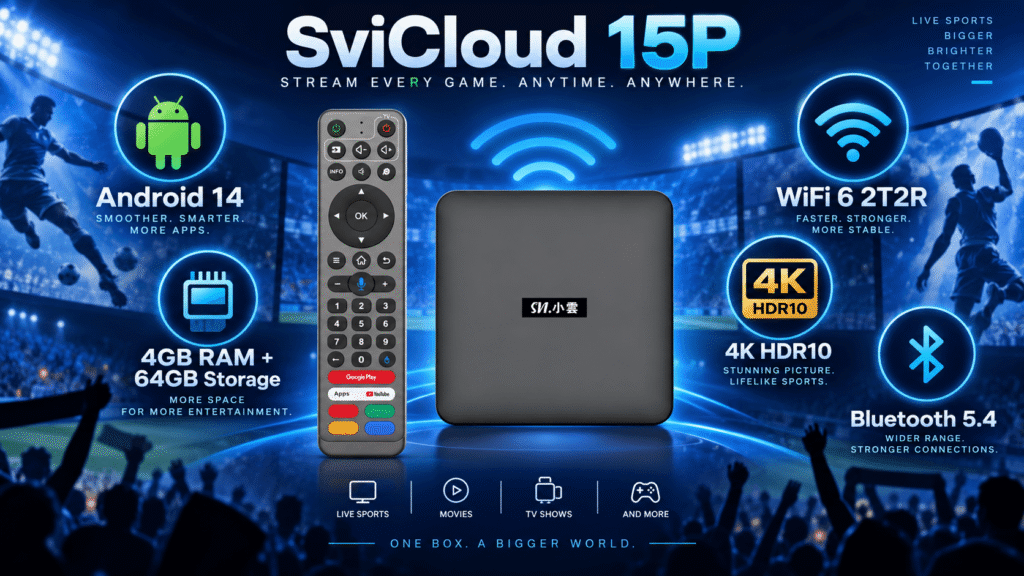
The SviCloud 15P is built with hardware designed for modern home entertainment. It features Android 14, 4GB RAM, 64GB storage, WiFi 6 connectivity, Bluetooth 5.4, and 4K HDR10 support.
These specifications make it suitable for everyday entertainment scenarios, including compatible sports streaming applications.
If you are researching the SVICloud 15P review, the main advantages are not only the hardware numbers but also how these features improve daily use.
| Feature | Benefit for Sports Viewing |
|---|---|
| Android 14 | Modern platform for compatible entertainment applications |
| 4GB RAM | Smoother multitasking and navigation |
| 64GB Storage | More space for apps and personal media |
| WiFi 6 | Improved wireless efficiency in modern homes |
| 4K HDR10 | Better picture quality with compatible content |
Watching Different Types of Sports Content Overseas
Overseas sports fans usually have different viewing needs depending on their background and favorite teams.
North American Sports Fans
For sports fans living in the United States and Canada, the SviCloud 15P provides a flexible way to enjoy different types of sports entertainment on the big screen. Whether you follow basketball, football, baseball, hockey, soccer, or other popular sporting events, users can choose suitable viewing options based on their own preferences.
With the SviCloud 15P TV Box, users can access a variety of sports-related content sources and select different sports channels or compatible applications according to their viewing needs. The device is designed to make it easier for families to organize their favorite entertainment options in one place.
In addition to available sports channels, users can also install and use compatible sports applications or streaming services supported in their region. Availability may vary depending on the service provider, subscription requirements, location restrictions, and account settings.
For official sports streaming options, viewers should always check the latest availability and subscription information directly from each sports service provider. For example, platforms such as official sports streaming services offer their own applications and viewing plans for sports fans.
Chinese, Hong Kong and Taiwanese Sports Content
For many overseas Chinese families, sports entertainment is also a way to stay connected with familiar cultures and regional events. The SviCloud 15P provides a convenient entertainment platform where users can explore different sports-related content options, including basketball, soccer, badminton, table tennis, and other popular events.
Whether you prefer Chinese-language sports programs, international competitions, or regional sports content, the SviCloud 15P allows users to choose suitable channels, applications, and streaming services based on their personal viewing habits.
Combined with its Android 14 system, WiFi 6 connectivity, and large-screen viewing experience, the SviCloud 15P helps overseas families create a more flexible home entertainment setup for sports, movies, TV shows, and more.
If you are interested in Chinese-language entertainment options, our guide about the best TV box for Chinese, Hong Kong and Taiwanese channels
explains what overseas users should consider when choosing a device.
Why WiFi Performance Matters for Sports Streaming
Sports fans usually want smooth playback because missing a key moment due to buffering can affect the entire viewing experience.
The SviCloud 15P works as a WiFi 6 streaming box with WiFi 6 2T2R technology, helping it connect efficiently with modern home networks. WiFi 6 technology is designed to improve wireless efficiency, especially in environments with many connected devices. The Wi-Fi Alliance explains that WiFi 6 provides improvements in capacity, efficiency, and performance compared with earlier generations. You can learn more about wireless performance in our detailed SviCloud 15P WiFi 6 performance guide.
However, users should remember that streaming quality depends on multiple factors:
- Your internet service speed
- Router location
- Distance between router and TV box
- Number of connected devices
- Streaming service quality
4K HDR10 Support for a Better Big-Screen Experience
Sports are naturally designed for large screens. A bigger display helps viewers follow fast movement, player details, and game action more comfortably.
The SviCloud 15P supports 4K HDR10 playback for compatible content, allowing users with suitable televisions to enjoy improved image clarity and contrast. Of course, actual picture quality also depends on the television, HDMI connection, video source quality, and application support.
Setting Up SviCloud 15P for Sports Streaming
Getting started with the SviCloud 15P is simple:
- Connect the SviCloud 15P to your TV using HDMI.
- Connect the power adapter.
- Select the correct HDMI input.
- Connect the device to your home network.
- Enter the built-in sports channels or install compatible applications.
- Sign in with your required accounts.
- Adjust video settings based on your TV.
For new users, our complete SviCloud 15P setup guide provides additional installation instructions.
Can SviCloud 15P Replace Traditional Sports Streaming Devices?
Many users wonder whether a TV box can replace traditional sports streaming devices. The answer depends on how you watch sports and what type of content you want to access.
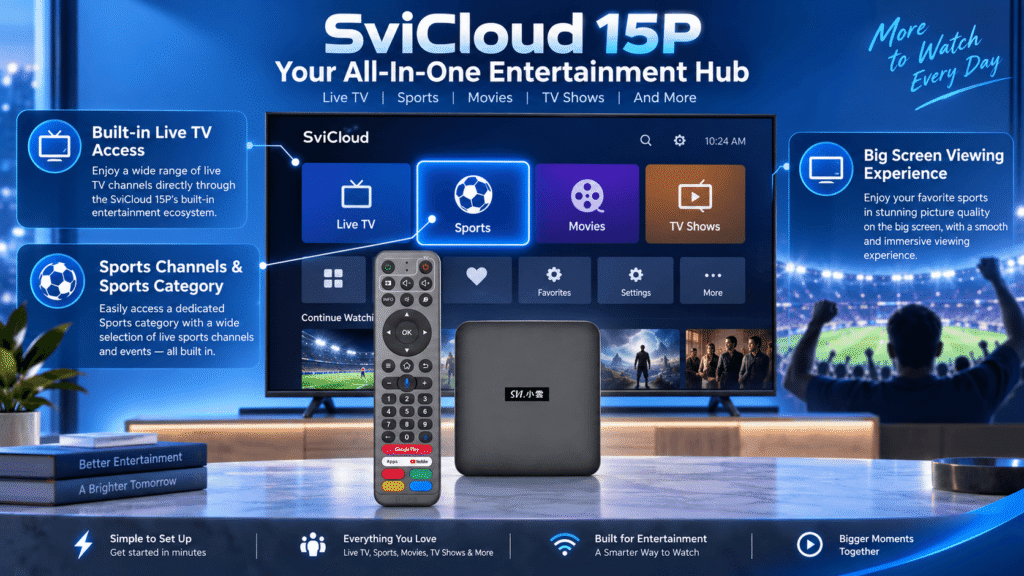
Unlike a simple streaming stick that mainly depends on installing separate applications, the SviCloud 15P combines its own built-in entertainment ecosystem with the flexibility of Android. The device includes a dedicated live TV experience with different content categories, including sports-related channels and programs, allowing users to browse and enjoy sports content more conveniently.
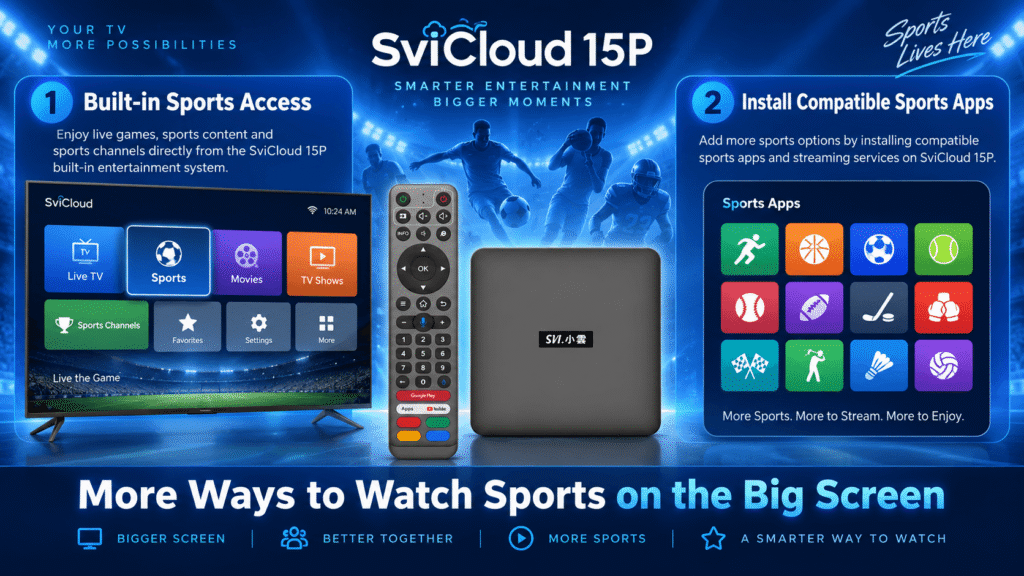
For sports fans, this means you can explore available sports channels and categories directly through the SviCloud entertainment interface, while also having the option to install compatible sports applications and streaming services based on your personal preferences.
The available channels, programs and applications may vary depending on region, service availability and content providers. Users should always check the latest availability and requirements for specific sports services.
SviCloud 15P vs Traditional Streaming Devices for Sports
When comparing the SviCloud 15P with traditional streaming devices, the biggest difference is the overall viewing experience and flexibility.
| Device Type | Sports Viewing Experience |
|---|---|
| Smart TV Apps | Convenient built-in apps, but entertainment options depend on the TV system and available applications. |
| Streaming Stick | Compact design and simple setup, usually focused on individual streaming platforms. |
| SviCloud 15P | Combines built-in live entertainment categories, sports content access, Android flexibility and support for compatible streaming applications. |
For overseas families, the advantage of SviCloud 15P is having more than one way to enjoy entertainment. Users can access sports-related content through the built-in SviCloud experience or choose additional compatible applications according to their viewing habits.
Who Should Consider SviCloud 15P for Sports Viewing?
The SviCloud 15P can be a practical choice for users who want a flexible sports and entertainment setup at home.
- Overseas Chinese families:
Families who want Chinese-language entertainment, live TV categories, sports content and other programs in one convenient device. - Sports fans:
Users who want easy access to sports-related channels and categories, while also having the flexibility to install compatible sports applications when needed. - Multi-generation households:
Homes where parents, grandparents and younger family members share the same television and prefer a simple viewing experience. - Android users:
People who appreciate the flexibility of an Android-based entertainment platform with additional application options. 
Does SviCloud 15P Require a Monthly Subscription?
Many users searching for a SviCloud 15P no subscription fees TV box want to understand how the device works compared with traditional streaming platforms.
The SviCloud 15P is a one-time hardware purchase and does not require a monthly hardware subscription from the seller. The device provides access to its built-in entertainment experience, including different content categories such as sports, movies and TV programs.
At the same time, users can also choose additional compatible applications or streaming services based on their own preferences. Some third-party platforms may have their own subscription fees, account requirements or regional restrictions.
This flexible approach allows families to choose the entertainment options that match their needs instead of paying for services they do not use.
Buying SviCloud 15P in the USA and Canada
For customers searching to buy SviCloud 15P in the USA, Canada, or other countries, choosing a reliable seller is an important part of the buying process.
Before purchasing a TV box, buyers should check:
- Product model and specifications
- Warranty information
- Shipping policy
- Return conditions
- After-sales support
For customers who want to know where to buy genuine SviCloud 15P TV Box, always confirm product information and seller details before placing an order.
The SviCloud official website provides current product information, while the SviCloud 15P TV Box product page includes detailed specifications and ordering information.
Common Sports Streaming Problems and Solutions
Sports Channels or Content Are Not Loading
If sports content does not load properly, first check your network connection and confirm that the device is connected to the internet. Because live sports require stable playback, WiFi performance, router placement, and network traffic can all affect the viewing experience. The SviCloud 15P supports WiFi 6 technology, which can help provide more efficient wireless connectivity in modern homes. However, actual performance depends on your internet service, router, and home network environment.
Want More Sports Options?
In addition to the built-in SviCloud entertainment experience, users can install compatible sports applications or streaming services when additional content options are needed. This gives users more flexibility to customize their entertainment setup based on their favorite sports, regions, and viewing preferences.
Frequently Asked Questions About SviCloud 15P Sports Streaming
Can SviCloud 15P watch live sports?
Yes. The SviCloud 15P provides sports-related content through its built-in entertainment ecosystem and also supports compatible sports applications and streaming services. Available channels and services may vary depending on region and content availability.
Does SviCloud 15P have sports channels?
The SviCloud 15P includes sports-related categories within its live entertainment experience, allowing users to browse available sports content more conveniently.
Can I install sports apps on SviCloud 15P?
Yes. As an Android-based TV box, SviCloud 15P supports compatible applications, giving users additional options for sports viewing based on their preferred services.
Is SviCloud 15P good for watching sports overseas?
The SviCloud 15P is designed for overseas users who want a flexible home entertainment solution with live TV categories, sports content access, Android application support, and modern hardware features such as WiFi 6 and 4K HDR10.
Is SviCloud 15P worth buying for sports fans?
For users looking for a TV box that combines built-in entertainment categories with the flexibility of Android applications, the SviCloud 15P can be a suitable option. Buyers should consider their preferred sports content, network environment, and viewing requirements before purchasing.
Final Thoughts: A Flexible Sports Entertainment Choice for Overseas Fans
For overseas sports fans, the ideal TV box should provide convenience, flexibility, and an enjoyable big-screen experience.
The SviCloud 15P combines its own live entertainment ecosystem with Android 14, WiFi 6 connectivity, 4K HDR10 support, 4GB RAM, 64GB storage, and a user-friendly remote. This allows families to enjoy sports content, Chinese programs, movies, and other entertainment options from one central device.
Whether you prefer browsing built-in sports categories or installing additional compatible applications, the SviCloud 15P provides multiple ways to create a personalized home entertainment setup.
Explore the latest information on the SviCloud website, or check specifications and availability directly through the SviCloud 15P TV Box product page.
Limited-time offer: Enter SviCloud 15P coupon code svi8 at checkout to receive 8% OFF your SviCloud 15P order.