
SviCloud 15P internet speed depends on what you watch and how many screens stream at once. For one 4K stream, start by checking the video service’s own guidance: major services publish recommendations around 15–20 Mbps of stable download speed per stream. For a busy home, planning about 25 Mbps per 4K screen plus room for other activity is a useful budgeting rule. That is a household planning estimate, not a special minimum required by the box.
Our SviCloud TV box range gives families flexible ways to watch, while the SviCloud 15P TV Box supports 4K HDR10 playback, dual-band Wi-Fi 6 and Ethernet. Those features give you several ways to connect; the video quality you actually see still depends on the source, your display and the connection reaching the TV.
In this guide
SviCloud 15P internet speed for one 4K stream
If the living-room TV is the only active stream, a stable 25 Mbps available at the box is a practical target for most 4K viewing. It leaves some breathing room above commonly published 15–20 Mbps service recommendations. Full HD usually needs much less. A faster plan is useful when another television, tablet, video call or large download runs at the same time.
Think of SviCloud 15P internet speed as two separate questions. First, how much does the particular video service need for the quality you select? Second, how much download speed actually reaches the box while the household is using the network? Your internet provider’s advertised plan describes the connection entering the home; it does not measure the Wi-Fi signal at the TV.
Our earlier SviCloud 15P Wi-Fi and Ethernet guide helps you choose the connection path. This article answers a different question: how to budget download capacity across the screens that are playing at once.
How many Mbps do HD and 4K streams use?
Video platforms publish their own requirements. As reference points, Netflix recommends 3 Mbps for 720p HD, 5 Mbps for 1080p Full HD and 15 Mbps for 4K. YouTube lists about 2.5 Mbps for 720p, 5 Mbps for 1080p and 20 Mbps for 4K UHD. These are service recommendations, not a universal SviCloud 15P speed specification. The actual rate can vary with the title, app, quality setting and delivery conditions.
| Viewing quality | Published service examples | Practical household planning allowance |
|---|---|---|
| 720p HD | About 2.5–3 Mbps per stream | Allow roughly 5 Mbps per screen |
| 1080p Full HD | About 5 Mbps per stream | Allow roughly 8–10 Mbps per screen |
| 4K UHD | About 15–20 Mbps per stream | Allow roughly 25 Mbps per screen |
The last column is our simple planning allowance, not a promise that every service will use exactly that amount. If you mainly watch 1080p programs, a premium gigabit plan is not automatically necessary just because the 15P can output 4K. Equally, a 4K-capable box and 4K television cannot turn a lower-resolution source into a native 4K stream.
For a wider look at what the model can display and what to check on your television, see our SviCloud 15P guide for 4K TV owners. It covers display and content considerations; the bandwidth table here helps you size the home connection.
Calculate internet speed for the whole household
Count the streams that can play at the same time, not every device that owns a Wi-Fi password. Then add an allowance for downloads, video calls and normal variation. This keeps the calculation tied to your family’s evening routine instead of an arbitrary “best internet plan” label.
Simple planning formula: 25 Mbps × simultaneous 4K screens + 10 Mbps × simultaneous Full HD screens + extra capacity for other active tasks.
For example, one 4K movie on the SviCloud 15P and one Full HD video on a tablet suggests around 35 Mbps before other activity. Two 4K televisions suggest around 50 Mbps before other activity. A plan in the 75–100 Mbps range gives a busier two-screen home useful headroom, provided that speed reaches each screen. These are examples for planning, not guaranteed thresholds or measurements of SviCloud apps.
If your second TV is used only occasionally, you may not need to buy a much faster plan. If both rooms stream every evening, the simultaneous-use calculation matters. Our two-TV SviCloud 15P guide explains the separate device and room setup question; each actively streaming box shares the same household internet connection.

Advertised broadband speed versus speed at the TV
A 100 Mbps broadband plan is not the same as 100 Mbps delivered to the SviCloud 15P. Distance, walls, neighboring networks and other devices can reduce the wireless rate in the living room. A strong speed test beside the router and a weak one at the TV point to a local connection issue rather than an automatically inadequate internet plan.
The SviCloud 15P gives you dual-band Wi-Fi 6 and a wired Ethernet option. A 5GHz network can be convenient when the router is nearby; 2.4GHz may hold up better across a longer distance. Ethernet removes the radio link from the equation. None of these connection choices increases the broadband capacity your provider supplies, but selecting a steadier path can help the box use the capacity you already pay for.
If a stream pauses even though your plan looks fast enough, work through our Wi-Fi versus Ethernet troubleshooting guide before changing internet plans. A single app that fails while others play normally may need app-specific attention instead.
How to test your connection without guessing
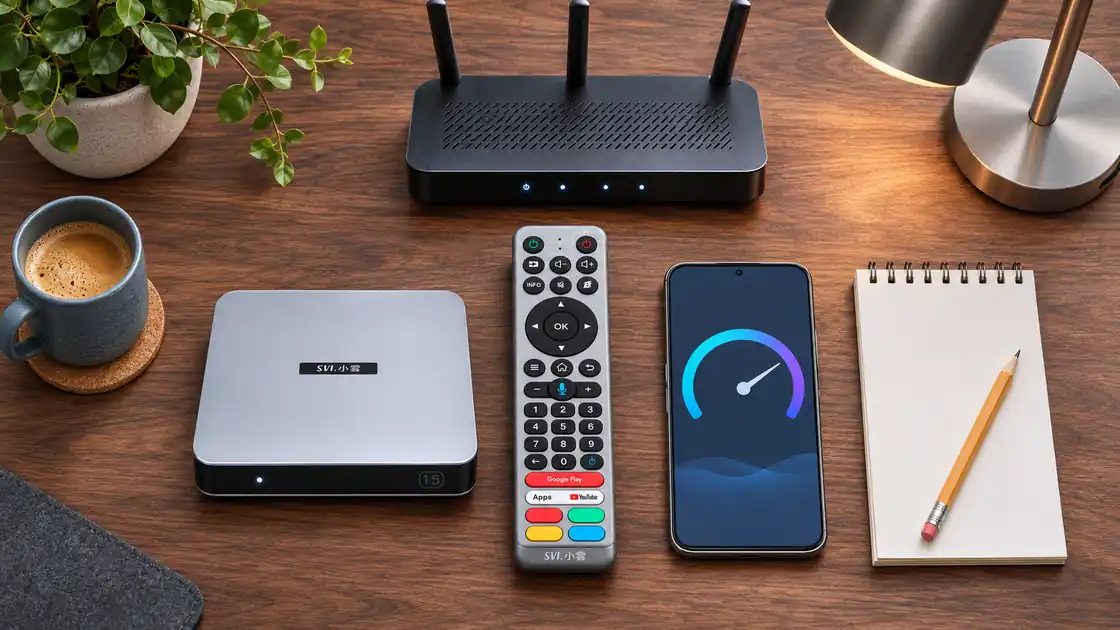
- Test at the TV location. Use a reputable speed test on the box if a compatible browser or app is available. A phone test next to the TV is a useful check of local Wi-Fi, though it is not a measurement of the box itself.
- Test during normal viewing hours. A midday result may miss the slowdown you notice when everyone gets home.
- Compare with a router-side test. If the router-side result is strong but the TV-side result is much lower, investigate the local Wi-Fi path.
- Run one controlled playback test. Pause large downloads, play the same video for several minutes, and note whether its quality stabilizes or it buffers.
- Try another connection path. If possible, test Ethernet or the other Wi-Fi band and compare the same title at the same time of day.
Measure download speed for video playback. Upload speed matters more to activities such as sending files or hosting a video call. Mbps means megabits per second; MB/s means megabytes per second, so the numbers differ by a factor of eight. A 25 Mbps connection is not the same as 25 MB/s.
If you are setting up the box for the first time, our SviCloud 15P setup guide covers the basic TV and network connection. If only one app behaves differently, check that app before treating the internet plan as the cause.
When a faster plan helps—and when it does not
A faster broadband plan helps when several active streams and downloads genuinely compete for limited capacity. If the provider delivers only 25 Mbps to the home, two simultaneous 4K streams are likely to put pressure on that connection. A higher-capacity plan can create useful room for a busy family.
But if the internet service reaches the router at a healthy rate and the SviCloud 15P receives a weak Wi-Fi signal across two rooms, a plan upgrade leaves the weak link in place. Improve router placement, try the other Wi-Fi band or test Ethernet first. The point is to solve the bottleneck you actually measured.
Local media is a different case. When you play a compatible movie file from connected storage using the 15P’s local-media features, that file does not have to be downloaded as an online stream. Our local movie library guide explains how this viewing option fits alongside streaming.
Frequently asked questions
Is 25 Mbps enough for a SviCloud 15P?
For one 4K stream, 25 Mbps of stable download capacity at the TV is a sensible planning target. Add capacity if another screen or heavy download runs at the same time. The video service’s own recommendation remains the reference for its app.
Is 50 Mbps enough for two 4K TVs?
Using a 25 Mbps planning allowance per 4K screen, two active TVs use the full 50 Mbps budget before other activity. More headroom is helpful in a busy home, and the delivered speed at both TVs matters as much as the advertised plan.
Does Wi-Fi 6 mean I need gigabit internet?
No. Wi-Fi 6 describes the wireless link between compatible equipment in your home; it does not set a minimum internet-plan speed. Choose a plan around the number and quality of streams you use.
Why does 4K still buffer on a fast plan?
Check what reaches the TV location, not only the provider’s plan label. A weak wireless path, other busy devices or a service-specific issue can affect playback. Compare Wi-Fi and Ethernet before changing your plan.
Do offline movie files need streaming bandwidth?
A compatible file played from connected local storage does not need internet download bandwidth for that file. Separate apps, artwork and online services may still use a connection.
Choose the setup that fits your home
Start with your real viewing pattern: one 4K screen, two screens, or a mix of 4K and Full HD. Budget capacity for those simultaneous streams, test the speed where the TV sits, and use the SviCloud 15P’s Wi-Fi 6 or Ethernet connection that performs best in that room. You can explore our SviCloud entertainment boxes and compare the current model details before ordering.