
Your television already has apps. So what would the SviCloud 15P add to it? The answer depends less on whether the screen is called “smart” and more on what your household actually wants to watch, how often you switch services, and whether the TV’s current interface still feels pleasant to use.
The SviCloud TV box range offers a separate entertainment experience for the same screen. In particular, the SviCloud 15P TV Box combines its own entertainment apps with Android 14, local-media tools, and a dedicated remote. That can be worthwhile for some families, while a good built-in TV interface may be all others need. Here is a practical way to decide.
Quick answer: do you need a box if your TV is already smart?
Not automatically. Keep using the built-in apps if they include the services you want, respond quickly enough, and make sense to everyone in the household. Consider the SviCloud 15P if the TV’s app selection or navigation leaves gaps, if several family members want different kinds of content, or if you also want to play a personal movie library from a compatible storage device.
A TV box does not improve the television panel itself. Picture quality still depends on the source, the TV, the HDMI connection, and the settings. Nor does buying a box guarantee access to a particular third-party streaming service in every region. Treat it as a different way to organize and control entertainment, not as a magic upgrade to every app.
Where built-in smart TV apps are enough
A recent smart TV can be convenient: turn it on, open the app you already use, and watch. There is one remote, no additional power adapter, and no need to choose another HDMI input. If your family mainly watches a handful of well-supported services, adding another interface could create more work than value.
Before buying, write down the apps that matter. Open each one on the TV and check whether sign-in, subtitles, playback, and updates work as expected. An app icon alone is not proof that a service offers the same catalog, resolution, or features in your country. Service availability and subscription terms are set by the provider. This simple check is more useful than assuming that either a smart TV or an Android TV box will run everything.
Also consider who uses the television. If everyone knows the existing remote and rarely looks for something beyond the current app menu, there may be no reason to change a working routine. For a second room used only occasionally, the built-in system may be perfectly adequate.
What the SviCloud 15P adds to the same TV
The 15P connects through HDMI, so it uses your existing television as its display rather than replacing it. SviCloud lists Android 14, 4GB RAM, 64GB storage, dual-band Wi-Fi 6, 4K HDR10 output, Bluetooth 5.4, and an AI voice air-mouse remote for this model. Those are product specifications, not promises that every app or video source will perform identically. For the exact hardware and current package, check the product listing before ordering.
Its bigger distinction is the SviCloud entertainment environment. The site’s guide to the 15P’s built-in and optional apps describes entrances for live television, films, series, children’s programming, and other categories. A household interested in a wider mix of Chinese-language and international entertainment may find that more relevant than a processor number. Actual programs, channels, and regional access can change, so check current availability rather than buying on the assumption that one specific title is permanent.
The box can also serve people who keep their own media files. SviCloud describes Filmax and a poster-wall interface for compatible local libraries; the local-movie organization guide explains why that matters when a collection has grown beyond a few files. This is a different use case from simply opening a streaming app on a TV.
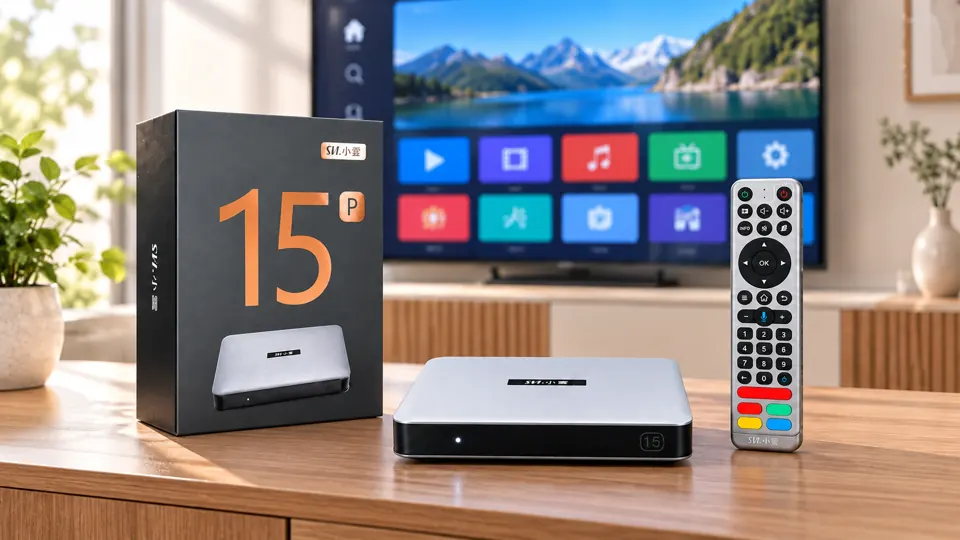
Compare the daily experience, not just the specifications
Imagine a normal week. One person wants a news program, another looks for a film, and a child wants age-appropriate entertainment. A smart TV’s default home screen may already handle that smoothly. If it does, keep it. If the household repeatedly searches through separate apps and menus, the 15P’s dedicated content entrances may make more sense.
Try the same test with the remote. The SviCloud product listing describes voice and air-mouse functions, but whether those improve your experience depends on which apps you use and whether your family prefers speaking, pointing, or ordinary direction buttons. The 15P remote-control guide covers the model-specific controls; do not assume that every television remote button maps to the box in exactly the same way.
Network conditions also matter. The 15P’s Wi-Fi 6 support is useful only when your home network and placement cooperate. If your router is distant, a wired connection may be the more reliable choice. The site’s Wi-Fi versus Ethernet explanation is a better starting point than assuming a new box alone will cure buffering caused by an overloaded internet connection.
Apps, accounts and costs: three things buyers often mix up
First, Android 14 does not mean every Android app will be suitable for a television, available in your region, or certified for every video service. Check the app you care about on the exact device and software version. The site’s SviCloud 15P app installation guide explains its documented download route and distinguishes SviCloud’s apps from optional third-party applications.
Second, an account for the box, an app marketplace, and a streaming provider are separate decisions. The Google-account guide for the 15P notes that the site’s published initial setup does not list Google sign-in as mandatory. A particular app can still ask for its own login, and a paid third-party service can still charge for access.
Third, compare the whole household cost rather than only the device price. The SviCloud box is a hardware purchase; optional subscriptions, internet service, and accessories have their own terms. If your smart TV already does everything you need, paying for another device may not make sense. If the 15P consolidates activities your family actually uses, the extra hardware may earn its place.
A five-minute decision checklist
- List the content: Which genres, languages, and individual services does your household use weekly?
- Test the TV: Are those apps available, responsive, and easy to operate on the current television?
- Check the connection: Is there a free HDMI input and a suitable place for the box, power supply, and remote?
- Check the network: Does the room have dependable Wi-Fi or a practical Ethernet connection?
- Separate the costs: Which services are included with the device, and which third-party apps need their own accounts or subscriptions?
If the first two answers are satisfactory, you may already have the right setup. If they expose a real gap, compare that gap with what the 15P actually offers. The decision should follow your family’s viewing habits, not a generic claim that every smart TV needs an external box.
When buying the 15P makes sense
The 15P is most compelling when you want the SviCloud app environment, a remote designed for the box, and the option to use compatible Android or personal-media tools on the same television. It is particularly relevant to families who want several entertainment categories accessible from one separate device, or who are keeping a working TV but are no longer satisfied with its built-in software.
It is less urgent when the existing TV already covers every viewing need. If a specific third-party app, language, accessibility function, or picture format is essential, verify it before paying. Read the current product specifications and seller terms rather than relying on a generalized “works with all smart TVs” claim.
Final verdict
Smart TV apps are sufficient for a simple, working routine. The SviCloud 15P becomes worth considering when you want a different entertainment hub on the same screen, with SviCloud’s own content entrances, local-media options, and dedicated controls. Start with the needs that your television does not meet, then compare the current SviCloud TV box lineup and the latest SviCloud 15P specifications and availability against that list.